$379.99
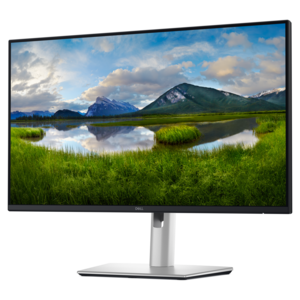
A QHD monitor with USB-C hub connectivity and TÜV-certified four-star eye comfort for productive, comfortable viewing.
Discover fresh inspiration to enhance your remote workspace with these ideas for work from home. Whether you’re setting up a dedicated office or optimizing a multifunctional area, the right technology and accessories can help you stay productive and comfortable throughout the day. Explore options designed to support focus, organization, and efficiency as you create a personalized environment tailored to your professional needs.
A QHD monitor with USB-C hub connectivity and TÜV-certified four-star eye comfort for productive, comfortable viewing.
A professional docking station delivering 130W power and versatile connectivity for streamlined productivity.
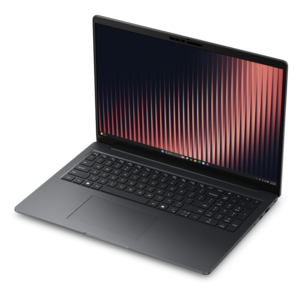
A thin, lightweight business laptop powered by AMD Ryzen processors with commercial-grade security and manageability.
A smooth 100Hz monitor with TÜV Rheinland 3-star eye comfort certification for everyday productivity.
A crisp FHD monitor with smooth 144Hz visuals, built-in speakers, and TÜV 4-star eye comfort certification.
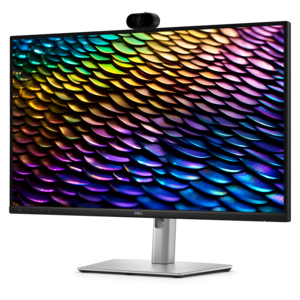
A Full HD conferencing monitor with built-in webcam, speakers, and microphone for seamless everyday collaboration.
A smart docking station offering up to 130W USB-C power delivery and remote management capabilities.
A durable, serviceable Chromebook designed specifically for education environments.
A durable, serviceable Chromebook designed for K–12 learning environments.
A compact desktop designed for everyday productivity and creative tasks.
A durable, serviceable laptop or 2-in-1 designed specifically for K-12 learning environments.
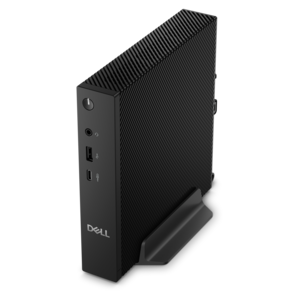
A compact thin client supporting cloud software, ThinOS, Windows 11 IoT Enterprise, or no operating system.
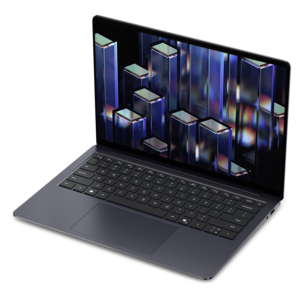
A remarkably thin, lightweight laptop designed for ultimate mobility and effortless everyday productivity.
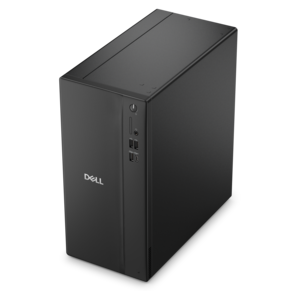
A business-ready tower desktop delivering reliable everyday performance with essential security features for productive workflows.
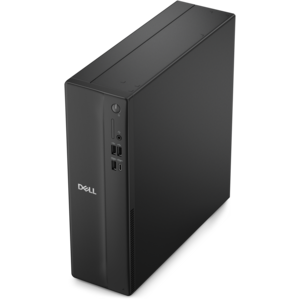
A space-saving business desktop delivering reliable everyday performance with essential security features for productive workflows.
A compact desktop delivering reliable performance and security for everyday productivity.
A business-ready tower desktop delivering dependable performance and security for everyday productivity workloads.
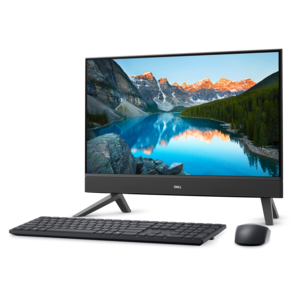
A compact all-in-one desktop designed for productive work and everyday entertainment.
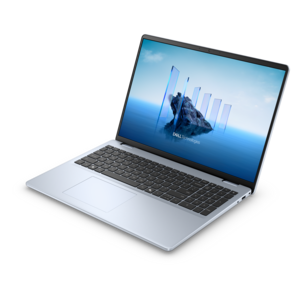
A sleek, portable laptop with an expansive 16:10 display for reliable productivity anywhere.
A slim, lightweight laptop with Intel® Core™ processors and graphics for productive work anywhere.
A modern laptop with AMD Ryzen™ processors, delivering effortless productivity and captivating entertainment in a design.
A modern laptop with Intel® Core™ processors and graphics for effortless productivity and captivating entertainment.
A sleek, portable laptop with an expansive 16:10 display and AI PC options for work anywhere.
A sleek laptop with a stylish design, delivering powerful performance for modern multitasking.
Ideas for work from home often begin with the tools that make everyday tasks feel more manageable: a computer suited to the workload, a screen that keeps details readable, and accessories that support clear conversations and comfortable typing. For remote employees, independent professionals, online tutors, and people running a small business from a spare room, these essentials serve different purposes throughout the day. A writer may spend hours moving between reference material and a document, while a tutor needs space for lesson notes alongside a video call. Someone managing appointments might value a responsive computer that keeps a calendar, email, and several browser tabs running smoothly together. Laptops suit workdays that move between a dedicated desk and another location, with screen size, weight, battery life, and keyboard feel influencing how practical that flexibility becomes. A smaller laptop is easier to carry, while a larger display can make spreadsheets and side-by-side windows less cramped. Desktops make sense for a more permanent workspace, especially when portability matters less than a consistent arrangement of screens and peripherals. Processor performance and memory requirements depend on the software involved; routine document work places different demands on a computer than editing high-resolution images or preparing complex visual presentations. Compatibility with required applications and an employer’s technical requirements also matters, particularly when a computer will handle business information or connect to workplace systems. For households where a desk doubles as a place for homework or personal projects, separate user accounts can help keep settings and everyday files organized. A thoughtfully arranged Work From Home Setup brings these choices together around the actual rhythm of the day, whether that means uninterrupted writing in the morning, client calls after lunch, or a few focused hours of administrative work in the evening. The most useful equipment fits the work being done and the space where it happens, rather than adding complexity to an otherwise straightforward routine.
Monitors and input accessories shape much of the physical experience of working at home, particularly during long stretches of reading, typing, and comparing information. A larger screen can provide room for a document beside a reference page, while two displays can keep a meeting visible without covering the work under discussion. Screen size alone does not determine readability: resolution, scaling settings, viewing distance, and the size of on-screen text all contribute. Higher resolution can make fine details appear sharper, but text may need scaling to remain comfortable to read. For image-focused work, color accuracy and support for the required color space deserve attention; for everyday office tasks, clear text and a stand with useful adjustment may have greater practical value. Physical fit is equally important. A deep monitor base can occupy the same part of a shallow desk needed for a keyboard, and a wide display may leave little room for a notebook or a comfortable mouse position. Height and tilt adjustment help place the screen at a useful viewing angle, while compatible mounting options can free up desk surface when the furniture supports them. External keyboards and mice allow a laptop screen to sit higher without forcing the hands to follow it. Keyboard size, key spacing, and typing feel are personal considerations, with a number pad particularly useful for frequent data entry and a compact layout leaving more room for mouse movement. Mouse shape should suit hand size and grip rather than simply match the appearance of the keyboard. Wireless accessories reduce visible cables, although batteries or charging become part of their upkeep; wired versions offer a consistent connection without a separate charging routine. Materials and construction influence daily use as well. Textured surfaces can improve grip, smooth finishes are easier to wipe, and sturdy stands help keep screens steady during typing. Comfortable positioning leaves room for relaxed shoulders, supported feet, and changes in posture, though no accessory replaces movement and regular breaks from sitting.
Audio, video, and connection accessories help a home workspace function when the room itself is less than ideal. A headset can make a conversation easier to follow when another household member is cooking nearby, while a well-positioned microphone helps keep the speaker’s voice clear. Active noise cancellation primarily reduces some of the sound the wearer hears; microphone noise reduction addresses what other people hear on a call, and performance varies with the device and the surrounding noise. For frequent meetings, headset weight, headband adjustment, ear cushion material, and accessible mute controls can matter as much as audio quality. Soft cushions may feel comfortable initially, but heat buildup and pressure become more noticeable over a long session. A webcam can provide more flexibility in framing when a laptop is raised or placed to one side, and a physical privacy cover offers a visible way to block the lens between calls. Even, front-facing light generally produces a clearer picture than a bright window behind the chair. Docking stations and adapters can simplify the transition from a portable computer to a desk arrangement, provided their connections, power delivery, and display support match the computer and peripherals. A connector’s shape does not guarantee every function, so checking technical compatibility helps avoid an arrangement that charges a laptop but cannot support the intended screens. Durability becomes especially relevant when equipment is packed away each evening or carried between home and an office. Reinforced cable joints, secure hinges, and a padded laptop sleeve can help equipment withstand routine handling, while a bag should fit the computer’s dimensions without pressing tightly against its corners. Care is usually straightforward: follow manufacturer cleaning directions, disconnect power before cleaning, keep liquid away from openings, and use an appropriate soft cloth on displays rather than abrasive household materials. Keeping vents unobstructed also supports normal cooling during demanding work. For someone starting a remote role or establishing a dedicated home office, compatible accessories can be practical gifts, especially when their preferences for fit and daily use are already known. Together, these details support a workspace that feels ready for the first task of the morning and remains comfortable through the final conversation of the day.
Add the products you would like to compare, and quickly determine which is best for your needs.