$599.99
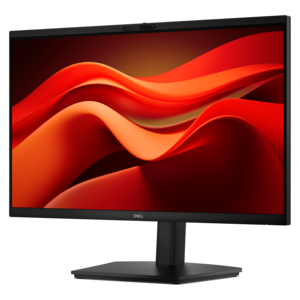
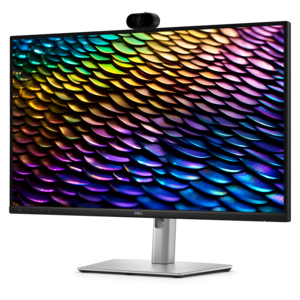
A QHD IPS conferencing monitor with integrated webcam, speakers, microphone, and USB-C connectivity for productive collaboration.
A well-designed work from home setup can make a meaningful difference in your daily productivity and comfort. Whether you’re creating a dedicated office space or upgrading your current workspace, the right combination of computers, monitors, and accessories helps support seamless collaboration and efficiency. Explore options that align with your needs and style to transform your work from home setup into a hub for success.
A QHD IPS conferencing monitor with integrated webcam, speakers, microphone, and USB-C connectivity for productive collaboration.
A professional docking station delivering 130W power and versatile connectivity for streamlined productivity.
A Full HD conferencing monitor with built-in webcam, speakers, and microphone for seamless everyday collaboration.
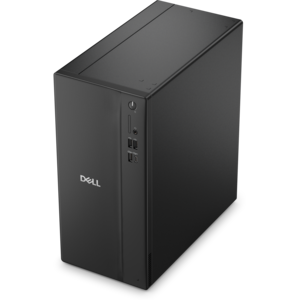
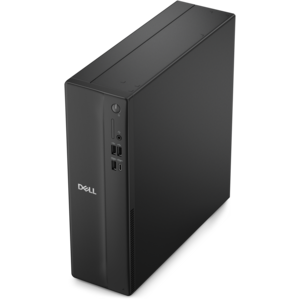
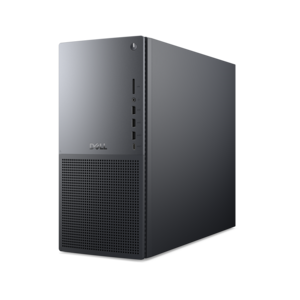
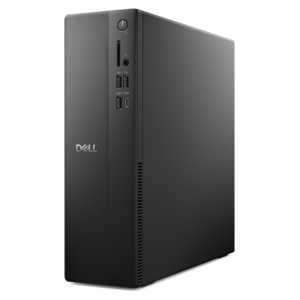
A powerful desktop designed to boost everyday productivity in a streamlined setup.
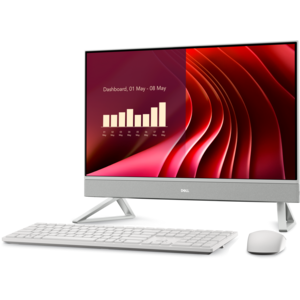
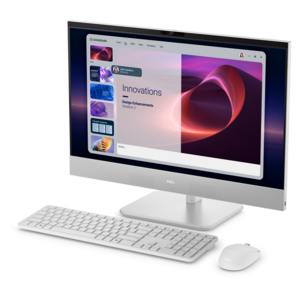
A compact all-in-one desktop designed for productive work and everyday entertainment.
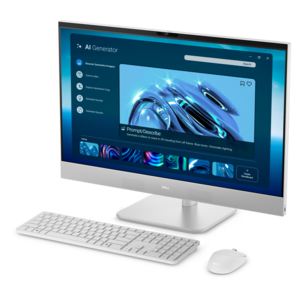
A space-saving all-in-one desktop designed for productive work and immersive entertainment.
A space-saving all-in-one desktop designed for productive work and immersive entertainment.
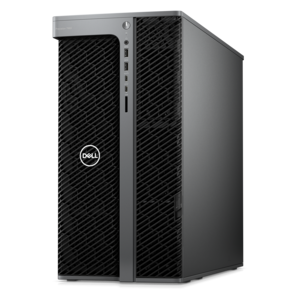
A workstation with Xeon processing, dual 300W graphics, 56TB storage, 2TB memory, and Windows 11 Pro.
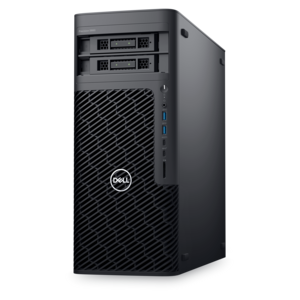
A scalable tower workstation with professional graphics and up to a 56-core Intel Xeon processor.
A work-from-home setup brings together a computer, a clear display, comfortable input devices, and audio and video accessories suited to the workday. The most useful combination depends on the tasks being handled and the space those tasks occupy: a dedicated home office, a bedroom alcove, or a dining table that needs to return to family use at the end of the afternoon. Laptops suit people who move between rooms or split their week between home and an office, while desktops offer a more permanent foundation for a workspace with a separate monitor, keyboard, and mouse. For everyday email, documents, and video meetings, a responsive computer that runs the required applications smoothly keeps routine work moving. Large spreadsheets, creative applications, and several demanding programs running together can call for greater processing capability and memory. Screen size and resolution matter just as much in daily use. A larger monitor can make it easier to view a report beside reference material, while a higher-resolution display can render small text and detailed images more clearly when application scaling is set appropriately. Two monitors provide separate spaces for tasks such as keeping a meeting visible while taking notes, although a single spacious screen may fit a shallow desk more comfortably. Physical dimensions deserve attention alongside screen measurements, since the stand, keyboard, and room needed to move a mouse all share the same surface. Adjustable monitor stands can help position the screen at a comfortable viewing height, generally with the top of the display at or slightly below eye level. A laptop stand paired with a separate keyboard and mouse can serve a similar purpose without forcing hands upward toward an elevated keyboard. For remote employees, independent professionals, and people managing a household alongside their work, these products form a workspace that feels purposeful rather than improvised. A compact arrangement can be just as practical as a room-sized office when each component suits the available space and the way its owner works.
Comfort in a home office comes from how the equipment fits together, not simply from the number of accessories on the desk. A keyboard that allows relaxed shoulders and a mouse positioned close to the body can make long stretches of typing and navigating feel less awkward. Full-size keyboards include a dedicated number pad that may be useful for accounting or frequent data entry; compact layouts leave more room for mouse movement on narrow surfaces. Key feel, operating noise, and layout are everyday considerations, especially in a shared room where someone else may be studying or taking a call. Mouse shape and size should suit the hand and preferred grip, while alternative designs may appeal to people who want a different wrist position. No accessory guarantees comfort for everyone, and even a well-fitted workspace benefits from changes in posture and regular movement. Audio equipment has its own fit requirements. Lightweight headsets, adjustable headbands, and ear cushions that sit comfortably can matter during consecutive meetings. Noise-canceling headphones can reduce some surrounding sounds for the listener, while microphone noise-reduction features are intended to limit background sound picked up during conversations; the two functions serve different purposes. A dedicated webcam can provide more freedom over camera placement than a built-in laptop camera, particularly when the laptop sits off to one side of a larger display. Clear lighting from in front of the face also helps a camera produce a more useful image than a bright window directly behind the speaker. Speakers can suit a private office, while a headset is often more considerate in shared spaces and can help keep incoming conversation private. Connections deserve equally practical attention. A docking station can simplify the transition between mobile and desk-based work by connecting compatible displays and peripherals through fewer cables, but charging capability, supported display configurations, and computer compatibility vary. A matching connector shape alone does not establish that every feature will work. The related Work From Home Technology page brings the broader technology theme into focus for shoppers considering how their computer and accessories will function together.
Materials, construction, and care influence how a work-from-home setup holds up to ordinary use. A laptop carried between an office and home faces different demands from a desktop that stays in place, making chassis construction, hinge quality, weight, and protective carrying accessories relevant considerations. Metal and plastic housings each vary in finish and construction, so material alone does not establish durability. A sleeve or bag should fit the computer’s dimensions without excessive movement and provide suitable cushioning for the intended commute. On the desk, a stable monitor base and securely fitted accessory mounts help keep equipment steady during typing or adjustments; any mounting accessory needs to match the display’s supported attachment pattern and weight. Headset cushions, keyboard surfaces, and frequently handled mouse grips benefit from straightforward care according to the manufacturer’s directions. Turning equipment off before cleaning, keeping liquid away from openings, and using an appropriate soft cloth help avoid preventable damage. Screens may have coatings that require particular cleaning methods, so household sprays are not automatically suitable. Open space around ventilation areas matters as well, especially when a computer sits near books, papers, or fabric. For a workspace that disappears after business hours, wireless peripherals can reduce the number of loose cables, although batteries or recharging become part of the routine. Wired accessories keep a physical connection and avoid separate battery maintenance, but their cable lengths need to suit the desk layout. Small details become noticeable over months of use: whether a charging cable reaches comfortably, whether a headset can be put away without bending its microphone, and whether a monitor leaves space for handwritten notes. These considerations also make home office accessories thoughtful gifts for someone starting a remote role, building an independent business, or refreshing a frequently used workspace. Compatibility and personal preferences are especially important for gifts, since keyboard layouts, headset fit, and screen size are individual choices. The strongest work-from-home setup supports its owner’s actual routine, from the first morning message to the final document review, while remaining comfortable to use, manageable to maintain, and appropriate for the home around it.
Add the products you would like to compare, and quickly determine which is best for your needs.