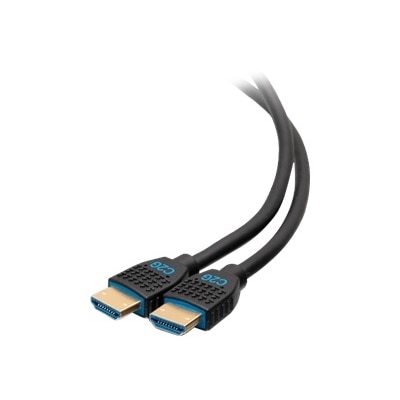
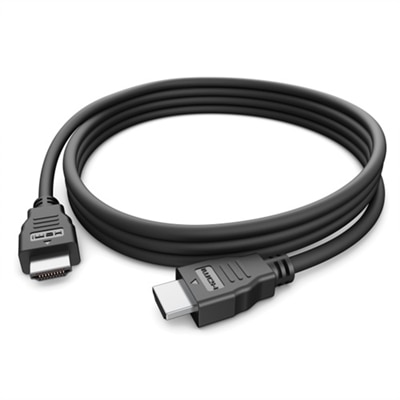
In Wall HDMI Cables
Upgrade your home entertainment setup with in wall HDMI cables designed for a seamless and clutter-free connection. Perfect for creating a polished look in living rooms, offices, or media centers, these cables allow you to route high-definition signals discreetly through your walls. Whether you're mounting a TV or organizing multiple devices, in wall HDMI cables provide a reliable solution for managing connectivity while maintaining a clean aesthetic. Explore options that help streamline your space and enhance your viewing experience.
This product is not available
Check out the following recommendations.




In Wall HDMI Cables
In-wall HDMI cables are designed for clean, reliable connections between displays and source devices when the cable needs to pass through a wall, ceiling, entertainment center, or other finished surface. They are commonly used with televisions, projectors, desktop computers, gaming systems, soundbars, streaming devices and other home entertainment equipment, helping keep visible wiring to a minimum while creating a more polished installation. A cable routed inside a wall should be specifically rated for in-wall use. Look for a CL2 or CL3 fire-safety rating, which indicates that the cable jacket is intended for residential installation and is designed to resist burning and limit hazardous fumes if exposed to fire. Local building codes can vary, so it is important to confirm the requirements in your area before beginning installation, particularly when routing cable through walls, ceilings or other enclosed spaces. The cable length should be measured by following the actual path from the source to the display rather than estimating a straight line across the room. Allow enough extra length to reach each port without pulling the connectors tight, but avoid leaving a large coil behind the wall, where excess cable can make installation more difficult. A flexible conduit can provide additional protection and make future replacement easier, especially in a room where technology may change over time. It can also help you update the connection later without opening the wall again. For a straightforward look behind a wall-mounted display, many people pair an in-wall cable with wall plates or recessed connection points, keeping the television close to the wall while leaving the source device, computer or console neatly positioned below or in a nearby cabinet. Carefully consider the route before drilling, and stay clear of electrical wiring, plumbing, studs and other obstructions. If you are not familiar with in-wall wiring or local installation rules, a qualified professional can help plan and complete the work safely.
Performance considerations are just as important as the cable jacket. A short copper HDMI run may be suitable for many everyday setups, while longer distances can require a cable designed to maintain signal quality over the entire route. Resolution, refresh rate, high dynamic range, color depth and audio features all affect the bandwidth your setup needs. A cable used with a standard television and streaming device may have different requirements from one connecting a high-resolution display to a gaming computer or modern console. If your system supports 4K or 8K video, high refresh rates or advanced audio return features, choose a cable that clearly supports the capabilities of the connected devices rather than relying only on a general speed label. For longer runs, active HDMI cables or fiber-optic HDMI cables can help carry high-bandwidth video and audio farther than a basic passive copper cable. Fiber-optic models are often directional, meaning one end must connect to the source and the other to the display; checking the labels before pulling the cable through the wall can prevent an inconvenient reinstallation. Connector fit matters as well. Verify that both ends can reach their ports without sharp bends, and leave enough room for ventilation around televisions, monitors, computers and other electronics. A cable should never be sharply folded, pinched by a wall plate or compressed behind a display. For additional options for visible or shorter connections, browse HDMI To HDMI Cables. In-wall HDMI cables are useful for homeowners creating a dedicated media room, families organizing a shared living space, remote workers connecting a laptop to a larger monitor, and anyone refreshing a room where loose wires collect dust and distract from the screen. They can also make a practical gift for someone building a home theater, updating a gaming setup or mounting a new television, especially when the recipient values a tidy installation. Before purchasing, note the distance, the required video resolution, the source and display ports, the need for audio return and whether the cable will run through a wall or ceiling. These details help match the cable to the installation and reduce the chance of compatibility problems after the room has been finished.
FAQs:
Yes, in wall HDMI cables are fully compatible with gaming consoles, streaming devices, Blu-ray players, and other HDMI-enabled electronics. They are designed to deliver high-quality audio and video signals, making them ideal for connecting your devices to wall-mounted TVs or projectors for a clean, organized setup.
Absolutely. In wall HDMI cables can be used to connect Dell laptops to monitors, projectors, or TVs, allowing for a streamlined workspace or entertainment area. Just ensure that the cable supports the HDMI version required by your devices for optimal performance.
When selecting an in wall HDMI cable for your home theater, consider features such as support for 4K or 8K resolution, HDR compatibility, eARC, and high refresh rates. Detachable connectors can also be helpful for easier installation through tight wall spaces.
Yes, using in wall HDMI cables along with in-wall rated wall plates or boxes can help you achieve a sleek, professional appearance. This approach conceals wires and creates a tidy, minimalist look in any room.
Homeowners, renters, office managers, educators, and tech enthusiasts can all benefit from installing in wall HDMI cables. They are especially useful for anyone looking to reduce cable clutter and create a more organized, visually appealing environment for entertainment, work, or learning.