$129.99
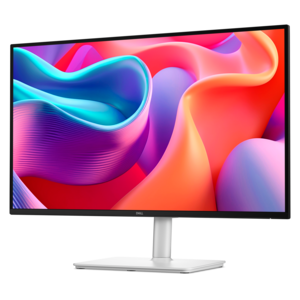
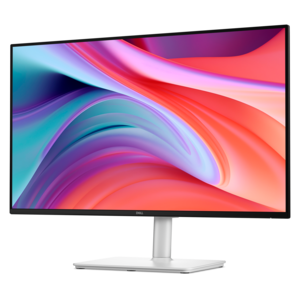
A Full HD monitor with 144Hz refresh rate, built-in speakers, and TÜV 4-star eye comfort certification.
Input output devices are essential components that connect you to your computer, allowing seamless communication and interaction with your digital world. Whether you’re looking to enhance productivity, streamline workflows, or upgrade your setup for entertainment or work, choosing the right input output devices can make a significant difference. Explore a wide selection designed to suit various needs and preferences, ensuring reliable performance and an improved user experience every time you power on.
A Full HD monitor with 144Hz refresh rate, built-in speakers, and TÜV 4-star eye comfort certification.
A powerful Thunderbolt 5 dock delivering up to 300W power for demanding workloads.
Input and output devices connect everyday actions with the information a computer processes. Input devices send data or commands into a computer, while output devices present the results as images, sound, or printed pages. A keyboard turns keystrokes into text and instructions; a mouse translates hand movements and clicks into on-screen navigation. Microphones capture sound, webcams capture video, and scanners convert paper documents or photographs into digital images. On the output side, monitors display text and visuals, speakers and headphones reproduce audio, and printers create physical copies of digital content. Some devices perform both functions: a touchscreen displays information while accepting taps and gestures, and a headset with a microphone combines audio output with voice input. These distinctions describe how computer peripherals work, but their value becomes clearer in ordinary moments: typing a report, reviewing a photograph, joining a video call, or listening closely to a recorded lecture. A laptop already brings several of these functions together, while external peripherals can provide more room, different controls, or a better fit for a particular task. A larger display can make a spreadsheet easier to review beside an open document, and a separate keyboard allows the screen and typing surface to sit at different heights. Desktop setups often use individual input and output devices to create a workspace suited to writing, studying, design, entertainment, or a combination of activities. The right arrangement depends as much on the room and the person using it as on technical specifications. A quiet corner shared with family calls for different sound options than a dedicated workspace, just as a compact student desk has different space constraints than a broad creative worktable. Compatibility also shapes the experience: the computer’s ports, operating system, and supported connection standards determine which functions a peripheral can deliver. A connector that physically fits does not always guarantee support for every display, audio, or control feature, particularly when adapters are involved.
Keyboards, mice, and other input devices influence the movements repeated throughout the day, making size, shape, and placement practical considerations rather than finishing details. A full-size keyboard provides a dedicated number pad for frequent numerical entry, while a compact layout leaves more space for a mouse on a narrow desk. Key spacing, key travel, and typing sound affect how a keyboard feels during a long writing session or in a shared room. Low-profile keys have a different feel from taller keys, and clearly marked legends help make controls easier to recognize. Mouse fit depends on hand size, grip style, and whether the shape supports left-handed, right-handed, or either-handed use. Weight and surface texture also matter when navigating detailed layouts or moving repeatedly between windows. Textured grips can improve control, though grooves may collect dust more readily than smooth surfaces. For illustration and handwritten annotations, pen input offers a different kind of precision, with pressure sensitivity available on compatible hardware and software. Video and voice input bring their own everyday considerations. Webcam placement affects the angle of a conversation, while room lighting influences how clearly faces appear. A stable mount and an adjustable viewing angle can be useful when switching between a seated call and a tabletop demonstration. Microphone performance depends not only on the device but also on its distance from the speaker and the surrounding sound; a nearby keyboard, open window, or bare wall can affect a recording. Wired connections keep peripherals physically connected without a separate wireless battery to maintain, while wireless options allow more freedom of placement and fewer cables across the work surface. Wireless models may require charging, replaceable batteries, or a compatible receiver. For someone who moves between a home workspace and a classroom, portability and protected controls can matter as much as extra features. For someone working at the same desk each day, stable positioning, accessible buttons, and comfortable reach may carry more weight.
Output devices shape how finished work, entertainment, and conversations are experienced. For monitors, screen size and resolution work together: a larger panel creates more physical viewing space, while resolution determines the number of pixels available to render text and images. Readability also depends on viewing distance and scaling settings, so a spacious display is most useful when it fits the depth of the desk. Adjustable height, tilt, and compatible mounting options help position a screen for comfortable viewing without forcing the keyboard into an awkward spot. Matte screen surfaces can reduce distracting reflections, although direct sunlight and bright lamps still affect visibility. Color performance is especially relevant to photo editing and design, while refresh rate and response time become more noticeable with fast-moving visuals. Audio output serves similarly varied needs, from keeping a spoken presentation intelligible to preserving the detail of music during a quiet evening. Audio Devices include options for personal listening and shared sound, with comfort, placement, and controls influencing everyday use. Headphone weight, headband adjustment, and ear cushion materials matter during extended listening; soft padding may feel comfortable initially, but fit and heat buildup also affect longer sessions. Speakers need suitable space and positioning, particularly on a desk where books or a monitor could block sound. Printed output remains useful for marked-up drafts, household paperwork, and photographs, with paper compatibility, print quality, and routine maintenance shaping the results. Across input and output categories, durable construction includes secure hinges, stable bases, resilient cables, and connectors that can withstand normal handling. Smooth plastic housings are often easy to wipe clean, while fabric coverings and textured finishes may need more careful dust removal. Care should follow the manufacturer’s directions, with liquids kept away from openings and appropriate cleaning materials used on screens and cushions. Thoughtful peripherals can also make practical gifts for students, remote workers, creative hobbyists, and people who enjoy computer entertainment. Matching the recipient’s existing computer, workspace, and preferred activities helps make an accessory genuinely useful rather than another object competing for desk space.
Add the products you would like to compare, and quickly determine which is best for your needs.