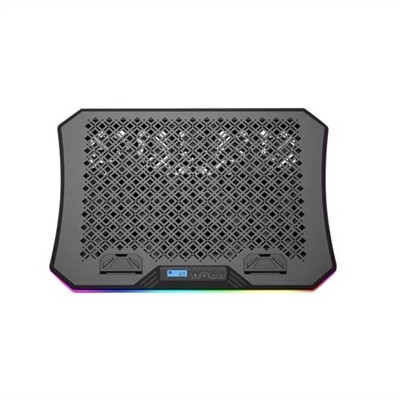
Laptop Cooling Stands
Elevate your laptop experience with our range of laptop cooling stands, designed to enhance performance and comfort. Whether you're working, gaming, or streaming your favorite content, these cooling solutions help maintain optimal temperatures for your device, ensuring it runs smoothly and efficiently. Explore a variety of styles and designs that not only keep your laptop cool but also provide ergonomic benefits for improved posture and reduced strain during extended use. Discover the perfect blend of functionality and style with our selection of laptop cooling stands, tailored to meet the needs of every user.
This product is not available
Check out the following recommendations.




Laptop Cooling Stands
Laptop cooling stands are designed to give a laptop a more supportive surface while helping air move beneath the chassis. Many laptops draw air through vents on the underside, and placing one directly on a soft blanket, cushion, or lap can restrict that airflow. A cooling stand raises the computer above the desk and creates space around its intake areas, which can help it release heat more effectively during everyday work, streaming, school projects, photo editing, gaming, and other demanding tasks. Some stands rely on passive cooling, using an open frame, mesh panel, or angled platform to encourage natural ventilation without adding sound or cables. Others use built-in electric fans that push air toward the laptop’s bottom vents through a USB connection or another power source. The right style depends on how the computer is used: a simple riser may be well suited to browsing, writing, video calls, and office applications, while a powered cooling stand can provide additional airflow for extended gaming sessions, creative software, large downloads, or multitasking with several demanding programs. A laptop cooling stand may also improve comfort by lifting the display closer to eye level and creating a more natural viewing angle. Pairing the raised screen with an external keyboard and mouse can make a desk setup feel less cramped and may reduce the tendency to hunch over a low laptop during long work periods.
When comparing laptop cooling stands, start with compatibility, size, and the location of the laptop’s ventilation openings. The platform should support the computer securely without covering its intake vents, and its dimensions should suit the laptop’s screen size and overall footprint. Adjustable fan speed can be useful when quieter operation matters, while higher airflow settings may be helpful during demanding workloads. Fan count alone does not determine performance; the position of the fans, the openness of the stand, and how closely the airflow lines up with the laptop’s vents are also important. Some high-performance designs use a sealed foam gasket or surrounding air channel to direct more of the moving air toward the intake area. These models may provide stronger cooling potential, but they can take up more desk space and produce more audible fan noise. A mesh or open-panel stand is often lighter and easier to carry, while a solid ergonomic riser may offer a steadier platform for typing and a cleaner appearance on a home or office desk. Look for non-slip feet, a stable base, and a front edge or retaining lip that helps keep the laptop in place when the stand is angled. Height and angle adjustment can make a noticeable difference for people who alternate between seated and standing work. Port access is another practical detail: a stand should not make it difficult to connect a charger, headphones, display cable, or other laptop accessories. Cable length, USB pass-through ports, removable dust filters, and ease of cleaning also affect how convenient the stand will be over time. Dust can collect around fans and vents, especially in homes with pets or during periods when windows are open, so a design that can be wiped down or cleaned with minimal disassembly may be easier to maintain. For additional airflow options, browse Laptop Cooling Fans.
Laptop cooling stands can fit a wide range of routines and spaces. A remote worker may keep one at a desk to raise the screen for video meetings and reduce heat buildup while handling spreadsheets, browser tabs, and communication apps. A student can move a lightweight stand between a bedroom, library table, and shared workspace, using it to create a more consistent setup wherever assignments take place. Gamers and creators often appreciate the added airflow during long sessions when the laptop’s processor and graphics hardware are working harder, although a cooling stand is not a substitute for clear vents, reasonable room airflow, or routine care. In a compact room, a quiet passive stand may be more comfortable than a high-speed fan model. In a shared office, library, or bedroom, noise level can be just as important as cooling capacity. A powered stand can also be a thoughtful gift for someone who spends many hours on a laptop, particularly a college student, remote professional, frequent traveler, or hobbyist who has recently created a more permanent desk setup. Consider the recipient’s habits before choosing: a commuter may value a slim, portable design; a gamer may prefer stronger active airflow and sturdy support; and someone focused on posture may prioritize height adjustment over fan performance. During warmer weather or in rooms with limited ventilation, the extra space beneath a laptop can feel especially useful, while the ergonomic lift remains valuable during cooler months. With the right combination of stable support, suitable airflow, manageable noise, and comfortable viewing height, a laptop cooling stand can make everyday computer use feel more organized and comfortable without changing the laptop’s essential function.
FAQs:
A laptop cooling stand helps improve airflow around your device, which can reduce overheating and maintain optimal performance. It also elevates your laptop to a more ergonomic angle, making typing and viewing more comfortable during long sessions.
Laptop cooling stands are useful for a wide range of users, including students, remote workers, gamers, designers, and anyone who spends extended periods on their laptop. They are also a thoughtful gift for professionals or tech enthusiasts.
Yes, by keeping your laptop cooler, a stand can help prevent internal components from overheating, which may contribute to longer device lifespan and more consistent performance over time.
Most laptop cooling stands are designed to be universally compatible and can accommodate a variety of laptop sizes and brands, including Dell laptops and other popular models.
Laptop cooling stands are typically simple to set up, often requiring no tools. Most models are plug-and-play, with built-in fans powered by your laptop’s USB port, making them convenient for everyday use.