Laptop Power Buttons
Laptop power buttons are an essential component of your portable computing experience, providing the critical function of bringing your device to life with just a touch. Whether you're embarking on a new project, diving into your favorite game, or simply catching up on emails, the reliability and ease of use of laptop power buttons ensure that you can get started quickly and efficiently. Discover a range of options designed to meet various needs, offering durability and style to complement any laptop design. Explore our selection to find the perfect fit for your device and enhance your computing experience with confidence.
This product is not available
Check out the following recommendations.

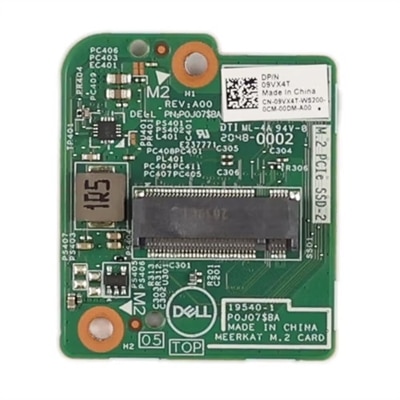
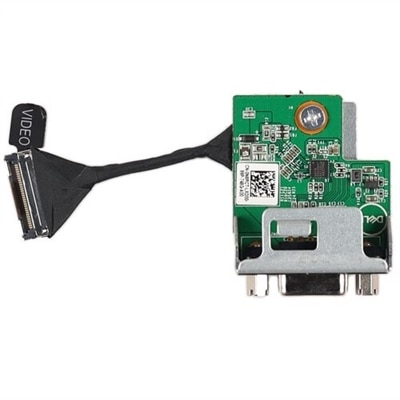
Laptop Power Buttons
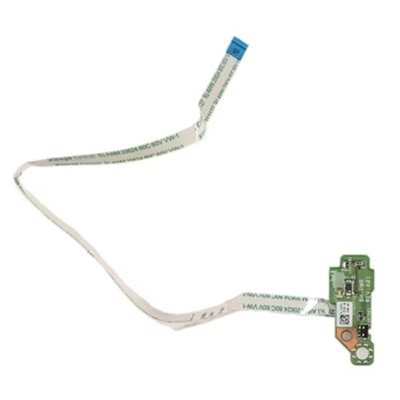
Laptop power buttons provide the simple, familiar control that starts a computer, wakes it from sleep, turns off the display, or begins a shutdown sequence. Although the function is consistent, the physical design and placement can vary widely from one laptop to another. Many models position the button above the keyboard near one of the top corners, while others place it along the left, right, or front edge of the chassis. Convertible laptops and especially slim designs may use a side-mounted button that is easier to reach when the device is folded into tablet mode. Some systems integrate the power button into the keyboard assembly, and certain configurations combine it with a fingerprint reader or another security feature. Replacement button caps, button boards, cables, and related assemblies are therefore designed for specific chassis layouts rather than universal use. When reviewing Laptop Power Buttons, begin with the exact laptop model, screen size, generation, and configuration. Compare photographs, connector locations, screw-hole patterns, cable lengths, and the shape of the surrounding trim before choosing a compatible part. A button that looks similar may not align correctly with the internal switch, and a replacement intended for a nearby model may use a different cable or mounting point. These products can be useful for restoring a familiar laptop after a worn, cracked, loose, or unresponsive button has made everyday startup frustrating. They may also help repair technicians, students learning basic computer maintenance, home offices, and families keeping an older laptop in service for homework, travel, or shared household tasks. For broader options related to physical controls and replacement components, visit Computer Buttons.
Before replacing a laptop power button, confirm that the button itself is the source of the problem. A laptop that does not respond may have a depleted battery, an improperly connected charger, a damaged charging port, or another power-related issue. Check whether charging indicators illuminate when the AC adapter is connected, and look for signs that the display or keyboard is receiving power even if the screen remains dark. If the computer is frozen, pressing and holding the power button for approximately 10 to 15 seconds can force a complete shutdown; this should be reserved for situations in which normal controls are unavailable because unsaved work may be lost. Once the system is working again, the operating system can often be configured to determine what a brief press does. In Windows, Power Options includes settings for choosing whether the button puts the laptop to sleep, shuts it down, turns off the display, or does nothing. These actions may be set differently for battery operation and for use with an AC adapter, which is helpful for someone who wants quick sleep behavior while commuting but a more deliberate response at a desk. If a replacement is appropriate, work slowly and use the service instructions for the exact model. Disconnect the charger, shut the computer down, and disconnect the internal battery before handling internal components whenever the repair procedure allows. A small plastic tool, organized screws, and good lighting can make the process more manageable, but opening a laptop may expose delicate ribbon cables, clips, and connectors. A power button integrated with a fingerprint reader or keyboard may require replacing a larger assembly and may involve security or calibration considerations, so professional service can be the better choice when the device is still under coverage or when the internal layout is unfamiliar.
The best Laptop Power Buttons are selected with practical details in mind: exact compatibility, button travel, fit and finish, connector style, installation requirements, and the condition of the surrounding palm rest or keyboard deck. If the original button is physically damaged but the underlying switch still works, a button cap or matching external piece may be sufficient. If pressing the button feels loose, produces no response, or works only when pushed at an angle, the internal switch, board, or cable may need attention instead. A replacement should sit level with the chassis, press cleanly without excessive force, and return to its original position rather than catching against the bezel. Consider who will use the laptop and where it is used. A remote worker may appreciate a dependable button at the start of an early morning video meeting, while a traveler may prioritize a durable fit that withstands repeated packing and unpacking. For a shared family computer, a clearly marked and responsive button can make startup less confusing for different users. These items are generally practical repair purchases rather than decorative gifts, but they can be thoughtful for someone who relies on a laptop for school, creative projects, bookkeeping, or staying connected and would rather restore a familiar device than replace it. Keeping the model information, service documentation, and any removed parts together can simplify future maintenance and help ensure that the repaired laptop remains dependable through busy workdays and changing routines.
FAQs:
The power button on a Dell laptop is most commonly found above the keyboard, often in the top right or left corner. Some models feature a dell laptop side power button for easier access, while newer designs may integrate the power button into the keyboard area, sometimes doubling as a fingerprint reader.
Yes, you can customize the function of your dell power button through your operating system’s power settings. In Windows, for example, you can set the power button to put your laptop to sleep, shut it down, or do nothing at all by navigating to Control Panel > Power Options.
If your laptop is unresponsive, try holding the power button for 10–15 seconds to perform a hard shutdown. If the issue persists, unplug the device and hold the button for 30–60 seconds to help drain residual power before attempting to turn it on again.
Not all Dell laptops feature a fingerprint reader in the power button. While many modern models offer this integration for added security and convenience, some laptops use a traditional power button without biometric capabilities.
Yes, there are differences. The computer power button on desktops is typically larger and located on the front or top of the tower, while the power button on laptops is more compact and often designed to blend seamlessly with the device’s body or keyboard for a streamlined appearance.