$2912.00
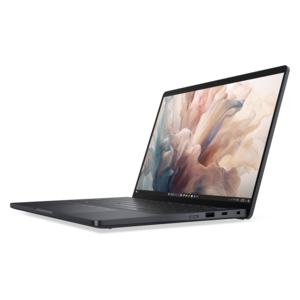
An AI-powered tablet with optional keyboard, active pen, advanced thermals, HDR cameras, and Intel Core Ultra.
Upgrade your computing experience with laptop replacements designed to fit your needs. Whether you’re looking for enhanced performance, a refreshed design, or improved portability, finding the right option can make all the difference in your daily productivity and entertainment. Explore a wide selection of laptop replacements that offer reliability and versatility for work, school, or leisure activities. Discover solutions that help keep you connected and efficient wherever life takes you.
An AI-powered tablet with optional keyboard, active pen, advanced thermals, HDR cameras, and Intel Core Ultra.
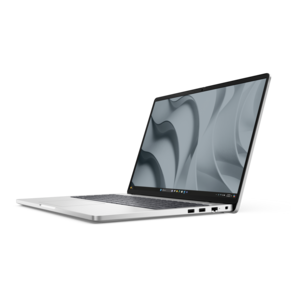
A remarkably thin 2-in-1 laptop powered by AMD Ryzen AI PRO 400 Series processors for performance.
A remarkably thin 2-in-1 laptop combining versatile portability with performance powered by advanced Core Ultra processors.
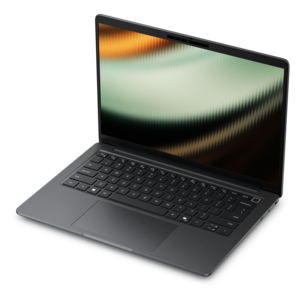
A versatile 2-in-1 laptop with AI experiences, all-day battery life, and seamless multitasking.
A versatile 2-in-1 laptop with Intel Core processors, DDR5 memory, and multiple modes for creative work.
Laptop replacements include compatible components and accessories that take the place of worn, damaged, or unreliable laptop hardware. Replacement batteries, power adapters, screens, keyboards, and cooling components serve different purposes, but each can help restore a familiar computer to everyday use when the underlying system is still suitable for the job. For someone whose laptop travels between a kitchen table, a classroom, and a shared workspace, a worn battery may be the main interruption in an otherwise dependable routine. For a remote worker, a keyboard with unresponsive keys or a damaged charging cable can make ordinary tasks unnecessarily frustrating. A cracked screen can interfere with everything from reading small spreadsheet cells to watching a movie, even when the computer itself continues to run normally. The right replacement depends on the affected component, the laptop’s exact model and configuration, and the type of work it needs to support. Similar-looking laptops can use different internal connectors, mounting points, and electrical specifications, so appearance alone does not establish compatibility. Model information and component part numbers provide a more dependable starting point than screen size or case color. Where a laptop has multiple hardware configurations, its original component specifications can help distinguish between parts that look nearly identical. Replacement hardware is also different from a complete replacement laptop: it addresses a particular function rather than changing the entire computer. That distinction matters for students with an established study setup, households sharing a computer for everyday tasks, and professionals who want to keep a comfortable keyboard layout and familiar screen. Component replacement can extend useful life, although the outcome depends on the condition of the rest of the system. A symptom such as unexpected shutdowns or a blank display may have more than one cause, and identifying the fault helps prevent replacing a working part. Compatibility information, installation requirements, and a clear understanding of the problem are therefore central to choosing hardware that fits both the computer and the way it is used.
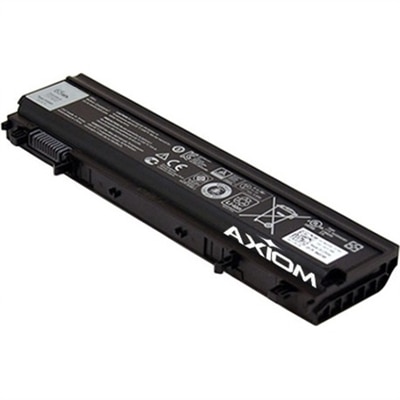
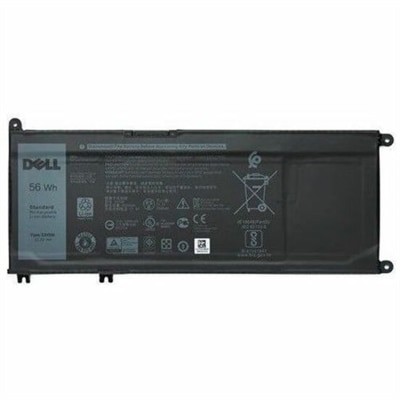
Replacement laptop batteries and power adapters support two related but distinct needs: portable runtime and dependable external power. Rechargeable lithium-ion batteries gradually lose capacity through normal aging and use, so a computer that once handled an afternoon away from an outlet may eventually need charging much sooner. A compatible replacement battery may restore runtime lost to battery wear, but actual battery life still varies with display brightness, applications, power settings, and workload. Physical dimensions, connector placement, voltage, and supported battery specifications all matter; a higher capacity rating is not useful if the battery does not fit or is not supported by the laptop. Some batteries are accessible from the outside, while others sit beneath a secured base cover and require more involved installation. Swelling, unusual heat, or visible damage calls for stopping use and arranging appropriate service rather than continuing to charge the battery. Power adapters require equally careful matching. A connector that fits does not, by itself, confirm that an adapter supplies the correct power. Barrel-style connectors can differ in size and electrical requirements, while USB-C charging depends on the laptop’s supported charging features, the adapter’s output, and the cable’s capabilities. An underpowered adapter may charge slowly or fail to keep up during demanding work. For a commuter, cable flexibility and manageable adapter size affect how comfortably everything fits into a bag; for a permanent desk setup, cable length and outlet placement can be more important. Durable cable jackets and well-supported connector ends help protect areas exposed to repeated bending, though no cable is immune to strain. Loosely coiling a cord instead of wrapping it tightly around the adapter can reduce stress, and unplugging by the connector rather than pulling the cable helps protect the connection. Batteries and adapters also need room to release heat during use. Soft bedding, tightly packed bags, and covered vents can trap warmth, making a firm, unobstructed surface a better fit for charging and sustained work.
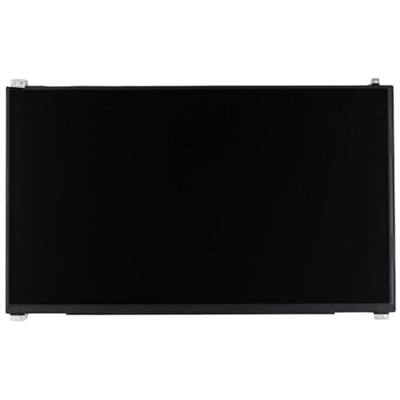
Replacement screens, keyboards, and cooling components affect the parts of a laptop that people notice most directly: the image in front of them, the feel beneath their fingers, and the sound of the system during a busy afternoon. A replacement display needs more than the correct diagonal measurement. Resolution, connector type and position, mounting design, touch capability, and compatibility with the existing display assembly can all influence fit and function. Depending on the design, replacement may involve an individual panel or a larger assembly with additional attached components. Matte and glossy surfaces handle reflections differently, but finish is only a meaningful choice where a compatible option exists. Someone reading documents beside a bright window may notice glare more readily than someone using the laptop in a softly lit room. Keyboard replacements similarly depend on the chassis design, key layout, language layout, connector, and support for features such as backlighting. Some keyboards are separate components, while others are integrated into the surrounding palm rest, changing the scope of the repair. Cooling fans must match the intended mounting locations and electrical connection, and persistent noise or excessive heat may also involve dust, obstructed vents, or other faults rather than the fan alone. For households and workplaces, materials and care influence how well these replacements hold up. Display glass and panel layers need protection from pressure and impact, plastic mounting tabs can be damaged by force, and thin internal cables require careful handling. A padded compartment helps protect a laptop in transit, while keeping crumbs and liquids away from the keyboard reduces preventable damage. Cleaning methods should follow the laptop manufacturer’s recommendations, with liquids kept away from openings and connectors. Installation complexity varies considerably, making qualified service appropriate when parts are difficult to access or require specialized procedures. When the goal extends beyond restoring an existing function to improving supported capabilities, Laptop Upgrades offers a related category to explore. Whether the computer supports coursework, home administration, creative projects, or daily office tasks, a well-matched replacement keeps attention on the work rather than the worn component interrupting it.
Add the products you would like to compare, and quickly determine which is best for your needs.