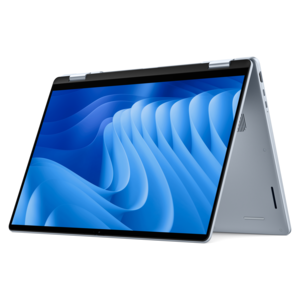
$1249.99
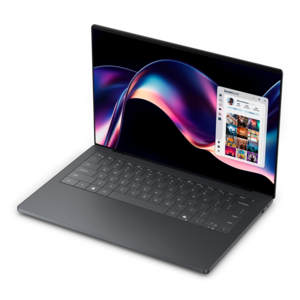
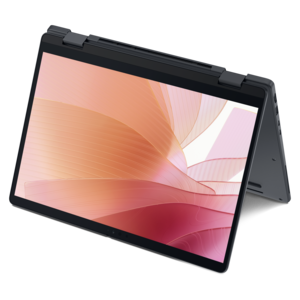
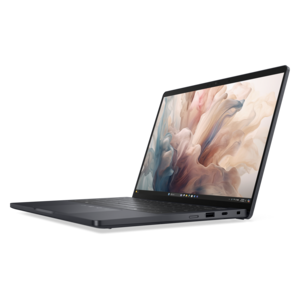
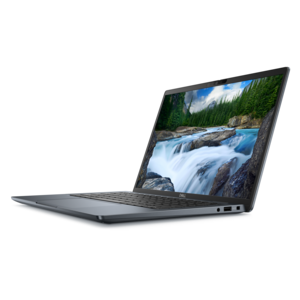
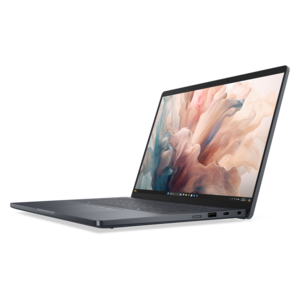
A lightweight AI-powered laptop designed for creative professionals and small businesses.
Explore laptops for manuscript writing with your drafting, research, and editing routine in mind. Compare keyboard layouts, screen size, portability, and battery life to find a fit for long writing sessions at a desk or on the go, and check compatibility with your preferred writing software.
A lightweight AI-powered laptop designed for creative professionals and small businesses.
A lightweight AI-powered laptop with Intel Arc graphics, ideal for creative professionals and small businesses.
A remarkably thin, lightweight laptop designed for ultimate mobility.
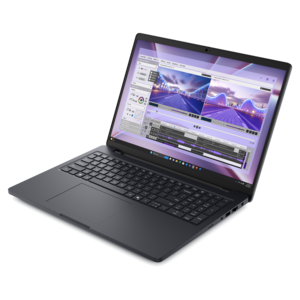
A laptop featuring Intel® 13th Gen processors, a built-in FHD camera, and an enlarged ergonomic keyboard.
A versatile 2-in-1 laptop with AI experiences, all-day battery life, and seamless multitasking.
A thin laptop built for mobile creation with exceptional battery life.
A sleek, lightweight laptop with Intel Core Ultra processors, NVIDIA graphics, and advanced on-device AI.
A stylish laptop with built-in AI and a spacious display for creators and developers.
A powerful laptop with a large display, built for productivity and design applications on the go.
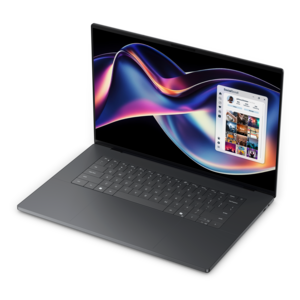
A thin, high-performance 16-inch laptop with exceptional battery life, designed for creators.
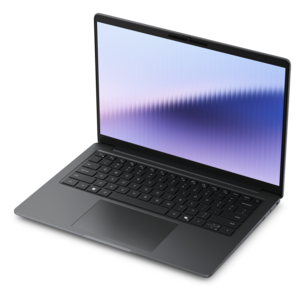
A thin, lightweight laptop crafted from eco-friendly materials with Series 3 Intel Core processors for productivity.
A remarkably thin laptop delivering portable performance with Series 3 Intel Core Ultra processors.
A thin 2-in-1 laptop powered by AMD Ryzen AI PRO 400 Series processors for versatile performance.
A remarkably thin laptop powered by AMD Ryzen AI PRO 400 Series processors for professional performance.
A sleek laptop delivering smooth AI experiences and accelerated creative workflows for demanding high-performance users.
A lightweight AI PC delivering outstanding performance and battery life for highly mobile professionals.
An AI-powered tablet with optional keyboard, active pen, advanced thermals, HDR cameras, and Intel Core Ultra.
A laptop featuring an FHD camera, enlarged ergonomic keyboard, and AMD Ryzen™ processing.
A slim, lightweight laptop with Intel® Core™ processors and graphics for productive work anywhere.
A versatile 2-in-1 laptop with multiple modes, Intel Core processors, and DDR5 memory for mobile creativity.
A premium laptop featuring QHD+ resolution, ComfortView Plus, built-in AI, and an Intel vPro platform.
A sleek laptop powered by the latest AMD Ryzen™ AI 400 Series processors for demanding users.
A versatile 2-in-1 laptop with built-in AI and a spacious display for creative work.
A durable, serviceable laptop designed specifically for demanding education environments.
Laptops for manuscript writing support the patient, often unpredictable work of turning notes, outlines, and unfinished scenes into a complete document. A novelist may spend a morning rearranging chapters, while a graduate student moves between a dissertation draft, reference material, and an advisor’s comments. Memoirists, playwrights, journalists, and nonfiction authors all benefit from a computer that makes sustained writing feel comfortable rather than cumbersome. For this kind of work, the relationship between keyboard, screen, and workspace matters as much as raw processing power. Clearly defined keys, consistent feedback, and a layout that leaves room for the hands can make long drafting sessions more comfortable, although the preferred typing feel varies from writer to writer. A backlit keyboard can help keep keys visible in a dim room without requiring a bright overhead light. The display also shapes the daily experience: readable text, adjustable brightness, and enough room to view a manuscript beside an outline make it easier to stay connected to both the sentence at hand and the larger structure. Taller screen proportions can show more lines of a document, while a larger display may provide breathing room for margin comments and reference windows. A compact laptop, on the other hand, can fit more naturally on a small desk or in a bag carried between writing locations. Screen finishes that reduce reflections may be helpful near windows, though placement and room lighting still affect visibility. Sharp text is useful for spotting punctuation, checking footnotes, and reviewing tracked changes without constantly enlarging the page. The right balance is personal: some writers prefer a spacious screen for keeping several documents open, while others value a smaller machine that can accompany them whenever a quiet hour appears. Across these different routines, a writing laptop serves as a familiar place to return to the manuscript, whether the day produces several new pages or a careful revision of a single paragraph.
The physical character of a laptop becomes especially noticeable when writing happens beyond a permanent desk. A machine carried to a library, tucked into a commuter bag, or moved from the kitchen table to a reading chair needs a manageable combination of size, weight, and construction. Aluminum and other metal housings can provide a firm, substantial feel, while well-made polymer housings may offer a lighter everyday carrying experience; overall durability also depends on the design, hinges, and how the computer is handled. A stable hinge helps keep the screen positioned during typing, and a protective sleeve can reduce contact with keys, pens, and other objects in a bag. Care is usually straightforward: a soft cloth and cleaning methods appropriate to the device help maintain the screen and exterior, while keeping food and drinks away from the keyboard reduces avoidable mishaps. Clear vents and a firm work surface help preserve airflow during longer sessions. Battery life is another practical consideration for writers who work through an afternoon away from an outlet, but actual running time depends on brightness, open applications, wireless activity, and battery condition. A lightweight charger and convenient charging connections can make moving between spaces less disruptive. Performance needs tend to reflect the surrounding workflow rather than the manuscript alone. Plain text drafting is generally less demanding than keeping numerous browser tabs, large reference PDFs, citation software, and a video call open at the same time. Sufficient memory helps those tools coexist smoothly, and a solid-state drive can contribute to responsive startup and file opening. Operating noise may also matter in a quiet study room or shared workspace, particularly during tasks that place greater demands on the computer. At a regular desk, connections for an external monitor, keyboard, or mouse can extend the workspace and support a more comfortable arrangement. A laptop that moves easily between these settings can accommodate both concentrated writing at home and shorter sessions wherever the next stretch of uninterrupted time becomes possible.
Manuscript work also depends on the less visible details that keep a project organized from the first draft through its final review. Adequate room for document versions, research files, interview recordings, and reference images helps keep related material together, especially when a project grows over months or years. Compatibility with preferred writing software is important for anyone exchanging files with an editor, instructor, collaborator, or publisher. Formatting requirements may involve styles, page numbering, tables, footnotes, or tracked changes, and a familiar application can make those details easier to manage without interrupting the writing process. For projects with a substantial revision stage, Laptops For Editing is a related collection for work that extends beyond drafting into reviewing and refining documents. Local access to essential files can support writing when an internet connection is unreliable, while synchronization tools can help carry work between devices when configured appropriately. Separate backups remain valuable because synchronization alone does not protect against every accidental deletion or unwanted revision. Clearly named drafts and a consistent folder structure make it easier to distinguish a working manuscript from the version already shared for feedback. Privacy features also have a place in this workflow, particularly for unpublished writing, confidential interviews, or academic material containing sensitive information. Device sign-in protection, appropriate security settings, and regular software updates contribute to responsible handling of those files. Accessibility tools such as dictation, text enlargement, and read-aloud functions can offer different ways to create and review passages; listening to a chapter may reveal repeated words or an awkward transition that was less noticeable on screen. A laptop can also be a thoughtful gift for a creative writing graduate, a family historian assembling remembered stories, or someone beginning a long-planned book, provided its keyboard, screen, and software suit the recipient’s habits. For experienced authors and new writers alike, the lasting value lies in a dependable working environment that supports research, preserves drafts, and leaves attention free for the manuscript itself.
Add the products you would like to compare, and quickly determine which is best for your needs.