Office Security Essentials
Protecting your workspace is a top priority for any business, and having the right office security essentials is key to maintaining a safe and productive environment. Explore a wide selection of solutions designed to help safeguard your assets, secure sensitive information, and provide peace of mind for your team. Whether you’re outfitting a small office or managing a larger facility, finding the right security tools can make all the difference in your daily operations. Discover office security essentials that support safety and efficiency throughout your workplace.
This product is not available
Check out the following recommendations.




Office Security Essentials
Office security essentials help create a safer, more controlled workplace by protecting people, equipment, documents and information together. A well-secured office often begins at the entrance, where access controls such as keypads, key cards or biometric readers can limit entry to approved personnel and provide a record of arrivals and departures. Visitor management tools can help reception teams sign in guests, issue temporary credentials and keep a clear account of who is on-site. Security cameras positioned near entrances, reception areas, supply rooms and other sensitive locations can provide useful visual awareness, while bright, consistent lighting in hallways, exterior walkways and parking areas reduces concealed areas and improves visibility during the darker part of the day. Inside the workplace, lockable drawers and cabinets can help protect paper records, removable media and other sensitive materials when they are not in use. Desk and computer security matter just as much: employees should lock their screens whenever they step away, keep devices within sight when possible and avoid leaving confidential papers in open areas. For shared offices, reception spaces and hybrid work environments, a practical mix of physical safeguards and everyday habits can make security feel like a normal part of the workday rather than an obstacle. Organizations extending these practices to remote employees can also explore Home Office Security essentials for workspaces outside the traditional office.
Digital protection is equally important because a single unattended laptop, weak password or convincing phishing message can expose information far beyond one desk. Business laptops and desktops should use current operating systems, automatic security updates, reputable antivirus and anti-malware protection, and screen-lock settings that activate after a short period of inactivity. Privacy screens, cable locks and other device accessories can add a physical layer of protection in open-plan offices, coworking spaces, classrooms and reception areas where displays or equipment may be visible to passersby. Strong, unique passwords are a basic starting point, but multi-factor authentication adds another checkpoint by requiring a second form of verification before an account can be accessed. Permission levels should match each employee’s responsibilities so people can reach the files and applications they need without automatically receiving access to everything. Secure wireless access should use modern encryption such as WPA3, with default network names and administrator credentials changed before regular use. Employees benefit from clear procedures for identifying suspicious messages, verifying unexpected requests for payment or credentials, and reporting possible phishing attempts without fear of embarrassment. Regular backups, protected file-sharing practices and a simple plan for lost or stolen equipment can help reduce disruption when something goes wrong. These measures are especially useful for small businesses, professional offices, medical practices, schools and home-based workers handling client records, financial documents, designs or internal communications.
Choosing office security essentials starts with understanding the space, the people who use it and the information that needs protection. A small office may place greater emphasis on device locks, privacy accessories, secure storage and account protection, while a larger workplace may need coordinated entry controls, visitor records, camera coverage and clearly assigned security responsibilities. Hybrid teams should consider how employees protect company devices and accounts when working from a kitchen table, shared workspace or temporary location; a lightweight laptop, privacy-focused accessory and reliable screen-lock routine can be as important away from the office as they are at a desk. New employees, freelancers and students setting up a dedicated workspace may appreciate practical security accessories as useful gifts, particularly when they support an organized, comfortable daily setup rather than adding complexity. Before purchasing, consider compatibility with existing computers, the number of users, installation requirements, accessibility, warranty coverage and whether employees can operate the equipment consistently. It is also worth reviewing where devices will be placed: a monitor facing a public window may need extra privacy, a computer near a busy walkway may benefit from a physical lock, and equipment stored in a shared room should be easy to identify and secure. During the cooler months, when offices may be closed more often or employees may work from home for longer stretches, dependable routines become even more valuable. Keep software current, review account permissions, test backup and recovery procedures, train staff on safe habits and revisit physical access as teams and floor plans change. The strongest office security setup is not a single device or one-time purchase; it is a thoughtful combination of visible safeguards, protected endpoints, controlled access and consistent behavior that helps people work with confidence.
FAQs:
Office security essentials for digital protection include endpoint security software, network security solutions, password management tools, and multifactor authentication devices. These products work together to safeguard data from unauthorized access, phishing attempts, and other cyber threats commonly encountered in both home and business office environments.
Anyone working with confidential information or valuable equipment can benefit from office security essentials. This includes remote workers, small business owners, freelancers, and students. These tools are also useful for families looking to secure their home offices or shared workspaces.
Access control systems, such as smart locks, biometric scanners, and keycard entry devices, help ensure that only authorized individuals can enter a workspace or access specific areas. These systems provide an extra layer of protection against unauthorized entry, making them ideal for both home offices and shared work environments.
Yes, many office security essentials make practical and thoughtful gifts, especially for those who work from home or manage sensitive information. Items like privacy screens, webcam covers, and secure storage devices are useful additions to any workspace and show a commitment to security and professionalism.
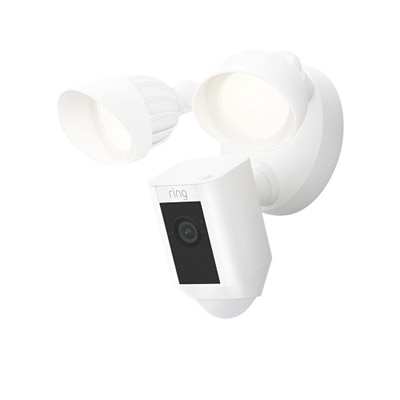
Video surveillance systems, such as CCTV and cloud-based cameras, allow users to monitor their workspace in real time or review recorded footage. These systems help deter unauthorized access, provide evidence in case of incidents, and offer peace of mind for those managing valuable equipment or sensitive information.