PCIe Components
Explore the world of PCIe components to enhance your computing experience with cutting-edge technology. Whether you're looking to upgrade your system's performance or build a new setup from scratch, PCIe components offer the versatility and speed needed for demanding tasks. From graphics cards to SSDs, these components are essential for maximizing efficiency and ensuring your computer runs smoothly. Discover a range of options that fit every need and budget, all designed to provide seamless integration and superior performance. Dive into the possibilities that PCIe components bring to elevate your digital environment.
This product is not available
Check out the following recommendations.




PCIe Components
PCIe components are internal computer parts and accessories designed to connect through a PCI Express interface on a compatible motherboard. PCIe provides a high-speed pathway between the system’s processor or chipset and an expansion device, allowing data to move efficiently between those components. Common PCIe endpoint devices include graphics cards, sound cards, video capture cards, USB expansion cards and other add-in boards that extend what a desktop computer can do. A PCIe connection is built around lanes, with each lane made up of paired pathways that send and receive data. The number of lanes affects available bandwidth, so a component described as x1 uses fewer lanes than one designed for x4, x8 or x16. A longer x16 slot may accept a shorter card mechanically, but the connection may operate with only the number of lanes supported by the card or motherboard. That distinction between mechanical size and electrical configuration is one of the most important details to check before adding a component. PCIe generations also matter. Newer generations can provide greater bandwidth per lane, while many components remain backward compatible with earlier versions at the highest speed shared by both the component and the system. Compatibility is ultimately determined by the entire platform, including the motherboard, processor or chipset, operating system, available power and physical clearance inside the chassis. For a desktop being refreshed after several years, a PCIe component can be a practical way to add capability without replacing every part at once. It may help a creative workstation handle higher-resolution visual work, give a home office more display flexibility or add specialized functions to a custom-built PC. A clear understanding of the existing system makes the selection process smoother and helps prevent the common disappointment of opening a case only to find an occupied slot, an obstructed connector or insufficient room for a full-length card.
Before choosing a PCIe component, review the computer’s documentation and inspect the inside of the case with a flashlight. Identify the available slots, their lane configuration and whether nearby components block access. A slot’s physical length does not always reveal how many lanes are active, and a slot may share bandwidth or disable another connector when certain ports are populated. The motherboard manual is usually the most reliable source for these details. Check the PCIe generation supported by the system, then compare it with the generation listed for the component. A newer card may operate in an older slot, but performance can be limited by the older interface, especially when the device transfers large amounts of data. Dimensions deserve equal attention. Measure the available length, height and thickness, accounting for fans, cables, drive cages and the side panel. A card that occupies two or more expansion positions can cover neighboring slots, and a large cooling assembly may leave little space for airflow. Power requirements should be reviewed before installation as well. Some components draw power directly from the motherboard, while higher-performance options may require one or more auxiliary power connectors from a compatible power supply. Confirm the connector type, available wattage and recommended system power before purchasing. Cooling is another practical consideration: a component running inside a cramped case can raise internal temperatures, while a well-ventilated layout helps maintain stable performance and quieter operation. Driver support, operating system compatibility and included installation hardware also influence the experience. For a first-time builder or someone upgrading a familiar desktop, these checks turn a confusing row of specifications into a clear checklist. Handle the card by its edges, align the bracket with the case opening, press it evenly into the slot and secure it firmly before attaching power cables or closing the case. If a portable computer is a better fit than an upgradeable desktop, explore PCIe Laptops for another way to shop around PCIe-related computing needs.
PCIe components are useful for a wide range of people because they can be selected around a particular task rather than around a one-size-fits-all computer configuration. A photographer or video creator may look for an expansion card that supports a smoother preview workflow, while a gamer may prioritize graphics performance, display connectivity and cooling. Someone building a compact home studio may want an audio-focused card, and a remote worker may value an expansion option that adds ports for specialized peripherals. Enthusiasts often use PCIe components to fine-tune a desktop over time, replacing an older part when their software, display setup or creative projects become more demanding. They can also make thoughtful gifts for a PC hobbyist, provided the recipient’s motherboard model, case dimensions and power supply are known; a component that fits one system may be incompatible with another, so a little research is more useful than guessing based on appearance alone. PCIe expansion cards, risers and related accessories can also be helpful when a system has limited internal space or when the preferred layout requires a different mounting position, though riser compatibility should be checked carefully for connector quality, length and supported PCIe generation. When comparing options, focus on the specifications that connect directly to the intended use: lane width, PCIe generation, supported operating systems, physical dimensions, power requirements, cooling design and available outputs or ports. Manufacturer documentation can clarify whether a card needs a particular slot, driver package or firmware setting. Keep expectations realistic as well. Installing a faster component cannot overcome every limitation elsewhere in the computer; the processor, memory, display, power supply and thermal design all contribute to the finished experience. With the right match, however, a PCIe upgrade can feel like opening a window in a stuffy room: tasks become more responsive, new connections become possible and the desktop gains useful life without an entirely new build. During the cooler months, it is also a good time to organize cables, clean dust from intake filters and confirm that fans have a clear path for airflow, helping a newly installed component perform reliably through everyday work, entertainment and creative projects.
FAQs:
PCIe components allow you to add a wide range of devices to your desktop, including graphics cards, NVMe storage drives, network interface cards, sound cards, and USB or SATA expansion cards. These devices connect directly to the motherboard, providing enhanced functionality and performance tailored to your needs.
The best PCIe slot for your upgrade depends on the type of component you wish to install. For high-performance graphics cards, use a PCIe x16 slot. NVMe SSDs and many network cards typically use x4 slots, while sound cards and USB expansion cards often use x1 slots. Always check your motherboard's documentation to ensure compatibility.
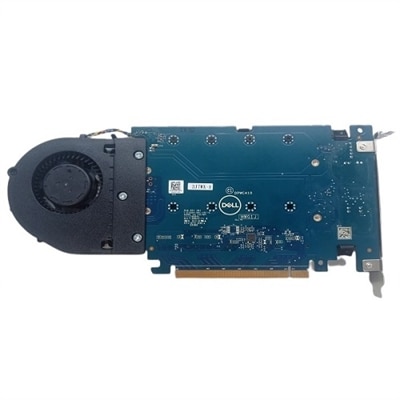
Yes, most motherboards support multiple PCIe components simultaneously, provided there are available slots and sufficient system resources. This allows you to combine upgrades, such as adding both a PCIe video adapter card and a dell ultraspeed quad NVMe adapter for expanded functionality.
Upgrading to newer PCIe generations, like PCIe 4.0 or 5.0, offers increased bandwidth and faster data transfer rates. This results in improved performance for demanding tasks such as gaming, video editing, and large file transfers, ensuring your system remains responsive and future-ready.
Anyone looking to enhance their computer’s capabilities can benefit from PCIe expansion cards. Power users, gamers, creative professionals, students, and home office workers can all improve their experience by adding components such as high-speed storage, advanced graphics, or additional connectivity options.