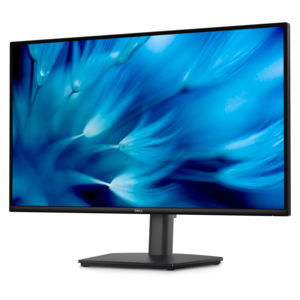
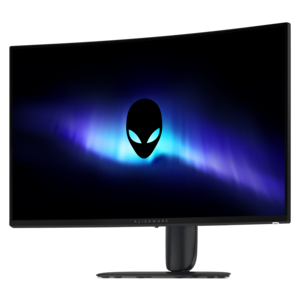
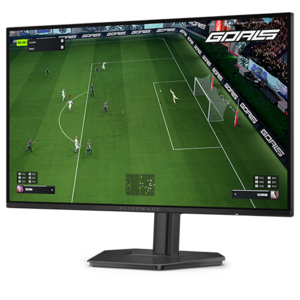
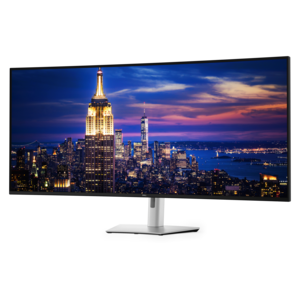
QHD Gaming Monitors
Experience the next level of immersive gameplay with QHD gaming monitors. Designed to deliver stunning visuals and exceptional performance, these monitors offer a perfect blend of high resolution and fast refresh rates that cater to both casual gamers and competitive eSports enthusiasts. With QHD gaming monitors, you can enjoy crisp, clear images and vibrant colors that bring your favorite games to life. Whether you're exploring vast open worlds or engaging in intense multiplayer battles, these monitors provide the clarity and responsiveness needed to stay ahead of the competition. Upgrade your gaming setup and dive into a world of unparalleled visual excellence with QHD gaming monitors.
This product is not available
Check out the following recommendations.




QHD Gaming Monitors
QHD gaming monitors bring a useful balance of clarity, speed, and screen space to a gaming setup. With a 2560 x 1440 resolution, QHD displays show noticeably more detail than Full HD while placing a lighter demand on a graphics card than 4K. That makes them a practical choice for fast competitive games, expansive open-world adventures, racing titles, creative projects, and everyday computing. Fine textures are easier to see, distant objects can look more defined, and text remains comfortable for browsing or schoolwork. A 27-inch screen is a particularly popular size because the QHD pixel density looks crisp without requiring an unusually large desk. Shoppers who prefer a broader field of view may consider a larger display, while those working with limited space may favor a compact screen. Explore the available 27 Inch QHD Monitors to compare options built around this versatile format. Refresh rate is one of the most important specifications for gaming. A standard 60Hz display refreshes the image 60 times per second, while gaming monitors commonly offer 120Hz, 144Hz, 165Hz, 180Hz, 240Hz, or higher refresh rates. Higher refresh rates can make camera movement, aiming, scrolling, and racing motion appear smoother, especially when the computer can produce a matching number of frames per second. Competitive players who spend long sessions in fast multiplayer games may appreciate a very high refresh rate and a quick response time, while casual players may find a midrange high-refresh display more than sufficient. Response time describes how quickly pixels change from one color to another; lower figures can help reduce visible ghosting behind moving objects. These specifications work best when matched to the rest of the system. A powerful graphics card may be able to take advantage of a 240Hz display in lighter competitive games, while a more demanding title may run closer to 100 or 165 frames per second at QHD. Adaptive-sync support can help the monitor coordinate its refresh behavior with the graphics card, reducing distracting tearing and stuttering when frame rates fluctuate. Compatibility varies by connection and device, so it is helpful to check whether the monitor supports the desired refresh rate through DisplayPort or HDMI and whether the computer or console offers the corresponding output. A monitor with the right combination of resolution, refresh rate, and connectivity can make a setup feel more cohesive instead of leaving one component underused.
Panel technology also shapes the viewing experience. IPS panels are widely appreciated for balanced color, broad viewing angles, and consistent image quality across the screen, making them well suited to multiplayer gaming, general use, photo browsing, and shared viewing. OLED panels can produce exceptionally deep blacks and strong contrast because each pixel can control its own light, giving dark scenes a rich, cinematic appearance and helping bright details stand out. They are an appealing option for players who enjoy atmospheric single-player games or want a display that feels equally at home with movies and creative work. It is wise to review the manufacturer’s care guidance for any OLED display and consider how the monitor will be used over long periods. Brightness and HDR support can also affect the experience, although performance depends on the panel, content, and surrounding room light. A monitor placed in a bright room may benefit from a higher brightness level and an anti-glare surface, while a dim gaming space may make contrast and black levels more noticeable. Ergonomics deserve equal attention because a beautiful display is less enjoyable when it leaves the user leaning forward or turning their neck. Height, tilt, swivel, and pivot adjustments can help position the top of the screen near eye level, and VESA compatibility can provide additional mounting flexibility. Look for a sturdy stand with a footprint that suits the desk, particularly when a keyboard, mouse, speakers, and other accessories share the same surface. Built-in speakers can be convenient for system sounds or casual viewing, while a headphone output or USB connectivity may simplify an organized desktop. These monitors can serve many kinds of users: a PC gamer building a first dedicated setup, a returning player upgrading from an older display, a student balancing gaming with coursework, or a remote worker who wants sharper workspace detail after the workday ends. They can also make a thoughtful gift for someone who has invested in a capable gaming computer but still uses an aging office monitor. During the cooler months, a comfortable home gaming corner can become a favorite place for evening play, streaming, or creative projects, and the right QHD display can support all three without feeling limited to one activity. Before choosing, compare the available desk space, graphics hardware, preferred genres, connection types, panel technology, adjustment range, and refresh-rate target. Prioritizing the features that matter most to the intended player helps narrow the selection and leads to a display that feels rewarding every time a game loads.
FAQs:
A QHD gaming monitor features a resolution of 2560 x 1440 pixels, providing significantly sharper images and more screen real estate compared to a standard HD (1920 x 1080) monitor. This higher resolution means more detailed visuals, smoother edges, and an overall more immersive gaming and multitasking experience.
Yes, a 144 Hz monitor is highly recommended for QHD gaming as it offers much smoother motion and more responsive gameplay compared to lower refresh rates. This is especially beneficial for fast-paced titles and competitive gaming, where every millisecond counts.
To take full advantage of a QHD gaming monitor, especially at higher refresh rates like 144 Hz or above, a modern graphics card and CPU are recommended. While many recent PCs can handle QHD resolution, maximizing performance in demanding games may require mid-to-high-end components.
QHD gaming monitors are also excellent for creative professionals, students, and anyone who multitasks. The increased resolution allows for more workspace, making it easier to edit photos and videos, manage multiple windows, or enjoy high-definition streaming content.
While QHD is not strictly necessary for gaming, it offers a noticeable improvement in visual quality and immersion over standard HD. For many users, QHD strikes the ideal balance between performance and image clarity, making it a worthwhile upgrade for both casual and serious gamers.