$275.99
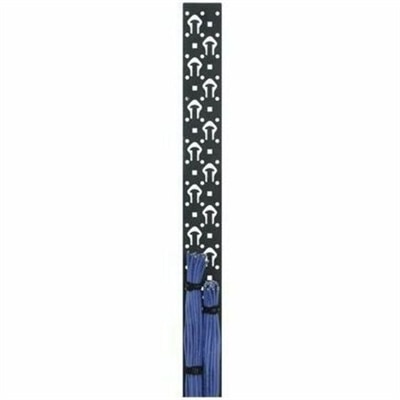
A black powder-coated steel lacer strip providing vertical cable management with tie posts and mounting holes.
Rack server components are essential building blocks for creating a powerful, scalable, and efficient data center environment. Whether expanding existing infrastructure or assembling a new server rack, choosing the right components ensures optimal performance and reliability. Explore a wide selection of rack server components designed to support various workloads and meet the demands of modern IT environments.
A black powder-coated steel lacer strip providing vertical cable management with tie posts and mounting holes.
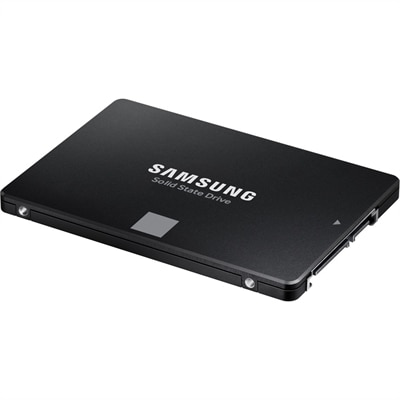
A high-performance 4TB internal SSD with SATA connectivity, 560/530MB/s speeds, durable V-NAND, and broad compatibility.
A well-organized computing workspace begins with choosing components that match the equipment, the available room and the way people work. For offices, classrooms, studios and home work areas, practical accessories can make a noticeable difference in comfort and reliability without changing the computers themselves. Start by considering the size and weight of the equipment you already own, then check dimensions, mounting patterns, connector types and available clearance before placing an order. A sturdy monitor stand or arm can free valuable desk space, while a laptop riser can bring the display closer to eye level and encourage a more comfortable posture. Desktop users may benefit from a keyboard and mouse positioned at a natural height, and anyone who moves between a portable computer and a larger display can simplify the transition with a compatible dock or hub. Pay attention to the number and type of ports you need, including USB, display connections, audio and charging support. It is easy to focus on appearance, but the most useful accessory is usually the one that removes a small daily frustration: a cable that no longer falls behind the desk, a screen that no longer sits too low, or a single connection that replaces a tangle of adapters. When comparing options, look for durable materials, secure adjustment points and clear compatibility information. A component that fits neatly and remains easy to access will generally serve better than one chosen only for its lowest profile or most dramatic appearance. For a broader look at computing equipment and related solutions, visit Server Infrastructure.
Cable organization deserves particular attention because it affects both the appearance and the usability of a workspace. Group power cords separately from display and data cables when possible, leave enough slack for cleaning or repositioning, and avoid tight bends that can strain connectors over time. Adhesive clips, hook-and-loop straps, cable sleeves and under-desk trays can keep paths clear without permanently restricting movement. If several devices share one area, label both ends of important cables; that simple habit can save considerable time when replacing a monitor, moving a desktop or troubleshooting an intermittent connection. Power accessories should be selected with the total load in mind, and every device should have room for ventilation rather than being pressed against a wall or enclosed in a crowded compartment. Those setting up a small office may want matching accessories across several workstations so replacements are easier to identify, while students and remote professionals often benefit from compact equipment that can be packed away at the end of the day. These products can also make thoughtful gifts for someone creating a first home office, especially when chosen around a known computer model and working style. A frequent traveler may appreciate a compact hub, folding stand or protective sleeve; someone working at a fixed desk may prefer a full-size keyboard, adjustable monitor support or an organized charging station. In my own experience, the biggest improvement to a desk did not come from adding more technology, but from placing each item where it could be reached naturally and maintained easily. Leave room to unplug devices, clean surfaces and upgrade later, and measure the workspace before buying anything intended to sit beneath, beside or behind a computer. As cooler months encourage more time indoors, a tidy, flexible setup can make long stretches of work, study, creative projects and everyday communication feel calmer and more comfortable.
Add the products you would like to compare, and quickly determine which is best for your needs.