$6531.00
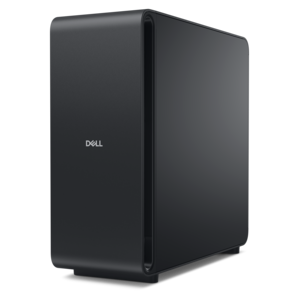
A scalable, secure rack workstation engineered to power demanding professional applications.
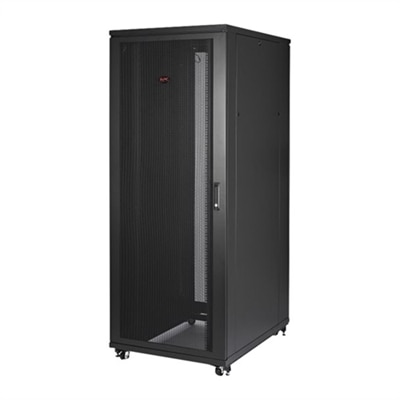
Racks for servers are essential components in any data center or IT environment, providing the necessary framework to organize and manage your server hardware efficiently. Designed to maximize space while ensuring optimal airflow and accessibility, these racks play a crucial role in maintaining the performance and longevity of your equipment. Whether you're setting up a small office network or managing a large-scale data center, investing in high-quality racks for servers can help streamline your operations and enhance overall system reliability. Explore our selection to find the perfect solution for your specific needs.
A scalable, secure rack workstation engineered to power demanding professional applications.
A well-organized computer workspace gives everyday equipment a secure place without making the room feel crowded or difficult to use. Stands, supports, and mounting accessories for laptops, desktops, monitors, and peripherals can help separate the working surface from the equipment that supports it. In a home office, that might mean lifting a monitor above a notebook and keyboard or keeping a desktop computer clear of the area where a chair moves. In a shared workplace, it may mean creating a consistent arrangement that accommodates different users while leaving connections accessible. Materials affect both the appearance and the practical performance of these accessories. Steel construction can provide rigidity for heavier loads, while aluminum often offers a lighter structure that is easier to reposition. Molded components may provide protective contact points or smooth edges, although the strength of an accessory depends on its complete design rather than its material alone. Finishes also matter: a smooth, intact coating is easier to wipe clean, and padded contact surfaces can help limit scuffs where equipment rests against a support. Fit begins with the dimensions and weight of the equipment, including any attached accessories. A platform needs enough usable surface to support the device as intended, while a bracket must match the mounting pattern and fastener requirements specified by the equipment manufacturer. Exterior measurements alone do not establish compatibility. The location of ventilation openings, connection ports, hinges, and removable panels can determine whether a support works comfortably in daily use. For a laptop used throughout the day, the arrangement should leave enough room to open the display fully and connect charging cables without bending them sharply. For a desktop computer, access to the power button and frequently used ports can be just as important as the amount of floor or desk space the support saves. The most useful arrangement makes routine tasks easier without introducing awkward reaches or obstructing parts that need to remain accessible.
The space around a computer accessory is as important as the space it occupies. A monitor arm, for example, needs clearance through its intended range of motion, not simply enough room for its base. A desk positioned close to a wall may limit how far an arm can extend backward, and an overhead shelf may restrict screen height. Clamps and through-desk attachments also require a compatible work surface with suitable thickness, structure, and clearance underneath. Hollow-core surfaces, glass tops, beveled edges, and decorative trim may require different mounting approaches or may not be suitable for a particular attachment at all. Manufacturer requirements should determine compatibility rather than assumptions about how sturdy a desk appears. Weight capacity deserves similar attention. A stated limit applies under the conditions specified for that accessory, including its mounting method and the position of adjustable components. The combined weight of a display and anything attached to it must stay within those requirements. With freestanding supports, a stable base and a level surface help keep equipment secure during ordinary movement, such as typing, adjusting a screen, or plugging in a cable. Positioning should also suit the person using the workspace. Raising a laptop can improve screen placement, but longer typing sessions generally call for a separate keyboard and pointing device so that screen height and hand position can be adjusted independently. A monitor should be easy to view without sustained neck bending, with its final position adapted to the user's seating, vision needs, and tasks. Someone comparing documents across two displays may value independent adjustment, while a person who moves between handwritten notes and a single screen may prefer more open space directly ahead. Cable routing completes the arrangement. Enough slack should remain for intended adjustments, but loose cords should not cross walkways, catch on chair wheels, or hang where they can pull on a device. Cable clips and channels are useful when they organize connections without pinching insulation or covering ventilation openings. In a compact room, these small details can make the difference between a setup that merely fits and one that stays comfortable through a full day of work.
Durability becomes most noticeable after months of ordinary use: a screen is repositioned each morning, a laptop is removed at the end of the day, or a shared desk is adjusted between users. Secure joints, appropriate hardware, and contact surfaces that remain intact help supports maintain their function through those repeated movements. Adjustable parts should move as the manufacturer intends and hold their position without improvised wedges or overtightened fasteners. Any increasing looseness, visible bending, cracking, or slipping calls for inspection before continued use. Cleaning is usually straightforward, but it should follow the care instructions for both the accessory and the equipment around it. A soft cloth can remove surface dust, while a lightly dampened cloth may be appropriate for some finishes; abrasive pads and harsh cleaners can damage coatings, plastics, or protective cushioning. Liquids should stay away from electrical connections, and equipment should be handled according to its safety instructions before it is moved for cleaning. Accessible placement makes this maintenance less disruptive. A desktop tucked beneath a work surface still needs adequate ventilation and a practical way to reach its connections, and a laptop support should not collect objects against the device's air openings. For remote workers, students, creative professionals, and households sharing a computer, these accessories serve different rhythms of use. A permanent workstation may benefit from stable positioning and neatly routed cables, while a multipurpose table may call for lightweight supports that can be removed when the workday ends. Shared spaces often benefit from adjustments that are simple to make and easy to repeat. When choosing a workspace accessory as a gift, compatibility matters more than appearance alone: equipment dimensions, mounting requirements, desk construction, and the recipient's preferred arrangement all influence whether it will be useful. Thoughtful selection brings these practical details together, giving each device a suitable place while preserving room for the papers, tools, and everyday movements that make a workspace personal.
Add the products you would like to compare, and quickly determine which is best for your needs.