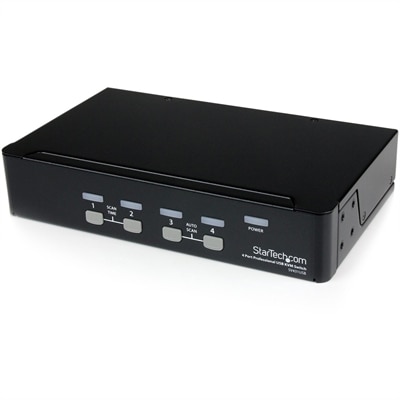
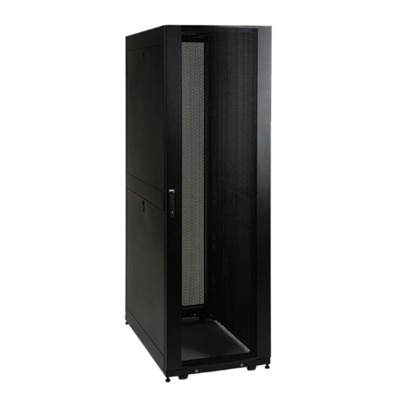
Rackmount Servers
Rackmount servers offer scalable solutions designed to maximize space and efficiency in data centers and IT environments. With their streamlined form factor, rackmount servers are ideal for businesses seeking to optimize performance while maintaining an organized infrastructure. Explore a wide selection of rackmount servers to find the right fit for your organization’s needs, whether you’re expanding your network, upgrading existing systems, or building a new setup from the ground up.
This product is not available
Check out the following recommendations.




Rackmount Servers
Laptops, desktops, monitors, and accessories support the everyday work that happens at a desk, from reviewing documents and joining video calls to editing photographs and organizing a busy household’s schedule. The most useful setup starts with the tasks it needs to handle and the space where it will be used. A laptop suits someone who moves between a home office, a shared workspace, and a kitchen table, while a desktop is a practical choice for a more permanent work area with a dedicated display and full-size keyboard. Portability involves more than screen size: the weight of the computer, the dimensions of its power adapter, and the fit inside a carrying bag all affect how comfortably it travels. For a stationary setup, the computer’s footprint and the placement of its connections influence where it can sit without crowding the work surface. A compact enclosure may leave more room for notebooks and other essentials, while a larger design may offer additional internal expansion options, depending on its construction. Performance requirements also vary with the work. Writing, browsing, and video meetings place different demands on a computer than detailed illustration, engineering applications, or video editing. Processor capability, memory capacity, and graphics performance should suit the applications used regularly, with some headroom for multitasking. Keeping a spreadsheet, a browser, and a video meeting open at once is a more realistic measure of an office computer’s role than considering each task in isolation. Software compatibility matters just as much, particularly for students using course-specific applications or professionals working with established tools. Battery runtime deserves similar context: display brightness, active applications, and connected accessories can all affect how long a laptop runs between charges. Materials contribute to the everyday experience without telling the whole story. Metal and molded polymer housings can differ in weight, surface feel, and resistance to cosmetic wear, but assembly quality, hinge design, and appropriate handling also influence durability. A computer carried daily benefits from a well-fitting padded compartment that keeps its exterior from rubbing against loose chargers, pens, and other objects.
A monitor shapes how comfortably information can be viewed throughout the day, whether the screen holds a single document or several applications arranged side by side. Screen size should be considered alongside resolution, viewing distance, and the depth of the desk. A large display positioned too close can require frequent head movement, while a smaller screen with very fine detail may need adjusted text scaling for comfortable reading. Higher resolution can make text and images appear more detailed, but usable workspace also depends on operating system settings and application support. For document-heavy work, clear text and an adjustable stand may matter more than a high refresh rate. For fast-moving games or animation, refresh rate and response behavior become more relevant, provided the connected computer can support the intended settings. Creative work introduces other considerations, including color accuracy, color gamut, and calibration requirements. These characteristics are distinct, so a broad color gamut alone does not establish that a display is accurate enough for color-sensitive tasks. Physical fit is equally important. The stand needs a stable surface, sufficient depth, and room for adjustment without pushing the keyboard toward the desk’s edge. Height, tilt, swivel, and pivot adjustments can make it easier to position the screen for different users and activities. A compatible monitor arm can free part of the work surface, but its mounting pattern, weight limits, and desk attachment requirements need to match the display and furniture. Reflections are another practical concern. A window directly behind the user may create distracting glare, and changing the screen’s position can sometimes help more than increasing brightness. Multiple displays can make reference material easier to keep in view, although the computer must support the intended number of screens at their chosen resolutions and refresh rates. Connection compatibility should be checked across the entire path, including the computer, cable, adapter, and monitor. A connector’s shape does not by itself establish every supported feature. Built-in speakers, cameras, and microphones may simplify a desk, while separate accessories can offer more flexibility in placement. For a shared household workspace, straightforward adjustments and easy-to-reach controls help accommodate different people without making each changeover feel like a complete rearrangement.
Accessories bring the individual parts of a computer setup together, and their value often becomes clearest during ordinary routines. A keyboard with an appropriate layout can make extended writing more comfortable, while a mouse that suits the user’s hand size and preferred grip can reduce awkward reaching. Neither choice is universal: someone working mainly with numbers may want a dedicated numeric keypad, while someone with a narrow desk may prefer a shorter keyboard that leaves the mouse closer to the body. Headsets are useful for conversations in shared spaces, but microphone placement, ear-cushion comfort, and connection compatibility deserve attention alongside audio quality. A webcam should sit securely at a suitable angle, with enough flexibility to frame the user without requiring an uncomfortable seating position. Docking accessories can simplify connecting a laptop to a display and peripherals, provided the computer supports the required video, data, and charging functions. Power delivery capabilities should be checked against the laptop’s requirements rather than assumed from the presence of a matching port. Cable length also affects the finished workspace. A cable that barely reaches can place tension on a connection, while excessive slack can collect behind furniture or become caught during adjustments. Routing cables with gentle bends and leaving room around ventilation openings helps keep the area orderly without interfering with cooling. Routine care protects both appearance and function. Follow the manufacturer’s cleaning directions, turn equipment off when instructed, and apply approved cleaning solutions to a suitable cloth rather than spraying directly onto a device. Screens may have coatings that require particular care, and abrasive materials or harsh chemicals can damage their surfaces. Keeping drinks away from keyboards, supporting a laptop during transport, and avoiding pressure on a closed display are simple habits that help prevent accidental damage. Shared equipment benefits from an accessible arrangement that makes careful handling easy: a clear place to set down a headset, enough room to open a laptop fully, and connections that do not require pulling the computer forward each day. For students, remote professionals, creative hobbyists, and households, a well-considered setup balances capability with physical comfort and straightforward maintenance. The goal is equipment that fits the work, the person, and the room, with each component contributing to a practical, comfortable place to use a computer.
FAQs:
Rackmount servers offer several key benefits for business environments, including high-density hardware deployment, centralized management, scalability, and efficient use of physical space. Their modular design allows for easy upgrades and maintenance, making them ideal for growing organizations that require flexibility and reliability in their IT infrastructure.
Rackmount servers are commonly used by businesses of all sizes, data centers, educational institutions, and creative professionals. They are well-suited for hosting websites, managing databases, supporting virtualization, running enterprise applications, and handling large-scale data processing tasks. Their versatility makes them a preferred choice for environments that demand high performance and uptime.
Rackmount servers are designed to be installed in standardized server racks, allowing multiple units to be stacked vertically and managed efficiently in a single location. This setup streamlines cable management, cooling, and hardware upgrades. In contrast, tower servers resemble traditional desktop computers and are generally used individually, making them less space-efficient for larger deployments.
Yes, rackmount servers are highly suitable for virtualization due to their robust processing power, ample memory, and scalable storage options. Their architecture supports running multiple virtual machines on a single physical server, making them an excellent choice for organizations looking to maximize resource utilization and reduce hardware costs.
When expanding a rackmount server setup, consider factors such as available rack space, power and cooling requirements, network connectivity, and compatibility with existing hardware. It's also important to plan for future scalability and ensure that your infrastructure can handle increased workloads as your organization grows.
FAQs:
Rackmount servers offer streamlined organization, efficient space utilization, and simplified cable management. They are designed to fit into standard server racks, making them ideal for businesses looking to maximize their IT infrastructure within limited space.
Rackmount servers support centralized management, making it easier for IT teams to monitor, maintain, and upgrade hardware. This centralized approach can help improve system uptime and simplify troubleshooting.
Yes, rackmount servers are well-suited for virtualization and cloud-based workloads. Their robust performance capabilities and scalable architecture make them ideal for running multiple virtual machines or supporting cloud environments.
When planning installation, consider factors such as rack compatibility, cooling requirements, power distribution, and network connectivity. Proper planning ensures optimal performance and longevity of your server infrastructure.
Rackmount servers are designed for scalability. As your business grows, you can easily add additional servers to the rack, allowing for seamless expansion without significant changes to your existing setup.