$618.12
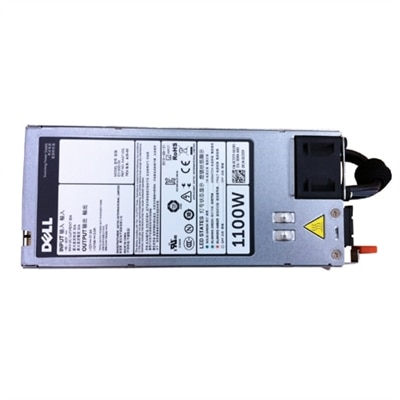
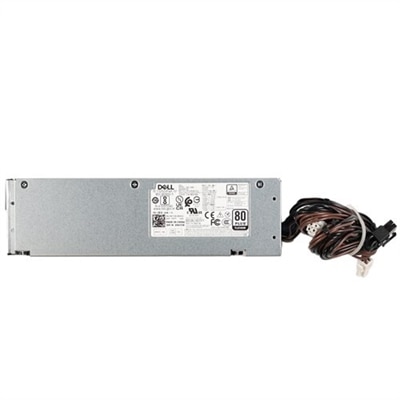
A reliable 1100-Watt power supply designed for mission-critical applications with hot-plug capability.
Redundant power supply for servers is essential for maintaining uninterrupted performance and minimizing downtime in demanding IT environments. Designed to provide continuous power even during unexpected outages or failures, these solutions help ensure the reliability and stability of your server infrastructure. Explore a wide selection of options to find the right redundant power supply for servers that supports your business continuity and operational efficiency.
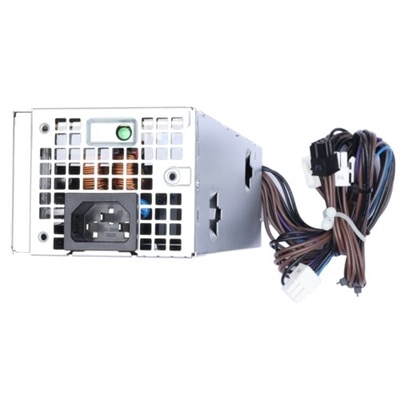
A reliable 1100-Watt power supply designed for mission-critical applications with hot-plug capability.
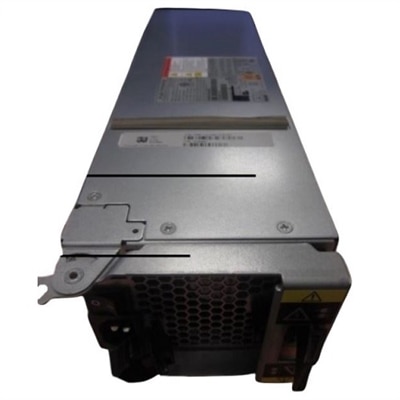
A reliable 580-Watt power supply designed for mission-critical applications with redundancy features.
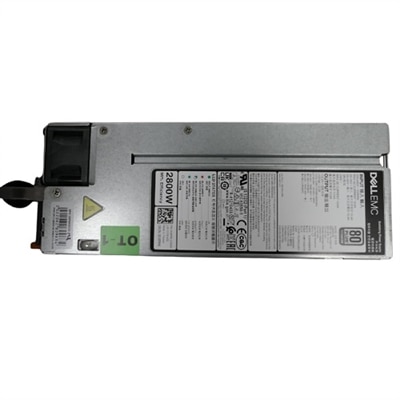
A reliable 1800-Watt power supply designed for mission-critical applications with hot-plug capability.
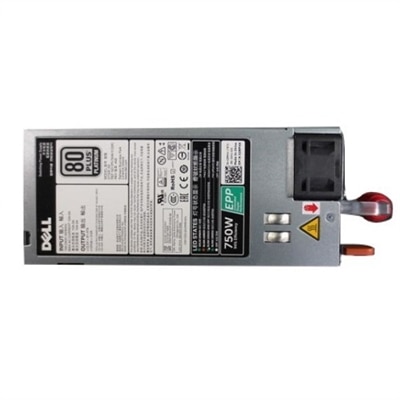
A reliable 1100-Watt power supply designed for mission-critical applications with hot-plug capability.
A reliable 1100-Watt power supply designed for mission-critical applications with hot-plug capability.
A redundant power supply is designed to help a compatible computer system remain operational if one power module stops working, becomes disconnected, or needs to be replaced. Instead of relying on a single internal unit, the system uses two or more power modules that can share the electrical load during normal operation. If one module fails, the remaining unit can continue supplying power, reducing the chance of an unexpected shutdown and helping protect active applications, open files, and ongoing work. This arrangement is especially useful for professional workstations, high-performance desktops, and other systems that support demanding workloads for long periods. A designer rendering detailed scenes, an engineer compiling large projects, a financial analyst processing extensive datasets, or a small business running essential software from a dedicated desktop can all benefit from added power resilience. In a quiet office, the advantage may be as simple as avoiding a disruptive restart; in a production environment, it can help preserve hours of work and keep important processes moving. Many redundant configurations support hot-swappable modules, allowing a failed unit to be removed and replaced while the primary system remains powered. Not every computer supports this feature, so it is important to confirm the chassis design, mounting method, module shape, connector layout, and manufacturer requirements before making a purchase.
Selecting the right redundant power supply begins with compatibility and capacity. Check the computer’s documentation for the required wattage, output voltage, connector type, physical dimensions, and supported power-supply family. A higher wattage rating is not automatically a better fit if the unit cannot connect correctly or fit within the enclosure. It is also wise to estimate the system’s typical and peak power draw, including the processor, graphics hardware, memory, internal drives, expansion cards, cooling fans, and connected accessories. Leaving reasonable capacity above the expected load can provide room for future upgrades and help prevent the power supply from operating at its limit for extended periods. Pay close attention to the redundancy arrangement as well. In a 1+1 configuration, either of two power modules is capable of running the full system by itself, while both units may share the workload during ordinary use. An N+1 arrangement includes the number of modules needed for operation plus one additional module for backup. Some systems use two modules together for increased available capacity, but that does not provide the same level of protection if one module is lost. Product specifications may also describe load sharing, failure notification, efficiency, fan behavior, and hot-swap support. These details matter in real use: a power module with clear status indicators can make troubleshooting easier, while efficient operation may reduce heat and fan noise in a workspace. For related power options used with professional computers, explore Workstation Power Supplies.
Installation and operating conditions deserve the same attention as the power supply itself. For the strongest protection, connect redundant modules to separate electrical circuits when the building supports that arrangement. This helps reduce the chance that a tripped breaker, damaged outlet, or local electrical issue will affect both modules at once. Some users pair each connection with a separate uninterruptible power device to provide additional support during brief power interruptions and voltage fluctuations. Keep cables neatly routed, avoid overloading extension equipment, and make sure the power supply receives adequate airflow. Dust buildup and blocked vents can increase heat, shorten component life, and cause fans to run louder. Before replacing a module, review the computer’s service instructions and verify that the replacement matches the original specifications. A practical routine is to inspect status lights or system alerts periodically, keep a compatible spare available when downtime would be costly, and test the system’s notifications during scheduled maintenance rather than waiting for a failure. Redundant power supplies are generally purchased by businesses, creative professionals, laboratories, schools, repair technicians, and home users who depend on a workstation or desktop for reliable daily work. They are less likely to be a casual gift and more likely to be a thoughtful upgrade for someone who has already identified a compatible system and understands its power requirements. During the cooler months, when people may spend longer stretches indoors completing projects or managing home-office tasks, dependable power can make the difference between a smooth session and an interruption that leaves work unfinished. A careful match based on compatibility, capacity, redundancy type, installation method, and electrical setup helps ensure the added protection works as intended.
Add the products you would like to compare, and quickly determine which is best for your needs.