$649.99
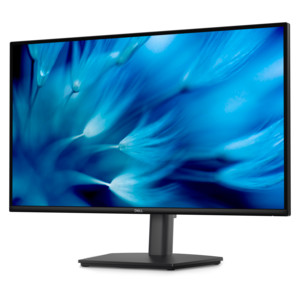
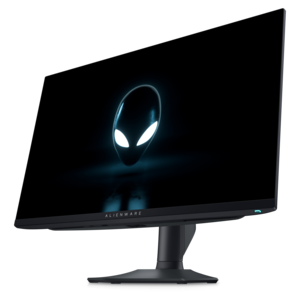
A QHD QD-OLED gaming monitor delivering 360Hz refresh rates and VESA DisplayHDR True Black 400 visuals.
Find retail monitors for checkout counters, service desks, and other store workspaces. Compare displays by screen size, resolution, and connectivity, and check compatibility with your existing equipment to choose a monitor that fits your space and daily tasks.
A QHD QD-OLED gaming monitor delivering 360Hz refresh rates and VESA DisplayHDR True Black 400 visuals.
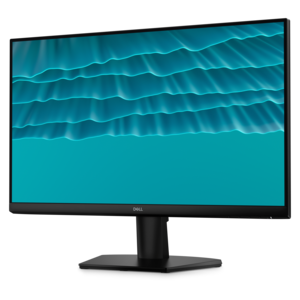
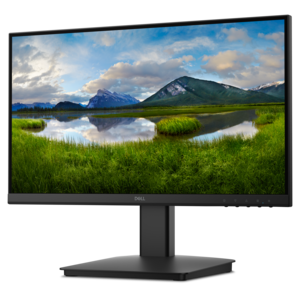
A smooth 144Hz monitor with 1ms MPRT and TÜV 3-star eye-comfort certification for everyday tasks.
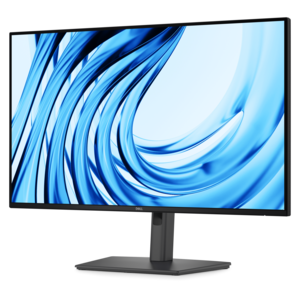
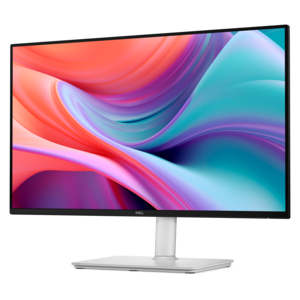
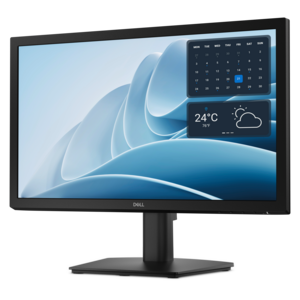
A Full HD productivity monitor with extensive connectivity, high refresh rate, and TÜV-certified four-star eye comfort.
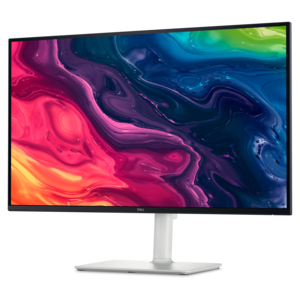
A 4K monitor with up to 120Hz refresh rate and dual 5W speakers for elevated entertainment.
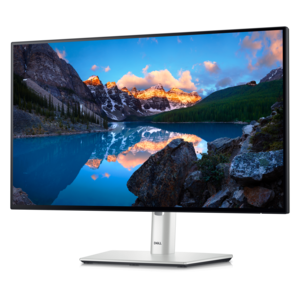
A TÜV-certified monitor offering 4-star eye comfort, enhanced productivity, and extensive connectivity.
A height-adjustable QHD monitor certified by TÜV Rheinland for 3-star eye comfort and productive work.
Retail monitors are displays used in stores for checkout tasks, customer-facing information, self-service interactions, and digital signage. They range from compact screens on service counters to larger displays that present menus, store directories, and product information across a room. Their role depends on who needs to see or use the screen: an employee processing a return, a customer checking an order, or a visitor looking for the right department. At a busy checkout counter, a smaller monitor can leave room for a payment terminal, receipt printer, and merchandise without crowding the workspace. A customer-facing screen can make transaction details easier to follow, while a touchscreen can support an interactive directory or an ordering interface when paired with compatible software. Larger retail displays serve a different purpose, making information visible above fixtures or along an aisle where shoppers may be several feet away. Screen size, resolution, brightness, and viewing angle work together to determine how useful that information looks in its setting. Full HD can provide clear text for many compact desktop applications, while 4K resolution offers more detail for larger screens, detailed imagery, or layouts with several information panels. Higher resolution alone does not guarantee readability; text size, viewing distance, and the amount of information on screen remain important. Wide viewing angles help keep images and lettering consistent when customers approach from either side. An anti-glare surface can reduce distracting reflections beneath overhead lights, although placement still matters near bright windows. Indoor monitors are not automatically suitable for direct sunlight or outdoor exposure, where purpose-built displays may be necessary. In a clothing boutique, grocery store, repair counter, or showroom, the most useful retail monitor is one whose format suits the task and whose screen remains easy to read during ordinary activity. A display that works well for close-up checkout work may not provide the visibility needed for a wall-mounted directory at the entrance.
The physical fit of a retail monitor matters as much as the picture. Counters often need to accommodate several devices, shared work areas, and a clear path for customers, so overall dimensions and stand depth can be more meaningful than the diagonal screen measurement alone. A slim bezel can make a display feel less intrusive, but the base must still provide enough stability for its intended use. Touch interaction adds repeated pressure to the screen, making a secure stand or compatible mount particularly important. Tilt, swivel, and height adjustment can help employees maintain a comfortable viewing position through a long shift and accommodate coworkers sharing the same station. A screen that rotates into portrait orientation may suit a narrow directory or vertically arranged information, provided both the display and its supporting software allow that layout. Wall and arm mounting can free counter space, but mounting-pattern compatibility, weight limits, clearance, and access to connectors all affect installation. Cable routing also shapes the finished workspace: neatly secured cords leave more usable surface area and reduce the chance of a connector being pulled loose during daily activity. Connections need to match the computer and any associated equipment. HDMI and DisplayPort commonly carry video, while some USB-C connections can combine video, data, and power; the exact functions depend on the monitor, cable, and connected computer. Touchscreens generally require a compatible data connection in addition to a working video signal, and operating-system support can vary. Within the broader category of Modern Monitors, familiar desktop formats can also support retail administrative work such as preparing schedules, reviewing documents, and updating customer communications. These tasks may benefit from a different layout than a public-facing screen. An employee comparing spreadsheets needs comfortable close-range text, while a customer reading a pickup status needs a short, clear message visible from the waiting area. Matching the screen to those distinct uses helps keep both workspaces practical.
Durability and care become especially important in retail spaces, where screens may face long operating hours, frequent touching, and routine cleaning. Desktop monitors and commercial signage displays are not interchangeable in every setting. A display intended for occasional office use may have different operating limits from one designed for extended daily operation, so the manufacturer's stated duty cycle matters for screens expected to remain on throughout business hours. Public-facing installations may also benefit from features such as restricted controls or compatible security provisions, depending on the display and its location. Construction details affect everyday handling: a textured housing may show fingerprints differently from a glossy finish, while exposed screen surfaces, touch glass, and protective coatings can require different cleaning methods. Glass-fronted construction does not by itself establish impact resistance or protection against liquids. Any need for those qualities depends on documented ratings and the intended environment, particularly near an entrance, beverage counter, or other area where moisture is possible. Routine care generally centers on removing dust with a clean, soft microfiber cloth and following the manufacturer's directions for suitable cleaning solutions. Spraying liquid directly onto a screen can allow moisture to reach edges or openings, and an unapproved cleaner may damage a coating even when the surface initially looks unaffected. Ventilation space is another practical consideration, especially in a fitted counter or enclosed fixture where heat can accumulate. Screen settings contribute to everyday usability, too. Brightness that feels comfortable in a dim showroom may look washed out beneath stronger lighting, while an unnecessarily bright screen can become distracting at a close viewing distance. Static logos, menus, and information panels also make the display technology's guidance on image retention relevant. Where supported, sleep settings and scheduled operation can align screen use with business hours. For associates, managers, and customers alike, a well-suited retail display keeps information legible without dominating the space. Its value comes from the combination of readable content, dependable operation, comfortable placement, and a physical design that fits the daily rhythm of the store.
Add the products you would like to compare, and quickly determine which is best for your needs.