SSD Upgrades
Boost your device’s performance and efficiency with SSD upgrades designed to enhance your computing experience. Whether you're looking to speed up boot times, increase storage capacity, or improve overall responsiveness, upgrading to a solid-state drive is a smart investment for any user. Explore a wide selection of SSD upgrades perfect for desktops, laptops, and gaming systems, and find the ideal solution to meet your needs. Discover how easy it is to take your technology to the next level with reliable and high-quality storage options.
This product is not available
Check out the following recommendations.




SSD Upgrades
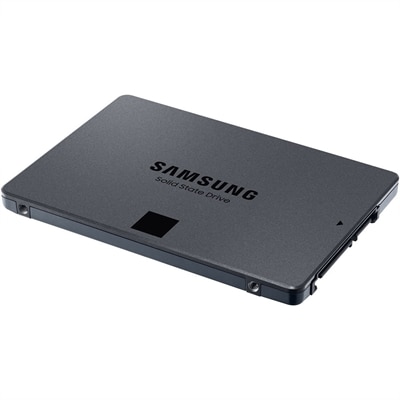
An SSD upgrade can give a compatible laptop or desktop a noticeable boost in everyday responsiveness while adding room for applications, documents, photos, creative projects, and games. Unlike a traditional hard disk drive, a solid-state drive has no spinning platters or moving read heads, so it can access files with less mechanical delay and operate quietly. The difference is often most apparent when starting the computer, opening large programs, switching between multiple tasks, or loading a substantial project. A computer that has felt sluggish as its original drive filled up may feel more comfortable for schoolwork, remote work, home administration, photo organization, and entertainment after a properly matched upgrade. Capacity is an important consideration: a smaller drive may suit a straightforward operating system refresh or a secondary desktop drive, while a larger capacity can provide more breathing room for video libraries, high-resolution photos, downloaded games, and creative software. Performance specifications also deserve attention, but the fastest available drive is not automatically the best choice for every computer. The device’s motherboard, processor platform, firmware, and available connection determine which options can be used. Common interfaces include M.2 NVMe and 2.5-inch SATA, and an M.2 drive may use a particular keying style or physical length that must match the computer’s slot. Before choosing an upgrade, check the computer model or consult its service documentation to confirm the supported form factor, interface, maximum capacity, and installation requirements. The Internal Storage Upgrades for PCs and Laptops collection can help shoppers compare compatible options for different computer configurations. For a laptop used between rooms, classrooms, offices, and travel bags, an SSD can also be a practical way to reduce the concern associated with moving a computer that contains a drive with delicate mechanical parts. In a desktop, an additional or replacement SSD may help organize the operating system, frequently used applications, active work files, and personal media across separate volumes, depending on the system’s available connections and the user’s preferred setup.
Planning the installation carefully is just as important as selecting the drive. Begin by backing up important documents, photos, saved projects, and other irreplaceable files to a separate location before opening the computer or changing its operating system. If the computer has more than one compatible drive bay or slot, the new SSD can often be connected alongside the existing drive temporarily. A cloning process can then copy the operating system, applications, settings, and personal files to the new drive, helping preserve a familiar working environment. When a laptop or compact desktop has only one internal slot, an external enclosure designed for the appropriate M.2 or 2.5-inch format can provide a temporary USB connection for cloning or transferring files before the new drive is installed internally. Cloning software should be selected for compatibility with the operating system and drive format, and the finished copy should be checked before the original drive is removed or erased. Some users may prefer a clean operating system installation, particularly when reorganizing a computer, removing years of unused programs, or setting up a system for a new owner. That approach generally requires installation media, access to account credentials, application installers, and a plan for restoring personal files. A precision screwdriver and, for some systems, a plastic opening tool may be useful, while an anti-static workspace and careful handling can help protect internal components. Desktop installation is often more accessible, but the correct mounting hardware, power connection, and data cable may still be needed for a 2.5-inch SATA drive. Laptop interiors vary widely, and some models have sealed panels, limited upgrade access, or components that are not designed to be replaced by the owner. Review the manufacturer’s instructions and warranty terms, power the computer down fully, disconnect external accessories, and avoid forcing any panel, connector, or retaining screw. If the installation feels unfamiliar, professional assistance can help protect the computer and the data it contains.
SSD upgrades suit many kinds of users. A student may use one to shorten startup time before an early class and keep research materials, presentations, and creative assignments together without constantly managing free space. A remote worker can benefit from quicker access to productivity software, large spreadsheets, meeting recordings, and shared project folders, especially when the computer’s original drive is approaching capacity. Families may choose an upgrade for a household desktop that handles homework, photo archiving, streaming, and light creative work, while a laptop used for travel can gain a more responsive feel for writing, planning, and offline entertainment. For a photographer, designer, musician, or video editor, capacity and sustained performance may matter more because source files and project libraries can become large quickly; a separate backup routine remains essential even when the upgraded drive is reliable. An SSD can also be a thoughtful technology gift for someone preparing an older computer for a new season of work or study, provided the recipient’s exact computer model is known and compatibility has been checked first. It is helpful to distinguish an internal upgrade from a portable external drive: an internal SSD is installed inside the computer and typically serves as the primary operating drive or an additional internal volume, while an external enclosure or portable drive connects through a cable and can be moved between compatible systems. Keep copies of important data in more than one location, leave adequate free space for the operating system and applications, and confirm that the computer recognizes the full capacity after installation. With the right interface, dimensions, capacity, tools, and transfer plan, an SSD upgrade can extend the useful life of a familiar laptop or desktop and make everyday computing feel smoother during the cooler months and beyond.
FAQs:
Upgrading to an SSD significantly improves your computer's performance by reducing boot times, speeding up application launches, and enhancing overall system responsiveness. SSDs are also more durable and energy-efficient than traditional hard drives, making them ideal for both everyday use and demanding tasks.
To check compatibility, review your Dell system’s specifications for supported drive types and interfaces, such as M.2 NVMe or 2.5-inch SATA. You can find this information in your device’s manual or on Dell’s support website, ensuring you choose the correct SSD for your upgrade.
Yes, many users opt to clone their existing operating system, files, and applications to the new SSD using reliable cloning software. This approach allows you to retain your current setup while benefiting from the improved speed and performance of the upgraded drive.
Students, professionals, gamers, and creative users all benefit from SSD upgrades. Faster storage is especially valuable for those who multitask, manage large files, or require quick access to applications and documents, making SSDs a smart choice for a wide range of users.
Yes, many Dell laptops and desktops are available with SSDs already installed, offering out-of-the-box speed and reliability. You can browse a variety of options on the PCs With SSD page to find the right device for your needs.