$18.99
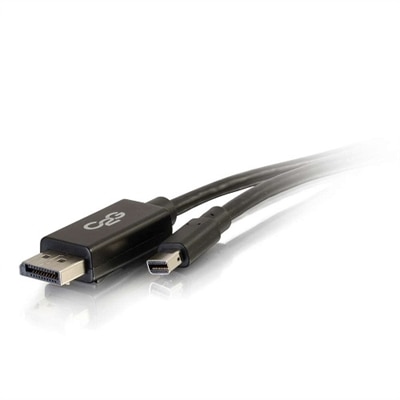
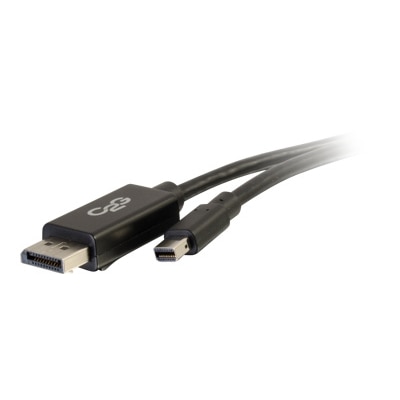
A black 10ft adapter cable connecting Mini DisplayPort to DisplayPort, supporting 4K resolution at 30Hz.
Thunderbolt to DisplayPort adapters provide a seamless solution for connecting devices with Thunderbolt ports to monitors and displays featuring DisplayPort inputs. Whether you’re setting up a professional workstation, expanding your home office, or enhancing your entertainment setup, these adapters help ensure reliable connectivity and optimal performance. Explore a range of Thunderbolt to DisplayPort adapters designed to support your productivity and multimedia needs with ease.
A black 10ft adapter cable connecting Mini DisplayPort to DisplayPort, supporting 4K resolution at 30Hz.
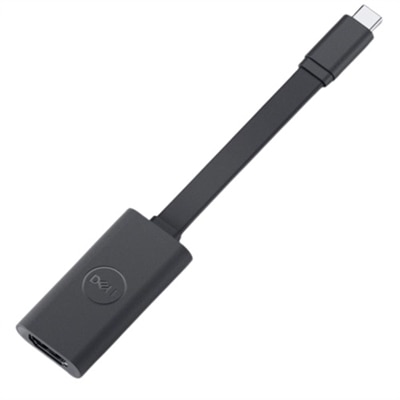
A compact adapter connecting USB-C devices to Ultra HD displays with plug & play support.
A black 6ft adapter cable connecting Mini DisplayPort to DisplayPort, supporting 4K resolution at 30Hz.
A 27-inch QHD monitor with Thunderbolt 4 connectivity, offering superior eye comfort and productivity.
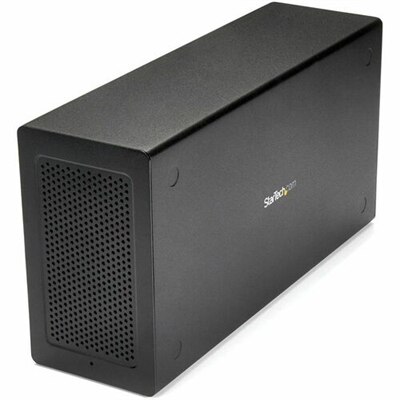
A black external enclosure box offering a PCIe slot, DisplayPort output, and Thunderbolt 3 connectivity.
Thunderbolt to DisplayPort adapters provide a practical way to connect a compatible laptop or desktop to a DisplayPort monitor, projector, or other external display. Although Thunderbolt 3, Thunderbolt 4, and Thunderbolt 5 ports use the familiar USB-C shape, the shape alone does not confirm that a computer supports Thunderbolt or DisplayPort video output. Before choosing an adapter, check the computer’s technical specifications and look for a Thunderbolt symbol, DisplayPort symbol, or clear mention of video support. A standard USB-C port may support DisplayPort Alt Mode and work with a direct USB-C to DisplayPort cable, but it may not offer the same multi-display capabilities as a Thunderbolt connection. Thunderbolt to DisplayPort adapters are designed to translate the supported signal for a DisplayPort display, making them useful for home offices, classrooms, creative workspaces, gaming setups, and shared desks where a portable computer needs to connect to a larger screen. A single-display adapter can create a straightforward connection for a monitor used as the main workspace or as an extended desktop. This arrangement is especially helpful when a laptop’s built-in screen feels cramped during spreadsheet work, photo editing, coding, research, or video calls. Instead of constantly switching between windows, users can keep communication tools on one screen while placing documents, timelines, browser tabs, or reference material on the other. Many adapters connect directly to the computer and use a separate DisplayPort cable, while some cable-style options combine both functions in one design. Consider the available space behind the desk, the distance between the computer and monitor, and whether the adapter should remain connected to a dock or travel in a laptop bag. A compact adapter can be a thoughtful gift for a student, remote worker, frequent traveler, or anyone building a more comfortable workstation during the cooler months, particularly when a reliable external display can turn a kitchen table or spare-room desk into a productive place to work.
Resolution and refresh rate are important purchase considerations because the adapter must support the display’s capabilities as well as the computer’s output. A basic office monitor may need only a standard high-definition signal, while a modern 4K display can require support for 4K at 60Hz for smooth scrolling, clear text, and natural motion. Users with high-refresh monitors should verify support for 4K at 120Hz or 144Hz when applicable, while advanced displays may require compatibility with 8K output or Display Stream Compression, commonly called DSC. The computer, adapter, cable, and monitor must work together; selecting an adapter rated for a higher resolution does not guarantee that every system will deliver that resolution or refresh rate. DisplayPort version, graphics hardware, operating system support, and the length and quality of the DisplayPort cable can all affect the final result. For a clean setup, match the adapter’s specifications to the monitor’s native resolution and intended refresh rate rather than choosing only by connector shape. Users connecting one monitor generally have a simpler setup, while dual-display adapters can use one Thunderbolt port to drive two separate DisplayPort monitors when the computer and adapter support that configuration. This can be useful for professionals who keep email and scheduling on one screen while working in design software, financial applications, code editors, or large documents on the other. Dual-display support is not universal, however. Some computers limit the number of external monitors they can operate through a single port, and certain base Apple silicon M-series configurations may support fewer external displays than higher-tier systems unless DisplayLink technology or another supported method is used. Operating system requirements and display arrangement settings also vary, so reviewing the computer manufacturer’s specifications is an important step before purchasing. An active adapter is typically the right choice for Thunderbolt video connections because it performs the necessary protocol conversion rather than relying on a simple passive wiring arrangement. Passive adapters may work in limited combinations, but they are not a dependable substitute when the source and display use different signaling requirements.
Older computers require special attention because Thunderbolt generations do not all use the same connector. Thunderbolt 1 and Thunderbolt 2 use a Mini DisplayPort-shaped connector, while Thunderbolt 3, Thunderbolt 4, and Thunderbolt 5 use USB-C-shaped ports. A Mini DisplayPort-to-DisplayPort adapter made for older equipment is not interchangeable with a USB-C Thunderbolt adapter, even though both connections are associated with DisplayPort video. Check the port on the computer, not just the cable included with the monitor, and confirm whether the system supports an external display through that connection. It is also helpful to identify whether the adapter is intended for one display or two, whether it requires a separate DisplayPort cable, and whether it draws power from the computer without an additional power supply. DisplayPort adapters generally carry video and may also carry audio when the computer and monitor support DisplayPort audio, but they do not usually provide charging, USB expansion, Ethernet, or other docking functions unless those features are specifically listed. Someone who needs a broad selection of connections may be better served by a complete docking solution, while a user who simply wants to connect a Thunderbolt laptop to a DisplayPort monitor may prefer the smaller, more focused adapter format. Keep cable management in mind as well: a short adapter can reduce clutter beside a laptop, whereas a longer cable may be more convenient when the computer sits on a stand or separate shelf. For displays that use HDMI rather than DisplayPort, consider the related category of USB-C To HDMI Adapters for External Displays. With the computer’s Thunderbolt generation, monitor input, resolution, refresh rate, display count, operating system, and cable requirements confirmed in advance, it becomes easier to choose a dependable connection for a focused single-screen workspace or a flexible multi-monitor arrangement.
Add the products you would like to compare, and quickly determine which is best for your needs.