$829.99
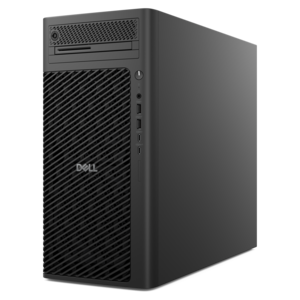
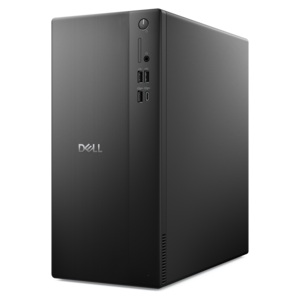
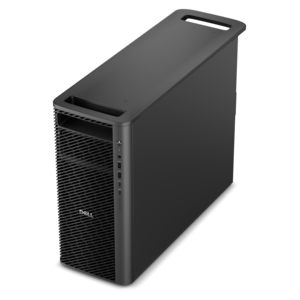
A powerful desktop designed to boost everyday productivity in a streamlined setup.
Browse tower computers for a desktop PC that fits your workspace and daily tasks. Compare processor, memory, and storage specifications across available configurations, and check dimensions, ports, and expansion options to find the right fit for your setup.
A powerful desktop designed to boost everyday productivity in a streamlined setup.
A high-performance AI-ready business desktop with security, seamless manageability, and expandable capabilities for demanding tasks.
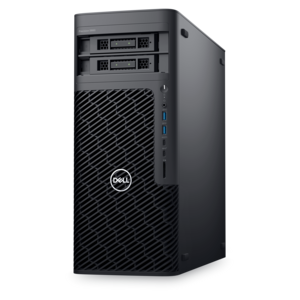
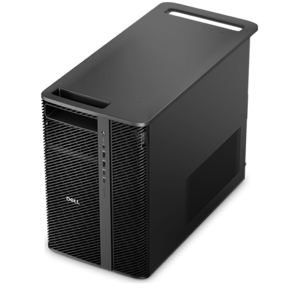
A scalable tower workstation delivering reliable, outstanding performance for demanding multi-threaded applications.
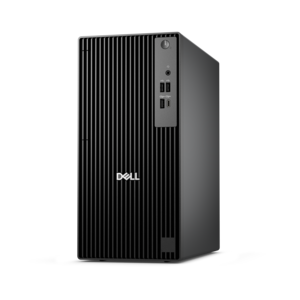
A business-ready tower desktop delivering reliable everyday performance with essential security features for productive workflows.
A business-ready tower desktop with AI-enhanced productivity, robust security, seamless manageability, and expandable performance.
A scalable desktop delivering the world’s fastest single-threaded performance for demanding professional workloads.
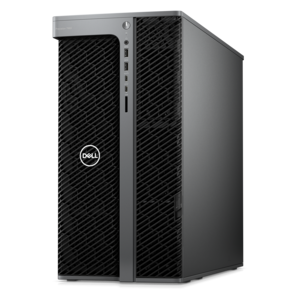
A workstation with Xeon processing, dual 300W graphics, 56TB storage, 2TB memory, and Windows 11 Pro.
A business-ready tower desktop with Copilot+ PC options, robust security, manageable features, and expandable performance.
A scalable tower workstation with professional graphics and up to a 56-core Intel Xeon processor.
A powerful, space-saving desktop designed to boost everyday productivity.
A reliable workstation desktop delivering excellent performance with professional graphics for demanding productivity and creative workloads.
A high-performance desktop powered by the NVIDIA Grace Blackwell Ultra Desktop Superchip with MaxCool technology.
A high-performance desktop combining Intel Xeon 6 processors and advanced graphics for demanding professional workloads.
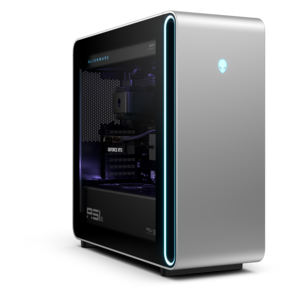
A flagship gaming desktop with AMD Ryzen 9000X3D processors, advanced design, and high-performance hardware.
A scalable, high-performance workstation designed to handle critical professional tasks and evolving workloads.
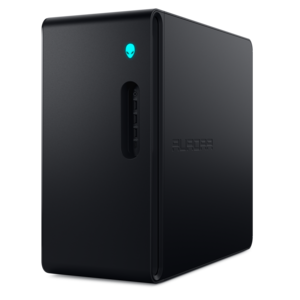
A gaming desktop with a purpose-built design, efficient airflow, and improved acoustics.
A powerful gaming desktop featuring an advanced design for legendary gaming performance.
A slim desktop delivering exceptionally fast CPU and GPU performance for demanding professional workloads.
A scalable professional desktop delivering elite computing power with massive expandability.
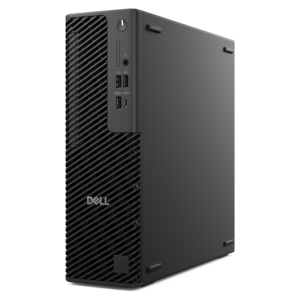
A space-saving, business-ready desktop delivering reliable everyday performance with essential security features.
A tower computer is a desktop PC with an upright enclosure that houses its main hardware, including the motherboard, processor, memory, internal drives, and power supply. Unlike an all-in-one desktop, which combines the computer and display in one unit, a tower typically connects to a separate monitor, keyboard, and mouse. That separation gives a workspace flexibility: the display can sit at a comfortable viewing height while the computer rests beside the desk or in a suitable space below it. Inside the enclosure, the motherboard connects the components, and the central processing unit, or CPU, carries out instructions for applications and everyday tasks. Random access memory, or RAM, holds information that active programs need temporarily, while a solid-state drive, or SSD, retains files and installed software when the computer is turned off. Some configurations also use a hard disk drive, or HDD, for additional file capacity. The power supply delivers electricity to the internal components, and integrated graphics or a dedicated graphics card produces the images shown on the screen. These parts work together, so the experience depends on the overall configuration rather than any single specification. For everyday browsing, household paperwork, and video calls, a balanced tower can provide a comfortable home computing setup. Someone working with large spreadsheets, keeping several applications open, or sorting years of family photos may place greater emphasis on memory and drive capacity. Video editing, three-dimensional design, and demanding games can require stronger processing and graphics capabilities, with requirements varying by application and display resolution. A tower also suits people who prefer a permanent workstation instead of carrying a computer between rooms. Students can keep research, writing, and online coursework in one place, while remote workers can arrange a dedicated desk around the screens and peripherals they use throughout the day. The result is a desktop format that can support anything from a quiet corner for personal projects to a busy workspace with multiple displays.
Tower computers come in several enclosure sizes, and those dimensions affect both room placement and the possibilities inside the case. Full towers generally offer substantial interior space for compatible components, cooling hardware, and expansion. Mid-towers provide a middle ground, combining a manageable footprint with room for many common desktop configurations. Mini-towers use less space, while small-form-factor desktops are more compact still; the terms are sometimes used loosely, so actual dimensions and specifications matter more than the size label alone. A compact enclosure can fit neatly beside a monitor on a shallow desk, whereas a larger tower may work better next to a wide work surface with clear space around its ventilation openings. Height, depth, and cable clearance all contribute to fit, especially when a desk has a fixed computer compartment or sits close to a wall. An enclosed cabinet can restrict airflow even when the computer physically fits inside it. Cases may combine steel or aluminum structural panels with molded exterior sections, ventilation grilles, and, on some designs, glass side panels. Metal construction provides support for the internal hardware, while exterior finishes influence how the computer looks in a home office, study area, or shared room. A solid-sided enclosure can blend into a restrained workspace; a windowed case makes the interior more visible but may also make fingerprints and dust easier to notice. Airflow design, fan behavior, and component workload contribute to operating noise, which can be particularly noticeable during a video call or in a quiet bedroom. Accessible connections matter just as much in daily use. Front-facing USB ports and audio connections can simplify attaching a headset or transferring files, while rear ports help keep frequently connected cables out of the way. Display connections, peripheral compatibility, and cable lengths help determine how naturally everything fits together. Complementary PC Equipment can round out the setup with a suitable monitor, keyboard, mouse, and other accessories that match the space and the way the computer will be used.
A tower’s suitability over time depends on its construction, cooling, maintenance, and compatibility with changing needs. The larger enclosure of many towers can make internal components more accessible than those in compact desktop designs, but upgrade options are never universal. Memory type, motherboard connections, available drive bays, graphics card clearance, and power supply capacity all affect which changes a particular system can accommodate. Some desktops use specialized parts or layouts, so a roomy exterior does not automatically mean every component can be replaced with a standard alternative. For a household that expects to accumulate more photos and videos, room for compatible internal drives may be useful; for someone developing an interest in creative software, memory expansion or graphics support may be more relevant. Routine care helps preserve a clean, well-ventilated workspace. Dust can collect around vents, filters, and fans, particularly near carpeting or in homes with pets. A stable surface, unobstructed ventilation, and enough room to reach the connections make everyday upkeep easier. Exterior cleaning is best performed with the computer shut down and disconnected from power, using methods appropriate to the enclosure’s finish and the manufacturer’s care instructions. Liquids should stay away from openings, and internal cleaning or component changes require the precautions specified for the system. A tower also benefits from thoughtful placement: cables should not create a trip hazard, and the case should remain clear of areas where it could be kicked, bumped, or exposed to spills. Regular software updates and backups of important files complement that physical care. As a gift, a tower computer can be a meaningful addition for a college student establishing a study space, an adult pursuing photography or digital art, or a family member who prefers a larger screen and a familiar desk setup. The recipient’s software needs, available space, existing peripherals, and accessibility preferences help shape a comfortable match. A well-fitted tower setup brings those details together, supporting focused work, creative projects, entertainment, and the ordinary tasks that make a desktop part of daily life.
Add the products you would like to compare, and quickly determine which is best for your needs.