USB Barcode Scanners
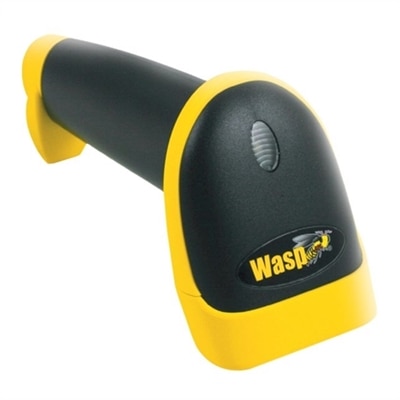
Streamline your workflow and improve efficiency with USB barcode scanners, designed to make data capture and inventory management effortless. Perfect for retail, warehouse, or office environments, these devices offer reliable performance and easy connectivity to your computer systems. Discover a variety of USB barcode scanners that help simplify everyday tasks, enhance productivity, and support accurate tracking across multiple applications.
This product is not available
Check out the following recommendations.




USB Barcode Scanners
USB barcode scanners provide a straightforward way to capture product, asset, ticket, and inventory information without typing each character by hand. Most USB models connect directly to a computer and function as plug-and-play input devices, sending decoded information to the active field just as if it had been entered with a keyboard. This keyboard emulation, often called HID mode, makes a scanner useful with many common applications, including spreadsheets, inventory platforms, point-of-service software, order entry systems, warehouse databases, and basic text fields. In many cases, no special driver or complicated setup is required: connect the scanner to an available USB port, open the application where the information should appear, place the cursor in the correct field, and scan. This simple workflow can help reduce transcription mistakes when recording long product numbers, serial numbers, tracking codes, or asset tags. A wired USB connection also avoids the need to recharge a battery or pair a wireless device, making it a practical choice for a fixed workstation, checkout counter, packing table, reception desk, classroom, library, or home office. When choosing among USB barcode scanners, begin by considering the types of codes you expect to read. Traditional one-dimensional, or 1D, barcodes use vertical lines and commonly appear on packaged goods, labels, books, documents, and inventory tags. Two-dimensional, or 2D, imagers can read those familiar linear codes as well as QR codes, Data Matrix codes, and other patterns that store more information in a compact space. A 2D scanner is particularly useful when codes appear on a phone or computer screen, such as a digital ticket, pickup confirmation, membership pass, or return authorization. If your routine involves only printed UPC or Code 128 labels, a basic 1D model may provide all the capability you need. If your workplace handles QR codes, screen-based codes, or a changing mix of label formats, a 2D imager can offer more flexibility for future tasks.
The shape and operating style of a scanner matter just as much as its decoding capability. A handheld design is convenient when items vary in size or must be scanned from different angles, while a presentation-style unit can be more comfortable when many items pass across a counter and both hands need to remain free. Look for an easy-to-reach trigger, a balanced grip, and a scan window that is simple to aim at labels. An audible tone, indicator light, or on-screen confirmation can reassure the operator that a code was captured, especially in a busy environment where it is not practical to watch every entry appear. Scan speed and motion tolerance are also worth considering. A capable imager can often read a label even when an item is moving slightly, tilted, or held at a less-than-perfect angle, helping the workflow feel natural rather than deliberate and slow. For a small business, the scanner may sit beside a laptop during receiving, allowing each carton to be checked against an order as it is opened. In a stockroom, it can help update quantities, identify shelves, or record outgoing packages. At a school, library, studio, or community organization, it can simplify tracking books, equipment, loaned materials, and event credentials. Home users may find one useful for organizing collectibles, cataloging storage bins, or maintaining a detailed household inventory. Consider the environment as well. A scanner used at a calm desk may not need the same reinforced construction as one carried between workstations or used throughout a busy counter area. A long USB cable can provide flexibility around a monitor or laptop, while a compact cable and a stable stand may keep a smaller workspace tidy. Confirm that the connector will fit your computer, and check the operating system and application requirements before purchasing. Most keyboard-emulation scanners work with widely used desktop operating systems, but specialized software may expect a particular data format, suffix, prefix, or line-ending setting. Those options can usually be adjusted through configuration barcodes or included instructions, allowing the scanner to add a tab, return, or other keystroke after each scan.
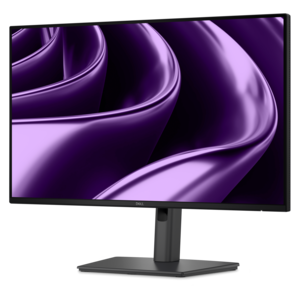
A dependable setup begins with a clear understanding of where scanned information should go. Before scanning a full batch, open the intended program and test one or two labels to confirm that every character appears in the correct order and that the cursor advances as expected. Keep the scanner window clean and make sure labels are not heavily wrinkled, glossy, faded, or obscured by tape. Bright reflections can affect some reading conditions, while a screen set to very low brightness may be harder for an imager to capture; adjusting the display angle or brightness can help. For workstations that rely on a monitor, a comfortable visual layout can make repeated scanning less tiring, and accessories such as USB Displays may help create additional screen space for inventory records, order details, or reference information. A USB scanner is often a thoughtful addition to a small-business workspace, maker area, shipping station, or administrative desk because it supports a practical improvement that can be used every day rather than stored away. It may also suit someone setting up a new home-based business, organizing a craft collection, or preparing a community program with labeled supplies. For a gift, focus less on novelty and more on the recipient’s routine: a person who repeatedly types product codes or maintains detailed records may appreciate a scanner that saves time and reduces repetitive entry. The best choice balances code compatibility, screen-reading ability, connection style, comfort, durability, and the amount of space available. A 1D wired scanner can be an efficient answer for printed linear labels and a fixed computer station, while a 2D USB imager is a more versatile option for QR codes, mobile screens, and mixed environments. With the right match, scanning becomes a quiet part of the workflow: aim, press, confirm, and continue, with accurate information moving into the application where it belongs.
FAQs:
A USB barcode scanner streamlines the checkout process, reduces manual entry errors, and speeds up inventory management. Its plug-and-play compatibility with most computers makes it easy for staff to use, improving efficiency and customer service at the point of sale.
Yes, most USB barcode scanners are designed to be compatible with both laptops and desktops. Simply connect the scanner to any available USB port, and it will typically be recognized automatically, allowing for immediate use without the need for additional drivers.
USB barcode scanners are commonly found in retail stores, warehouses, libraries, schools, healthcare facilities, and offices. They are versatile tools for tasks such as inventory tracking, asset management, library book checkouts, and document organization.
Most USB barcode scanners function as input devices and do not require special software; they act like a keyboard, inputting scanned data directly into open fields or compatible applications. However, some advanced models may offer optional configuration software for customized settings.
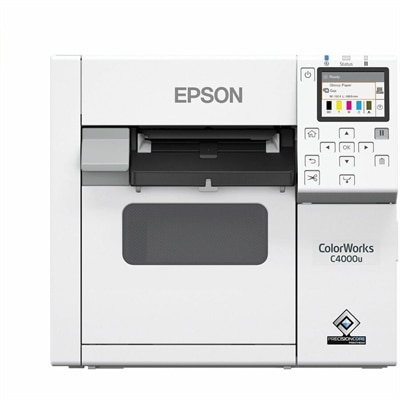
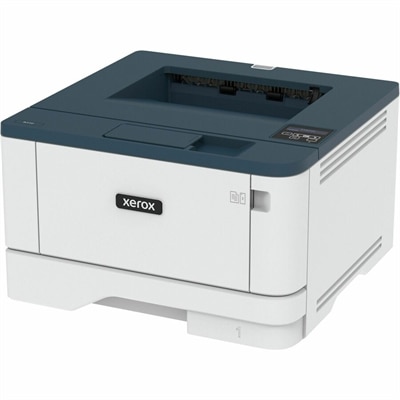
USB barcode scanners can easily be integrated with other office equipment, such as USB Connected Printers. This allows users to scan barcodes for quick data entry and then print labels, receipts, or inventory lists directly from their computer, creating a seamless workflow.