Video Slideshow Software
Transform your memories and presentations into captivating visual stories with the right video slideshow software. Whether you're looking to showcase personal photos, create professional presentations, or craft engaging social media content, video slideshow software offers a versatile platform to bring your ideas to life. With a range of user-friendly tools and customizable options, you can effortlessly blend images, music, and effects to produce stunning slideshows that leave a lasting impression. Explore our selection to find the perfect solution for your creative needs and elevate your storytelling game.
This product is not available
Check out the following recommendations.




Video Slideshow Software
Video slideshow software brings still images, short video clips and music together in a finished presentation that is easy to watch and share. These tools can turn a folder of travel photos into a flowing visual story, combine family snapshots into a keepsake, or give a small business a polished way to present services, milestones and behind-the-scenes moments. Most slideshow makers include a visual workspace where you can import media, arrange scenes on a timeline and preview the result as you build it. Look for options that support common image and video formats, because a smooth workflow is easier when photos from a phone, camera or cloud folder can be added without conversion. Drag-and-drop editing, automatic slideshow creation and ready-made themes can help beginners get started, while manual controls for timing, cropping, transitions and text give more experienced creators room to shape every detail. A thoughtful slideshow usually benefits from variety: a wide establishing image, a close-up detail, a short motion clip and a few seconds of breathing room can create a natural rhythm. Software with pan-and-zoom controls can add gentle movement to still photographs, helping a landscape or portrait feel more cinematic without overwhelming the subject. Consider whether the program supports high-resolution output, including 4K, as well as practical sharing formats such as MP4. If the finished video will be played on a television, displayed at an event or preserved as a digital archive, higher-resolution export can help images retain their clarity on a larger screen.
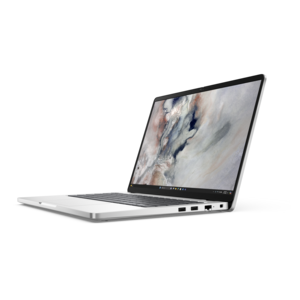
Compatibility is one of the most important purchase considerations. Desktop software made for Windows may be a good fit for someone who prefers a traditional computer workflow, local file storage and detailed timeline controls, while Mac-compatible applications can fit naturally into an established Apple-based setup. Browser-based slideshow tools offer flexibility for people who work across devices or want to begin editing without installing a program, though an internet connection and account may be required. Check the system requirements before choosing, especially if you plan to work with long video clips, high-resolution photos or multiple audio tracks. A capable laptop or desktop with a modern processor, sufficient memory and fast storage can make importing, previewing and exporting feel more responsive. A larger monitor can make it easier to inspect text, align images and spot uneven transitions, while headphones help reveal background noise, abrupt volume changes or music that competes with narration. Accessories such as an external drive can provide a practical place to keep original photos and project files, and a card reader can simplify transfers from a dedicated camera. Features vary widely, so compare the editing experience as carefully as the feature list. Templates and automated timing are useful for a quick result, but you may also want the ability to adjust each scene by hand. Useful tools can include title cards, captions, voice-over recording, volume controls, color adjustments, filters, transition libraries and controls for setting how long each photo remains on screen. Audio licensing deserves attention as well. A slideshow may be shared privately with friends and family, uploaded to a public platform or shown in a business setting, and music that is acceptable for personal use may not be cleared for public distribution. Built-in royalty-free soundtracks, audio import options and clear licensing terms can make the final project easier to share with confidence. For more creative starting points, explore Video Editing Software With Templates and compare how template-driven workflows fit your project.
These products can be useful for many kinds of creators and make thoughtful gifts for someone who enjoys photography, travel, family history or creative projects. A new graduate might use slideshow software to assemble a portfolio with images, captions and short demonstrations, while a small business owner could create an introduction for a presentation, storefront display or social media channel. Teachers, coaches and community groups may use slideshows to recognize achievements, document activities or explain a process through a sequence of images. During the cooler months, a slideshow can gather outdoor adventures, celebrations and everyday moments into one watchable collection, preserving the warm glow of a gathering even after the photos have been stored away. For a gift, consider the recipient’s comfort with technology and the equipment they already use. Someone who prefers simple projects may appreciate a template-based tool with automated transitions, music and one-click export. A hobbyist who enjoys fine control may value a full timeline, keyframe-style motion effects, layered titles and the ability to adjust each image individually. Before purchasing, review whether the software uses a subscription, a one-time license or a free version with optional upgrades, and check for limits on export resolution, watermarking, project length or included media. It is also helpful to think about where the finished slideshow will be viewed. A file intended for a phone may need different dimensions from one designed for a widescreen monitor, television or projector. Keep original media organized in clearly named folders, save project files regularly and preview the complete video before sharing it; small issues such as a title appearing too briefly or a transition cutting into an important moment are much easier to fix before export. With the right combination of accessible tools, compatible computer equipment and a little attention to pacing, video slideshow software can turn ordinary digital photos and clips into a personal story with a beginning, middle and memorable finish.
FAQs:
When choosing video slideshow software, consider features such as customizable templates, support for various media formats (photos, video, and audio), drag-and-drop editing, transitions and effects, audio integration, and flexible export options. Advanced users may also appreciate options like 3D effects, branding tools, and cloud-based editing for collaboration.
Slideshow software is useful for a wide range of people, including students, teachers, business professionals, content creators, and families. It’s ideal for anyone looking to create engaging presentations, document special occasions, share travel experiences, or produce professional marketing materials.
Yes, most modern slideshow software allows you to add background music and voice narration to your projects. Many programs include built-in libraries of royalty-free music and let you import your own tracks or record narration for a personalized touch.
Many cloud-based slideshow software solutions offer collaboration features, allowing multiple users to contribute, edit, and review projects in real time. This is especially helpful for team presentations, group projects, or family events where input from several people is desired.
Professional slideshow software typically supports a variety of export formats, including MP4, AVI, MOV, and GIF. This ensures compatibility with different devices and platforms, making it easy to share your finished slideshow online, via email, or on social media.