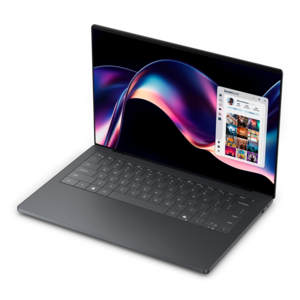
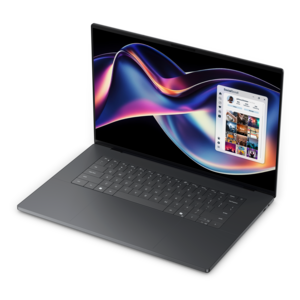
$1299.99
A stylish laptop with built-in AI and a spacious display for creators and developers.
Finding what is the best laptop for a developer? The answer depends on a variety of factors, including performance needs, portability, and personal workflow preferences. Developers require a machine that can keep up with demanding tasks, whether coding complex applications, running virtual environments, or multitasking with multiple programs. Choosing the right laptop is essential for productivity and comfort during long hours of work. Explore key considerations to help you identify the ideal device that matches your development requirements.
A stylish laptop with built-in AI and a spacious display for creators and developers.
An AI-powered laptop with a spacious display and Intel Arc graphics for creators and developers.
A thin 14-inch laptop built for mobile creation with exceptional battery life.
A thin, high-performance 16-inch laptop with exceptional battery life, designed for creators.
Choosing the best laptop for a developer depends on the kind of software being built, the tools used each day, and how much work needs to happen locally. A student learning web development may be comfortable with a lightweight laptop that handles a code editor, browser tabs, and a local test server, while a professional building mobile applications, running containers, or compiling large projects may benefit from substantially more memory and processing capacity. A laptop with 16GB of RAM is a practical starting point for many programming tasks, but 32GB or more can provide a smoother experience when an integrated development environment, documentation, browser windows, database tools, containers, and virtual machines are open together. The processor also matters: modern multi-core chips can reduce compile times, speed up builds, and keep background tasks from interrupting an active session. For machine learning, 3D development, game creation, or other workloads that use demanding local tools, look for a configuration with stronger graphics capability and enough thermal headroom to sustain performance. Storage should not be overlooked. A fast solid-state drive helps an operating system, applications, project files, and development environments load quickly, while a larger capacity gives room for software development kits, test environments, media assets, repositories, and backups. Developers who work with large codebases or several projects at once may appreciate 1TB of storage or more, particularly if they prefer to keep active files available offline.
The keyboard and display are just as important as specifications printed on a product page because programming often involves long stretches of reading, typing, and reviewing details. A stable keyboard with comfortable key travel, clear layout, and responsive feedback can make repetitive coding sessions feel less tiring, especially when work extends into the evening during the cooler months. A sharp display with good brightness and generous viewing space makes it easier to distinguish punctuation, scan multiple files, and keep a terminal or preview window visible beside the main editor. Screen size involves a tradeoff: a compact display makes a laptop easier to carry between a home office, classroom, library, or client site, while a larger screen can reduce scrolling and improve side-by-side workflows. Port selection deserves attention as well. USB ports, video output, audio connectivity, and support for external displays can reduce the need for adapters when connecting development accessories. Battery life is useful for anyone who moves between workspaces or spends time away from an outlet, although actual endurance varies with screen brightness, processor load, connected devices, and applications running in the background. A comfortable palm rest, responsive touchpad, durable construction, and a manageable weight can matter just as much for a developer who carries a laptop every day as raw benchmark performance. Those comparing affordable configurations can also explore What Are the Best Laptops Under $1000 for Programming and Coding? for additional context around balancing capability, portability, and budget.
The right choice should also reflect the developer’s workflow and preferred computing environment. Web developers may prioritize strong multitasking, a comfortable screen, and reliable connectivity for local servers, browser testing, and design tools. Mobile developers can benefit from enough memory and storage for emulators, software development kits, and device testing, while those working with data analysis or artificial intelligence may need a capable processor, dedicated graphics, or access to remote computing resources. Developers who run virtual machines or several isolated environments should favor additional RAM, multiple processor cores, and fast storage, since these features help keep the system responsive while different workloads operate at the same time. A laptop that supports an external monitor, full-size keyboard, mouse, and docking setup can transition from a portable workspace to a more comfortable desk arrangement without changing the core workflow. Security features such as biometric sign-in, hardware-based protection, privacy controls, and regular firmware support are valuable when a machine stores source code, credentials, or client information. Durability and service options may also influence a long-term purchase, particularly for a professional who depends on one computer for daily work. A developer laptop can be a thoughtful gift for a college student, career changer, freelancer, or experienced programmer, provided the configuration matches the recipient’s tools and preferred operating environment. For anyone uncertain between several recommended products, start with the software stack, memory, processor, storage, keyboard, display, and portability requirements, then select the configuration that leaves enough room for future projects rather than meeting only today’s minimum needs.
Add the products you would like to compare, and quickly determine which is best for your needs.