Wireless Access Points For Hotels
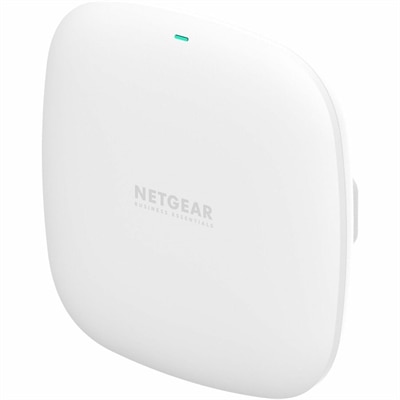
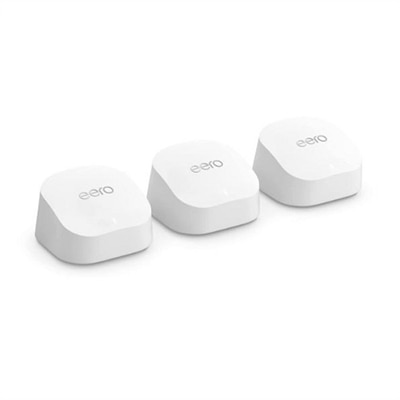
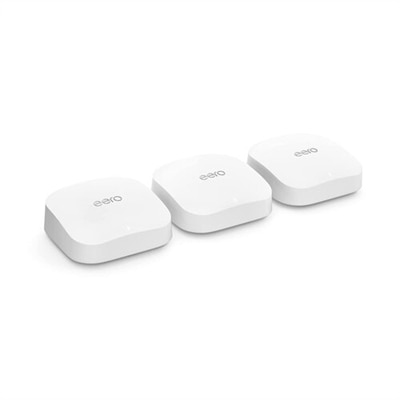
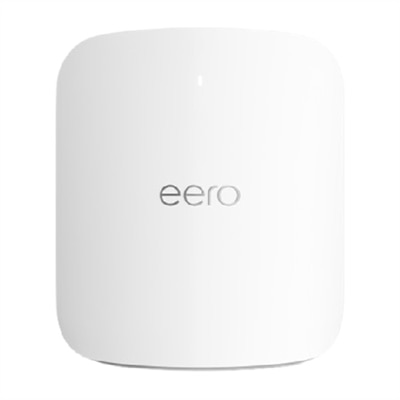
Wireless access points for hotels are essential for delivering seamless internet connectivity throughout your property. Whether you manage a boutique inn or a large resort, reliable wireless solutions help ensure guests can stay connected in their rooms, lobbies, and conference areas. Explore a wide selection of wireless access points for hotels designed to support high user densities and provide consistent coverage, enhancing the guest experience and supporting your business operations.
This product is not available
Check out the following recommendations.




Wireless Access Points For Hotels
Hotel stays bring a distinctive mix of work, entertainment, and everyday communication to laptops, monitors, and accessories. A guest may move from reviewing a presentation at the room desk to joining a video call in a quiet lounge, then spend the evening watching a movie or organizing photos from the day. For devices used with hotel Wi-Fi, the most useful qualities often extend beyond wireless compatibility: comfortable controls, clear audio, dependable battery life, and a size that fits easily into a carry-on all contribute to a smoother experience. Lightweight laptops suit travelers who move frequently between guest rooms, meeting spaces, and nearby appointments, while larger screens can make spreadsheets, creative projects, and side-by-side documents easier to manage during longer stays. Screen brightness and an antireflective finish deserve attention in rooms where a desk faces a sunny window or overhead lighting creates distracting reflections. A comfortable keyboard and responsive touchpad also matter when the room offers little space for separate accessories. Wireless performance depends partly on the device, but also on building conditions, the hotel’s internet connection, and the number of people using it; a newer laptop alone cannot guarantee uninterrupted streaming or calls. A device that feels quick while editing a document may still experience slow downloads during a busy evening. For travelers, that distinction makes overall usability more important than any single specification. Enough memory for several open applications, storage suited to the files carried on a trip, and battery capacity appropriate to the working day help a laptop remain useful even when online activity slows. Offline access to essential documents can also be valuable between check-in, meetings, and departure. Hotels share some device-use patterns with other busy environments, including classrooms and common study areas; the related Wireless Access Points For Schools page provides another setting for considering shared wireless use. Within hospitality spaces, the guest’s experience ultimately includes both getting connected and having a comfortable, practical device for the task at hand.
The physical fit of laptops and accessories becomes especially noticeable in a hotel room, where a single desk may also hold a lamp, telephone, coffee tray, and personal belongings. A compact mouse needs enough clear surface for comfortable movement, and a headset should be easy to store without tangling with charging cables. Portable monitors can provide additional workspace for travelers comparing documents or keeping meeting notes visible, but screen dimensions, stand depth, weight, and connection requirements all affect their suitability for a particular setup. A display that accepts video over USB-C still requires a compatible video-capable port and cable; matching the connector shape alone is not enough. Some displays also need a separate power source, which makes the location of room outlets relevant. For a temporary desk arrangement, a stable stand and adjustable viewing angle can reduce the need to hunch over a screen, although the best position depends on chair height and the available work surface. Headsets with adjustable headbands and cushioned ear pads may be more comfortable for extended conversations, while microphone placement can make speech easier to understand against the hum of air conditioning or activity outside the door. Noise-reducing features vary and should not be treated as a guarantee of privacy or silence. Materials and construction matter just as much as convenience: a rigid laptop enclosure, well-supported hinges, and securely fitting connectors are useful qualities for equipment that is packed and unpacked regularly. Metal and reinforced plastic housings each involve trade-offs in weight, feel, and resistance to everyday wear, so material names alone do not establish durability. A padded sleeve with an appropriately sized compartment helps protect a laptop from contact with chargers and other hard objects inside luggage. Accessories should fit without pressing against the screen or straining ports. Routine care is straightforward but important in hospitality settings, where devices encounter crumbs, fingerprints, and frequent handling. Following the manufacturer’s cleaning directions, keeping liquid away from openings, and allowing ventilation around operating equipment help preserve surfaces and support consistent use. Soft bedding and upholstered furniture can obstruct vents, making a firm, stable surface preferable for extended laptop sessions.
Hotel employees have different computing needs from guests, even when their work takes place in the same building. Front-desk teams may spend long shifts moving between reservation details, guest messages, and administrative applications, making readable monitors, comfortable keyboards, and thoughtfully positioned accessories particularly useful. A compact desktop can suit a fixed workstation with limited counter space, while a laptop may better support a manager who divides time between an office and meeting rooms. Neither format is universally preferable: the right fit depends on mobility, workspace, software requirements, and the peripherals needed for daily tasks. Monitor placement deserves special attention at reception, where staff need a clear view without exposing guest information to people standing nearby. Adjustable stands can accommodate different employees, and compatible mounting arrangements may free usable counter space, provided the desk and mount support the equipment correctly. Privacy filters can narrow viewing angles, but they do not replace screen locking or careful handling of personal information. In shared work areas, cleanable surfaces and accessories that can withstand regular manufacturer-approved cleaning help support day-to-day care. For business travelers, the priorities may shift toward a portable headset, a familiar mouse, and a charger that matches the laptop’s power requirements. A physically compatible charging connector does not necessarily mean that an adapter supplies sufficient power, particularly when a laptop is running demanding applications or powering connected accessories. Families may place greater value on a comfortable display for evening entertainment, straightforward controls, and enough battery life to move between the room’s seating and desk areas without repeatedly relocating a charger. Guests attending conferences often benefit from equipment that transitions easily between note-taking, presentations, and private conversations, with secure storage for accessories between sessions. Across these situations, security remains part of practical device use: current software, strong sign-in protection, and confirmation of the hotel’s official Wi-Fi name help reduce avoidable risks, though no individual step eliminates them. The most suitable hospitality computing setup is one that matches its user and surroundings, whether that means a travel-ready laptop for a short stay, a desktop for a permanent reception station, or carefully chosen monitors and accessories that make a small workspace more comfortable.
FAQs:
Wireless access points in hotels provide robust and reliable Wi-Fi coverage throughout guest rooms, lobbies, conference areas, and outdoor spaces. This ensures guests can easily connect their devices for work or entertainment, while hotel staff benefit from streamlined operations and the ability to support IoT devices like smart locks and thermostats.
Modern hotel access points are designed with high-density support, utilizing advanced technologies such as Wi-Fi 6 and Wi-Fi 6E. These features allow them to efficiently manage large numbers of simultaneous connections, reducing network congestion and maintaining fast, stable internet for all users.
In-room wall-plate access points provide dedicated, high-speed Wi-Fi directly within each guest room. This minimizes interference from neighboring rooms, eliminates dead zones, and often includes additional Ethernet ports for connecting devices like VoIP phones or smart TVs, enhancing the overall guest experience.
Yes, many wireless access points for hotels offer centralized cloud management. This allows IT teams to monitor network performance, manage security settings, and deploy updates across several properties from a single dashboard, making large-scale management more efficient and secure.
Absolutely. There are weather-resistant wireless access points specifically designed for outdoor use, ensuring seamless Wi-Fi coverage in areas like pool decks, courtyards, and patios. These models maintain strong performance even in challenging environmental conditions, keeping guests connected wherever they are on the property.