$417.99
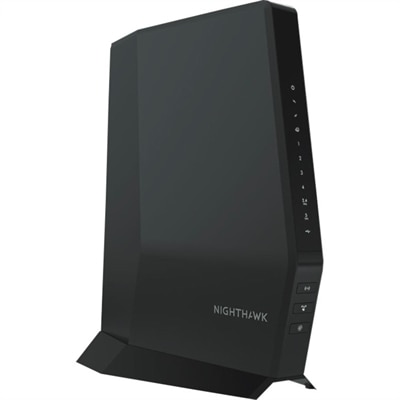
A Wi-Fi 6 cable modem router with DOCSIS 3.1, multi-Gigabit speeds, enhanced capacity, and reliable coverage.
Wireless networking devices make it easy to stay connected at home, in the office, or on the go. From seamless internet access to effortless device pairing, these solutions support a wide range of needs for work, entertainment, and everyday convenience. Explore wireless networking devices designed to help you create reliable connections and enhance your digital experience across laptops, desktops, and smart accessories. Find the right options to simplify your setup and keep your world running smoothly.
A Wi-Fi 6 cable modem router with DOCSIS 3.1, multi-Gigabit speeds, enhanced capacity, and reliable coverage.
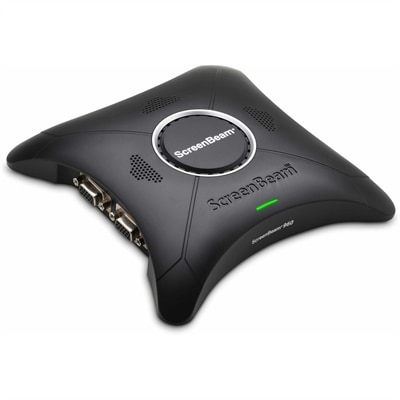
A wireless display receiver enabling app-free presentations, extended desktops, interactive touch, and centralized remote management.
Wireless networking devices help bring reliable internet access to the places where people work, learn, stream, communicate, and relax. A wireless router typically connects to a modem or internet service connection, directs traffic between connected devices, and broadcasts a Wi-Fi signal throughout a home or small office. Wireless access points can add coverage to an existing wired setup, while range extenders receive a Wi-Fi signal and rebroadcast it farther into rooms that may otherwise have weak reception. Mesh Wi-Fi systems use multiple coordinated units to create broader coverage across larger or multi-level spaces, allowing compatible devices to move from one coverage point to another with less interruption. Client hardware, including internal wireless adapters and external USB adapters, gives laptops, desktops, and other computers the ability to connect without a cable. Together, these devices can support phones, tablets, computers, printers, cameras, smart speakers, televisions, game consoles, and other connected accessories. A useful starting point is to consider the size and layout of the space, the number of connected devices, the internet speed provided by your service, and the locations where a stronger signal matters most. Thick walls, floors, metal appliances, mirrors, and distance can all affect wireless performance, so a device that works well in a compact apartment may not provide the same experience in a large home with multiple rooms. For additional help exploring options, visit Wireless Network Solutions.
Choosing among wireless networking devices is easier when the intended use is clear. A wireless router may suit a household replacing older equipment or creating its first independent home setup. A range extender can be practical when the signal is strong near the router but fades in a bedroom, home office, garage, or upstairs hallway. Mesh systems are often a convenient choice for spaces where coverage needs to reach several rooms or floors, especially when a single router cannot provide an even connection. An access point may be appropriate for extending wireless coverage from an existing wired connection, such as in a home office or a larger residence with a challenging layout. When comparing options, check supported Wi-Fi standards, frequency bands, coverage guidance, Ethernet port speeds, security features, setup requirements, and compatibility with the internet service equipment already in place. Newer standards can improve efficiency when many devices are connected, but overall results also depend on the capabilities of laptops, desktops, phones, and other client devices. Look for straightforward management tools that make it easier to create a guest connection, review connected devices, apply firmware updates, and set parental controls when those features are useful. Placement matters just as much as specifications: a router generally performs best in a central, open location, elevated from the floor and away from large obstructions. Extenders and mesh units should be placed where they can still receive a healthy signal rather than at the very edge of coverage. During the cooler months, when more time may be spent indoors, dependable wireless access can make a home office feel less isolated, keep video calls steady, and help entertainment devices work smoothly from the living room to a quiet corner upstairs.
Wireless networking devices can serve a wide range of households and make thoughtful practical gifts for someone moving into a new home, setting up a study area, or refreshing an older connected space. A student may use dependable Wi-Fi for online classes, research, and collaboration from a laptop, while a remote professional may rely on a stable connection for meetings, shared documents, and communication throughout the workday. Families often have several phones, tablets, computers, televisions, and smart home accessories active at once, making coverage and capacity important considerations. A desktop computer without built-in wireless capability may benefit from an external adapter, particularly when running a cable across the room would be inconvenient. Someone who enjoys gaming, streaming high-resolution video, or transferring large files may want to pay close attention to speed, latency, wired connection options, and signal strength in the room where the activity takes place. Smart printers, security cameras, plugs, lights, and speakers may use Wi-Fi, Bluetooth, or another wireless technology, so confirm that the device supports the connection method required by the accessories being used. Security should remain part of any purchase decision: choose current encryption support, change default administrator credentials, use a strong Wi-Fi password, and keep device software updated. It is also helpful to name the main network clearly, create a separate guest connection for visitors, and avoid placing sensitive devices on an unsecured public connection. With the right combination of coverage, compatibility, placement, and security, wireless networking devices can reduce cable clutter and make everyday technology feel more natural. A connection that reaches the desk, sofa, kitchen, and outdoor sitting area can quietly improve the rhythm of a household, whether someone is joining a morning meeting, sharing photos with family, or settling in for a relaxing evening online.
Add the products you would like to compare, and quickly determine which is best for your needs.