Wireless Printing Solutions
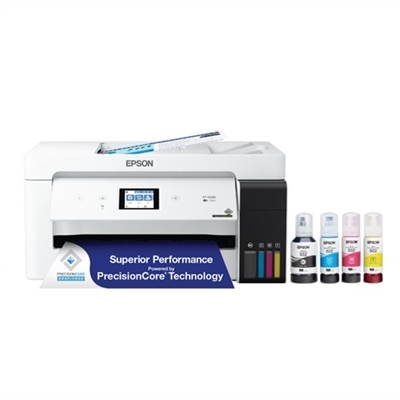
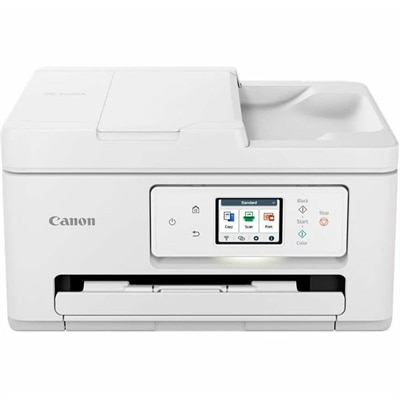
Wireless printing solutions offer a seamless way to print from virtually anywhere in your home or office, making it easier than ever to stay productive and organized. With the latest advancements in connectivity, these solutions help eliminate cable clutter and simplify your workspace. Explore a wide selection of wireless printing solutions designed to support your everyday needs, whether you're printing documents for work, school projects, or photos to share with family and friends. Find the perfect fit for your setup and experience the convenience of effortless printing.
This product is not available
Check out the following recommendations.




Wireless Printing Solutions
Wireless printing solutions make it easier to turn digital files into useful paper copies without keeping a computer physically connected to a printer. A printer connected to a local Wi-Fi network can be discovered by compatible laptops, desktops, tablets, and smartphones throughout the home or workplace, allowing several people to send print jobs from different rooms. Some solutions also support Wi-Fi Direct, which creates a direct connection between a device and printer without requiring an active router or internet connection. This can be helpful in a temporary workspace, a classroom, a shared apartment, or a small office where network access is limited. Mobile printing protocols can further simplify the process by allowing compatible devices to print without installing a separate driver for every computer. When evaluating wireless printing solutions, consider the devices that will be used most often, the size and reliability of the available Wi-Fi network, and whether printing will take place from a single room or across a larger space. A home user may appreciate the ability to print a shipping label from a phone, produce a school worksheet from a laptop, or create a paper copy of a recipe while keeping the printer on a nearby shelf. In a professional setting, wireless access can help employees print reports, forms, invoices, meeting materials, and presentation handouts without gathering around one designated desk. Placement becomes more flexible as well: instead of arranging a workspace around a cable, users can choose a convenient location with access to power and a strong wireless signal.
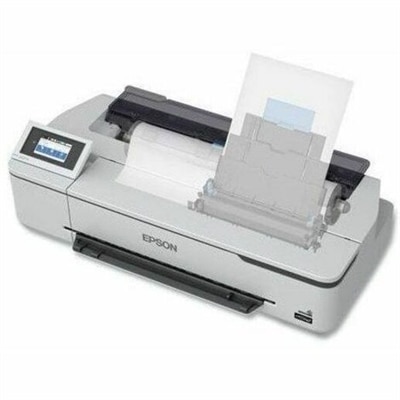
The right wireless printing solution depends on the kind of work it needs to handle. For everyday documents, look for dependable text output, straightforward mobile compatibility, an easy-to-read control panel, and a paper capacity that matches the number of pages printed between refills. Families and home offices may benefit from a versatile option that handles school projects, scanned documents, occasional photographs, and household records. Small businesses often need faster output, automatic two-sided printing, multiple paper sizes, and simple controls that reduce interruptions during a busy day. If several people will use the same printer, check whether it can maintain reliable connections with multiple computers and mobile devices on one local network. Security should also be part of the decision. Features such as password-protected wireless access, user authentication, encrypted connections, and print-job controls can help limit access to sensitive documents in shared environments. Cloud-based printing or portal printing may be useful when a file needs to be submitted from outside the building and released at the printer later, although internet access and account requirements should be reviewed before choosing this setup. For spaces where a router is unavailable, Wi-Fi Direct can provide a practical alternative for short-term or one-to-one printing. Users who work with posters, diagrams, architectural drawings, classroom visuals, signage, or other oversized materials may also want to explore Wireless Large Format Printers as part of a broader wireless workflow. Across all categories, confirm supported operating systems, paper dimensions, ink or toner availability, print speed, color requirements, and the physical dimensions of the unit before making a purchase.
Wireless printing can be especially useful for people whose work and routines move between rooms or devices. A remote worker might review a contract on a laptop, send it to the printer, and sign it at a nearby desk without rearranging the workspace. A teacher or tutor can prepare activity sheets from a tablet, while a family can print travel documents, permission forms, labels, and project materials from whichever device is already in hand. In a small business, wireless access can keep a printer available to reception, accounting, sales, and management without running cables through walkways or placing every workstation beside the same machine. Public-facing environments such as community organizations, libraries, studios, and shared offices may use remote submission tools so visitors can upload a document through a browser or app before releasing it at a designated printer. For a gift, a compact wireless printer can be a thoughtful choice for a student, new homeowner, creative hobbyist, or professional setting up a home office, particularly when the recipient values a tidy desk and simple device access. During the warmer months, wireless placement can make it easier to work from a bright spare room or a covered workspace, while cooler months may encourage more printing from a central home office or family room. Before completing a purchase, think about who will use the printer, how often pages will be produced, whether color matters, and how much room is available. A well-matched wireless printing solution should feel almost invisible in daily life: files move from a laptop, tablet, or phone to paper with minimal setup, while users retain the flexibility to print from a comfortable location.
FAQs:
Wireless printers are designed to work with a wide range of devices, including laptops, desktops, smartphones, and tablets. Most models support major operating systems like Windows, macOS, iOS, and Android, ensuring seamless compatibility for home, office, or classroom use.
To set up a wireless printer, start by connecting the printer to your Wi-Fi network using the printer’s onboard display or setup software. Once connected, install the printer drivers on your device and follow the prompts to add the printer. Many printers also support quick setup via mobile apps or Wi-Fi Direct for direct device-to-printer connections.
Cloud printing services allow you to send documents to your printer from anywhere with internet access. This is especially helpful for remote work, sharing printers among multiple users, or printing while traveling. Cloud printing also enhances collaboration and can offer additional features like secure print release and document tracking.
Yes, many older, non-wireless printers can be upgraded with a USB print server or a wireless print adapter. These devices connect to the printer’s USB port and enable wireless connectivity, allowing you to print from modern laptops, smartphones, and tablets without replacing your existing printer.
Wireless printers are ideal for shared office environments because they support multiple users and devices on the same network. Advanced features like secure printing, user authentication, and cloud connectivity make them a practical choice for collaborative workspaces and hybrid teams.