Dell Data Protection Virtual Edition Server v9.2 failed to retrieve domain
Summary: When opening the settings for a domain in the WebUI, you may receive a message which says "Failed to Retrieve Domain."
This article applies to
This article does not apply to
This article is not tied to any specific product.
Not all product versions are identified in this article.
Symptoms
Affected Products:
- Dell Data Protection | Virtual Edition
Affected Versions:
- v9.2.215
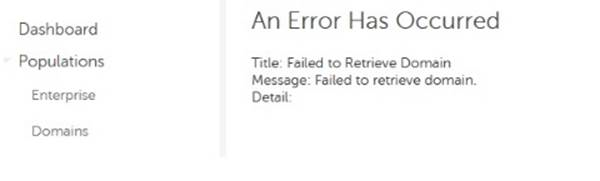
Figure 1: (English Only) Error message
Cause
There are two known causes for this issue:
- Connectivity between the domain and the Dell Data Protection | Virtual Edition has been lost.
- The password for the account used to add the domain has changed.
Resolution
To resolve this issue, we recommend updating the server from Build 9.2.215 to Build 9.2.221 or later. This improves error handling on the server to allow access to the domain configuration page despite the underlying issue.
If that is not an option, you can work around the issue by addressing the cause:
- If connectivity has been lost between the Dell Data Protection | Virtual Edition and the domain, troubleshoot the connectivity issue.
- If the password for the domain user that added the domain to the WebUI has changed, you can revert it to the previous password if that information is documented.
To contact support, reference Dell Data Security International Support Phone Numbers.
Go to TechDirect to generate a technical support request online.
For additional insights and resources, join the Dell Security Community Forum.
Affected Products
Dell EncryptionArticle Properties
Article Number: 000126166
Article Type: Solution
Last Modified: 11 Apr 2024
Version: 8
Find answers to your questions from other Dell users
Support Services
Check if your device is covered by Support Services.