RecoverPoint:WebブラウザーでAdobe Flashがサポートされなくなったときに、RecoverPointグラフィカル ユーザー インターフェイスを使用する方法。
Summary: Adobe Flashがサポートされなくなった場合に、お客様がRecoverPoint GUIを引き続き使用する方法。
This article applies to
This article does not apply to
This article is not tied to any specific product.
Not all product versions are identified in this article.
Symptoms
Adobe Flash Playerは廃止されて、2020年12月31日に正式にサポートを終了しています。Adobe Flashプラグインのサポートは、すべての主要なパブリックWebブラウザーについて、その時点で終了します。
RecoverPoint GUI(グラフィカル ユーザー インターフェイス)では、Adobe FLEXおよびFlash Playerを使用しています。
Cause
Adobe Flashは、2020年12月31日でサポートが終了(EOL)となりました。
Flashベースのインターフェイスのブラウザー サポートも終了しています。
Flashベースのインターフェイスのブラウザー サポートも終了しています。
Resolution
この問題に対処するために、「RPClassicUI Utility」と呼ばれる新しいユーティリティーが導入されました。
このツールはRecoverPoint Classic 5.1.2(5.1 SP2)以降でサポートされています。

このツールはRecoverPoint Classic 5.1.2(5.1 SP2)以降でサポートされています。
- 次のDell.comのサポートWebサイトから、お使いのワークステーションにRPClassicUIユーティリティー ソフトウェアをダウンロードします。
- https://www.dell.com/support/home/ja-jp/product-support/product/recoverpoint-cl/drivers
- https://www.dell.com/support/home/ja-jp/product-support/product/recoverpoint-ex/drivers
- https://www.dell.com/support/home/ja-jp/product-support/product/recoverpoint-se/drivers
注:ワークステーションは、RPAクラスターの管理IPアドレスに接続できる必要があります。
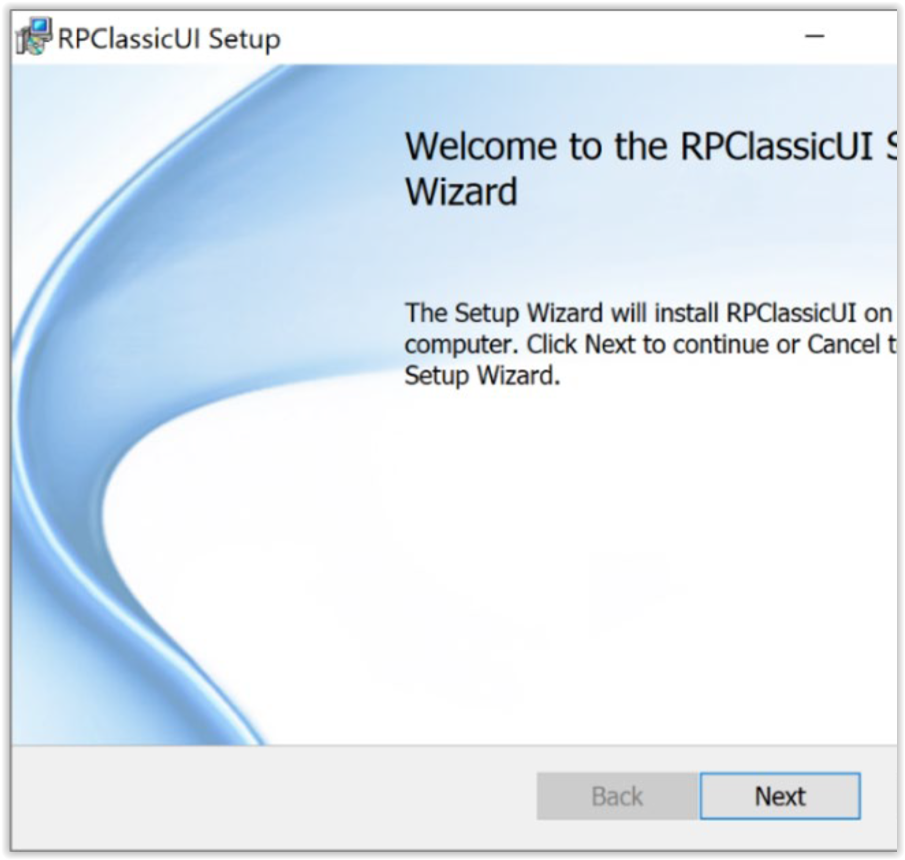
- Windowsマシンから、RPClassicUI Windowsインストーラーをダブルクリックします。
- RPClassicUIユーティリティーをインストールするには、次のようにRPClassicUIスタートアップ ウィザードの指示に従います。
- お使いのワークステーションにRPClassicUIユーティリティーを正常にインストールした後、RPAクラスターにログインしUnisphere UIのRecoverPointに接続する場合は次の手順を使用します。環境内の各RPAクラスターに対して、この手順を個別に実行します。
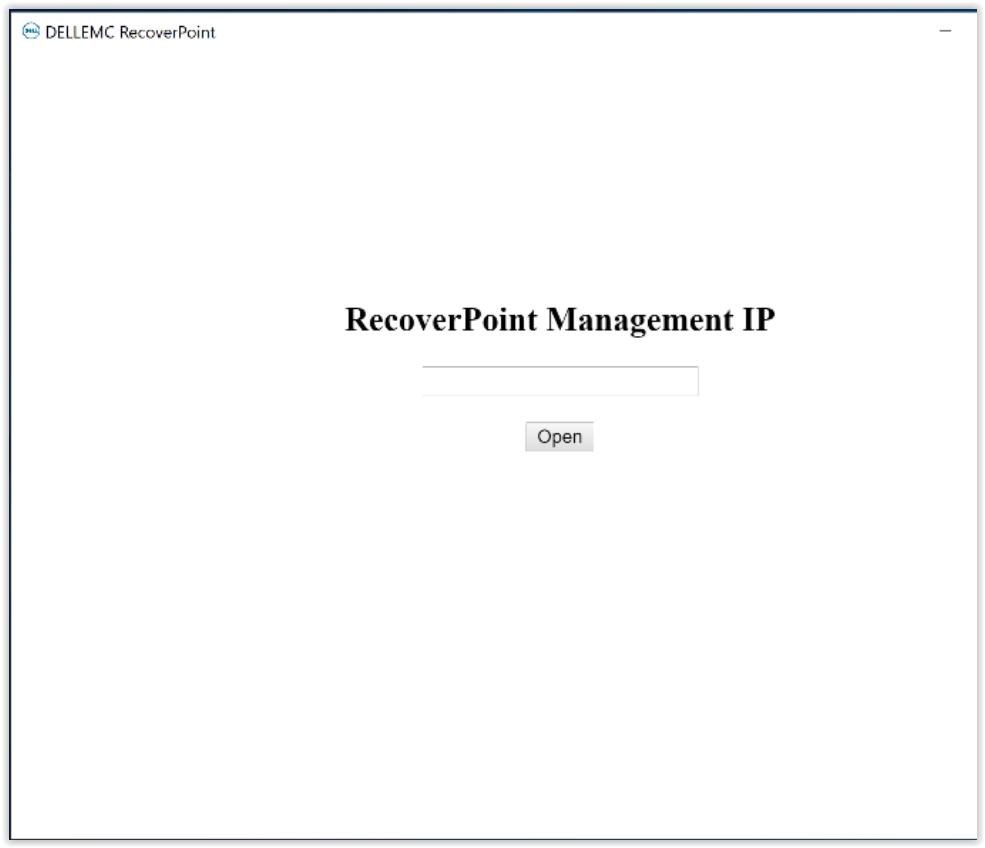
- [スタート]>[RPClassicUI]を選択して、Windowsスタートアップ メニューからRP Classic UIユーティリティーを開きます。
- [RecoverPoint Management IP]ダイアログで、RPAクラスター管理IPアドレスまたはFQDN(完全修飾ドメイン名)アドレスを入力し、[Open]をクリックします。
- RPClassicUIユーティリティーは、RecoverPointシステムUIのUnisphereに接続します。
RecoverPointのダッシュボードやその他のメニューにアクセスするには、次のようにシステムの認証情報を入力します。

Affected Products
RecoverPointProducts
RecoverPoint, RecoverPoint CL, RecoverPoint EX, RecoverPoint SEArticle Properties
Article Number: 000180859
Article Type: Solution
Last Modified: 28 Sep 2023
Version: 5
Find answers to your questions from other Dell users
Support Services
Check if your device is covered by Support Services.