RecoverPoint:当网页浏览器不再支持 Adobe Flash 时,如何使用 RecoverPoint 图形用户界面。
Summary: 当 Adobe Flash 停止支持后,客户如何继续使用 RecoverPoint GUI。
This article applies to
This article does not apply to
This article is not tied to any specific product.
Not all product versions are identified in this article.
Symptoms
Adobe Flash Player 已被弃用,并于 2020 年 12 月 31 日正式停止服务。此后,Adobe Flash 插件将停止对各大主流网页浏览器的支持。
RecoverPoint GUI(图形用户界面)使用 Adobe FLEX 和 Flash Player。
Cause
Adobe Flash 已在 2020 年 12 月 31 日停止服务 (EOL)。
基于 Flash 的界面缺少浏览器支持。
基于 Flash 的界面缺少浏览器支持。
Resolution
为解决此问题,现已引入一个新的实用程序,称为 RPClassicUI 实用程序。
RecoverPoint Classic 5.1.2 (5.1 SP2) 和更高版本支持此工具。
RecoverPoint Classic 5.1.2 (5.1 SP2) 和更高版本支持此工具。
- 将 RPClassicUI 实用程序软件从 Dell.com 支持网站下载到工作站:
- https://www.dell.com/support/home/en-us/product-support/product/recoverpoint-cl/drivers
- https://www.dell.com/support/home/en-us/product-support/product/recoverpoint-ex/drivers
- https://www.dell.com/support/home/en-us/product-support/product/recoverpoint-se/drivers
注:工作站必须连接到 RPA 群集的管理 IP 地址。
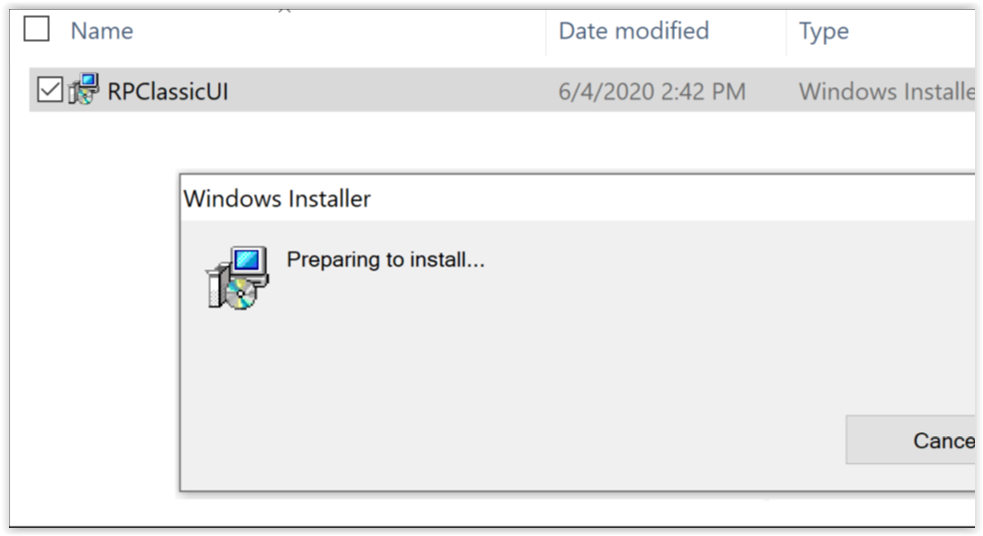
- 双击 Windows 设备中的 RPClassicUI Windows 安装程序:
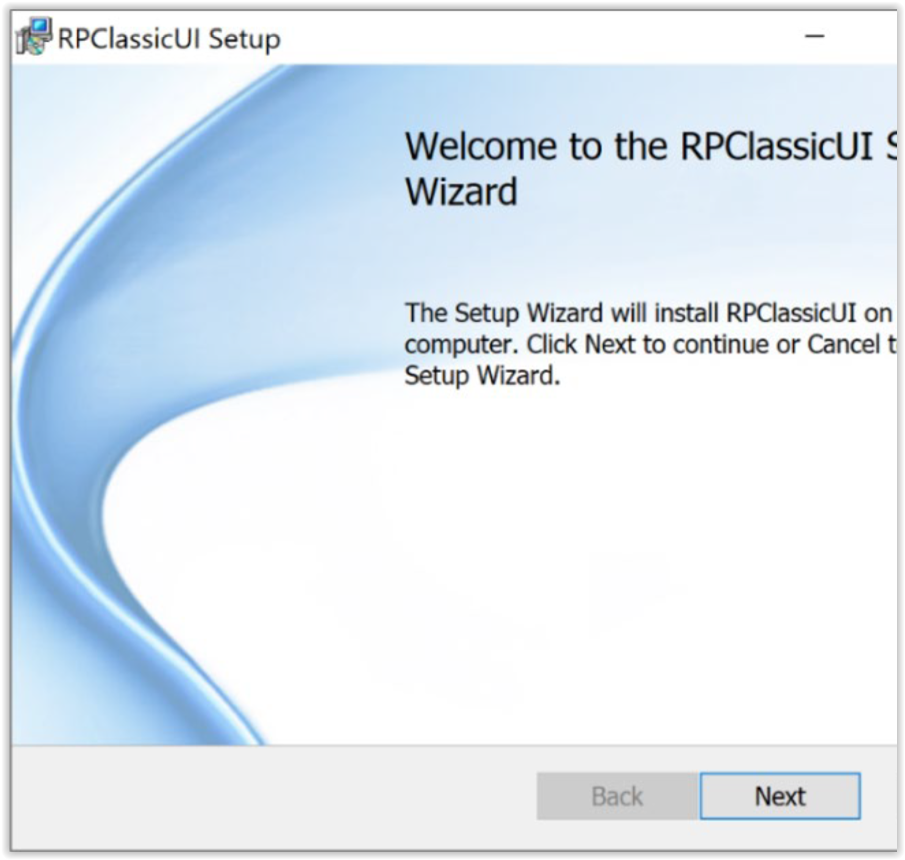
- 要安装 RP Classic UI 实用程序,请按照 RPClassicUI 安装向导中的说明操作:
- 在工作站上成功安装 RPClassicUI 实用程序后,当您想要登录到 RPA 群集并连接到 RecoverPoint for Unisphere UI 时,请使用该步骤。请为环境中的每个 RPA 群集分别运行此过程。
- 在 Windows 启动菜单中选择开始 > RPClassicUI,以打开 RPClassicUI 实用程序。
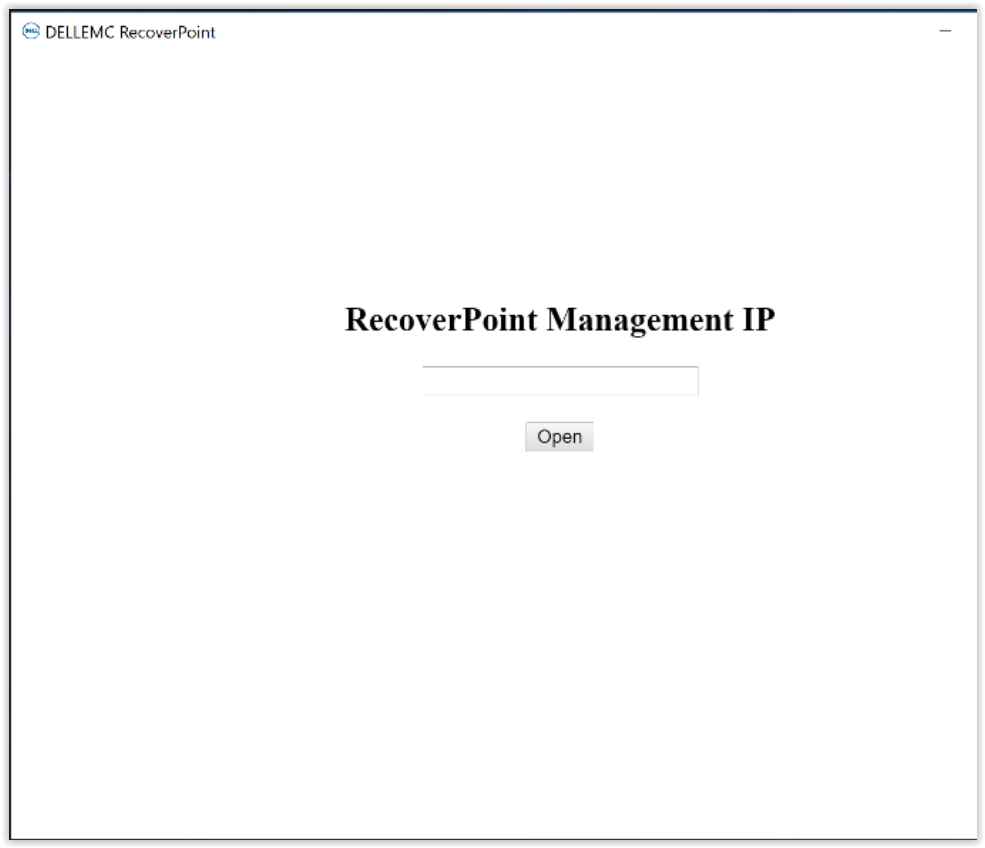
- 在“RecoverPoint Management IP”对话框中,输入 RPA 群集管理 IP 地址或 FQDN(完全限定域名)地址,然后单击“打开”:
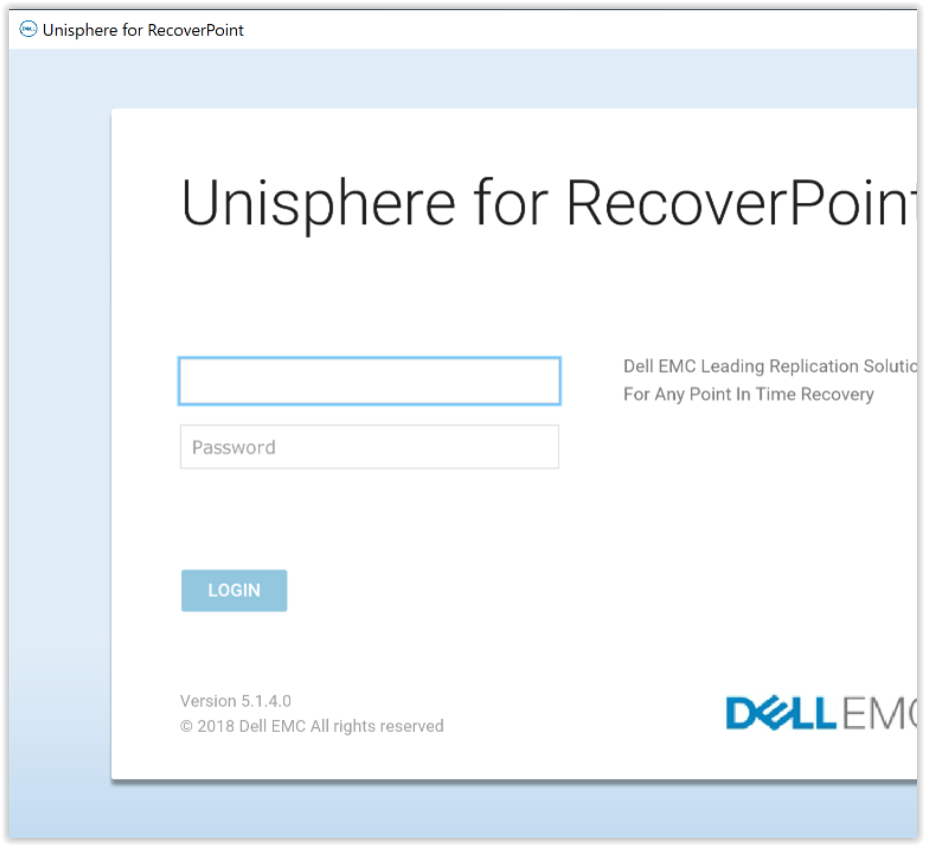
- RPClassicUI 实用程序连接到 Unisphere for RecoverPoint 系统 UI。
要访问 RecoverPoint 仪表板和其他菜单,请输入系统的凭据:
Affected Products
RecoverPointProducts
RecoverPoint, RecoverPoint CL, RecoverPoint EX, RecoverPoint SEArticle Properties
Article Number: 000180859
Article Type: Solution
Last Modified: 28 Sep 2023
Version: 5
Find answers to your questions from other Dell users
Support Services
Check if your device is covered by Support Services.