RecoverPoint: 當網頁瀏覽器不再支援 Adobe Flash 時,如何使用 RecoverPoint 圖形使用者介面。
Summary: 當 Adobe Flash 不再受支援後,客戶應如何繼續使用 RecoverPoint GUI。
This article applies to
This article does not apply to
This article is not tied to any specific product.
Not all product versions are identified in this article.
Symptoms
Adobe Flash Player 已淘汰,其正式壽命結束時間為 2020 年 12 月 31 日。屆時,所有主要的公共網頁瀏覽器都將不再支援 Adobe Flash 附掛程式。
RecoverPoint GUI (圖形使用者介面) 使用 Adobe FLEX 和 Flash Player。
Cause
Adobe Flash 在 2020 年 12 月 31 日壽命結束 (EOL)。
瀏覽器不再支援 Flash 介面。
瀏覽器不再支援 Flash 介面。
Resolution
為解決此問題,我們推出了新的公用程式,稱為 RPClassicUI 公用程式。
此工具支援 RecoverPoint Classic 5.1.2 (5.1 SP2) 及更新版本。
此工具支援 RecoverPoint Classic 5.1.2 (5.1 SP2) 及更新版本。
- 從 Dell.com 支援網站,將 RPClassicUI 公用程式軟體下載至您的工作站:
- https://www.dell.com/support/home/en-us/product-support/product/recoverpoint-cl/drivers
- https://www.dell.com/support/home/en-us/product-support/product/recoverpoint-ex/drivers
- https://www.dell.com/support/home/en-us/product-support/product/recoverpoint-se/drivers
註:工作站必須連接至 RPA 叢集的管理 IP 位址。
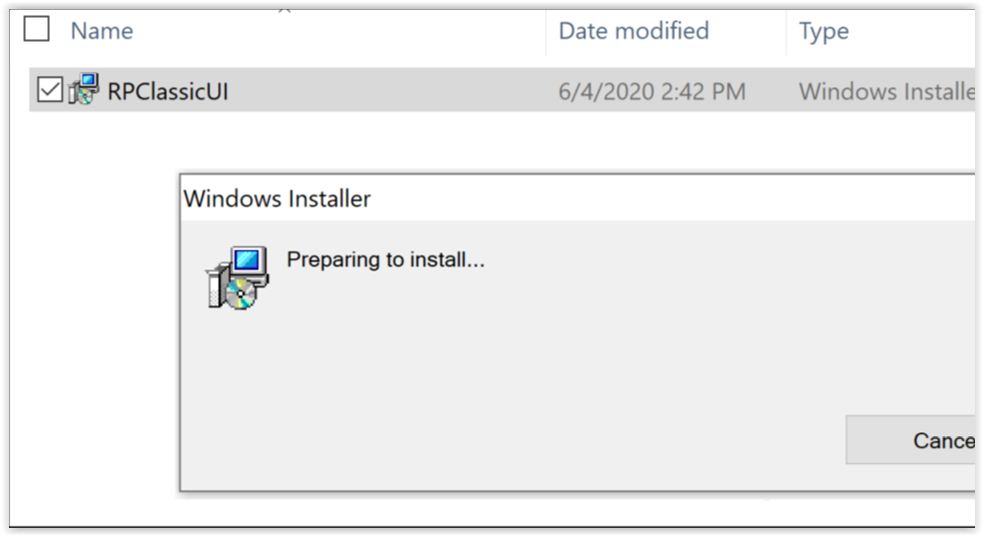
- 在 Windows 機器上,按兩下 RPClassicUI Windows 安裝程式:
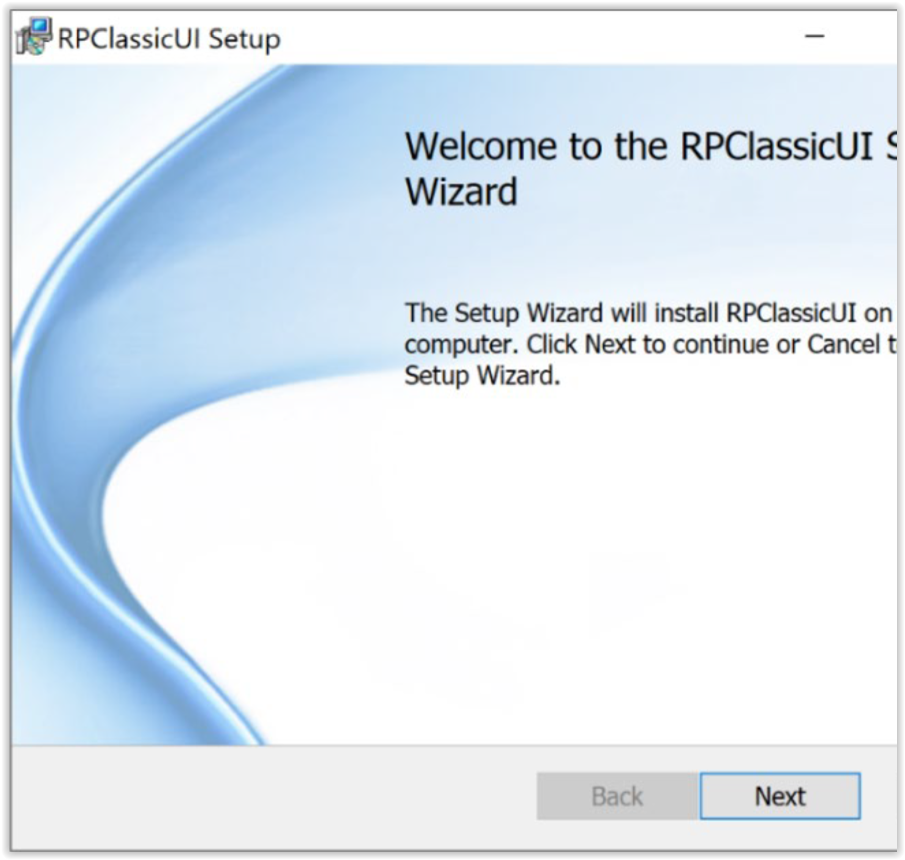
- 若要安裝 RP Classic UI公用程式,請依照 RPClassicUI 設定精靈中的指示操作:
- 在工作站上成功安裝 RPClassicUI 公用程式後,請使用此程式登入 RPA 叢集並連接至 RecoverPoint,以使用 Unisphere UI。請針對環境中的每個 RPA 叢集分別執行此程式。
- 選取「開始」 > RPClassicUI,從 Windows 開始功能表開啟 RP Classic UI 公用程式。
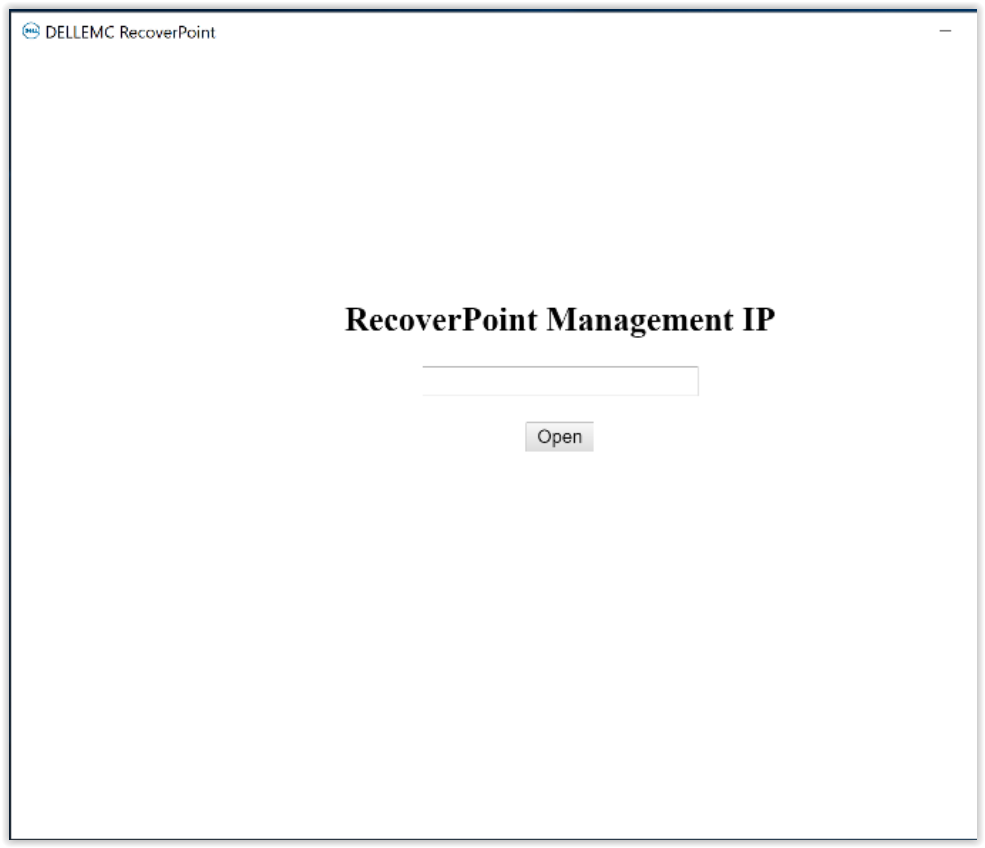
- 在「RecoverPoint 管理 IP」對話方塊中,輸入 RPA 叢集管理 IP 位址或 FQDN (完整網域名稱) 位址,然後按一下「開啟」:
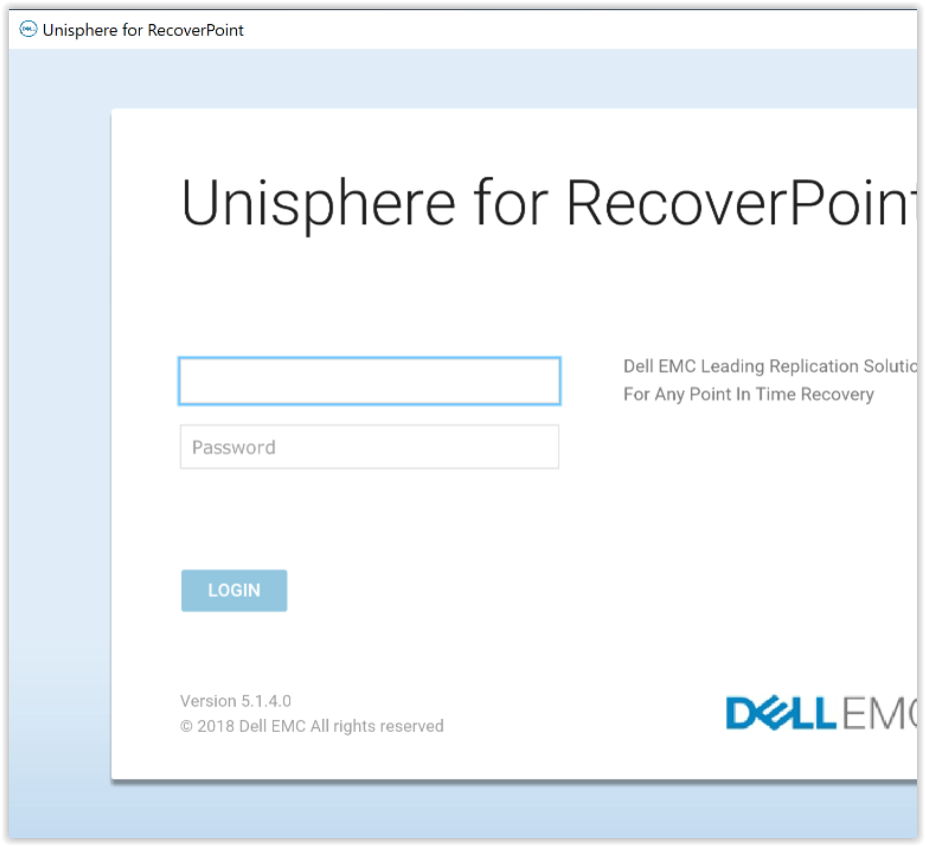
- RPClassicUI 公用程式會連接到 RecoverPoint 系統 UI 的 Unisphere。
若要存取 RecoverPoint 儀表板和其他功能表,請輸入系統的登入資料:
Affected Products
RecoverPointProducts
RecoverPoint, RecoverPoint CL, RecoverPoint EX, RecoverPoint SEArticle Properties
Article Number: 000180859
Article Type: Solution
Last Modified: 28 Sep 2023
Version: 5
Find answers to your questions from other Dell users
Support Services
Check if your device is covered by Support Services.