$3749.99
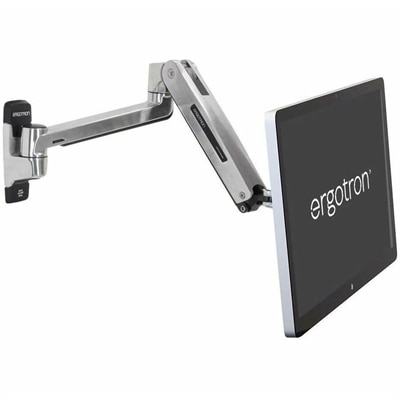
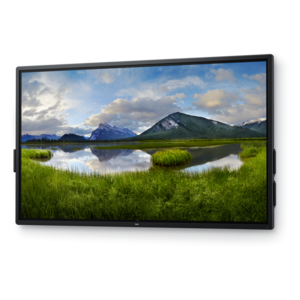
A 4K touchscreen monitor featuring 20-point InGlass Touch, palm rejection, and up to 90W USB-C power.
Commercial displays offer a professional solution for presenting information, engaging audiences, and enhancing productivity in a variety of business environments. Designed to support dynamic workspaces, these displays are ideal for conference rooms, lobbies, retail spaces, and classrooms. With commercial displays, organizations can create impactful visual experiences that help communicate messages clearly and efficiently. Explore options tailored to fit the needs of modern businesses looking to elevate their visual communications.
A 4K touchscreen monitor featuring 20-point InGlass Touch, palm rejection, and up to 90W USB-C power.
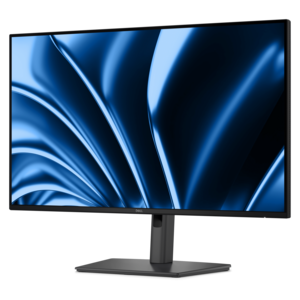
A 4K collaboration monitor offering 90W USB-C power delivery and flexible micro PC integration.
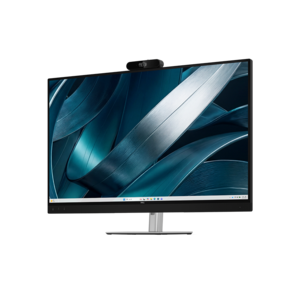
A 4K conferencing monitor with integrated webcam, speakers, and microphone, designed for effortless group collaboration.
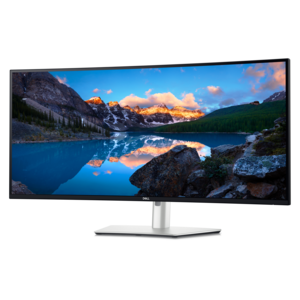
A curved 5K Thunderbolt hub monitor with a smooth 120Hz refresh rate for immersive productivity.
Commercial displays are professional-grade screens designed to present information, visual content, and presentations in business and public settings. They serve as digital signage in reception areas, menu boards in cafés, presentation screens in conference rooms, and information displays in schools, hotels, and healthcare facilities. Compared with a typical consumer television, a commercial display may offer longer rated operating hours, higher brightness, more installation flexibility, and tools for controlling content across multiple screens. Those differences matter when a screen needs to welcome visitors from early morning until late evening or keep an announcement readable beneath bright overhead lighting. Operating ratings commonly distinguish between 16/7 use, meaning 16 hours a day, seven days a week, and 24/7 use for continuous operation; the appropriate rating depends on the location’s actual schedule. Not every professional screen supports around-the-clock operation, so the specified duty cycle remains an important distinction. Brightness, measured in nits, also varies by intended environment. A display in a softly lit meeting room has different requirements from one facing a sunlit lobby, where reflections can obscure small text and muted colors. Higher brightness can improve visibility, but screen placement, surface treatment, and the direction of incoming light also affect the result. In a hotel entrance, for example, guests should be able to read event locations without stepping close to the screen or shifting sideways to avoid glare. Wide viewing angles help maintain a useful image for people approaching from different directions, while suitable resolution keeps lettering, maps, and photographs clearly defined. Commercial displays bring this combination of readability and operational flexibility to everyday communication, whether the audience is a roomful of colleagues reviewing a presentation or visitors glancing at directions on their way to an appointment. Their value lies in making information easy to notice and understand within the space where it is needed, with screen characteristics matched to the demands of that setting rather than screen size alone.
Physical fit is as important as picture quality when a commercial display becomes part of a workplace or customer-facing environment. Screen size needs to suit both the available wall area and the distance from which people will read the content. A large image can still be difficult to use if a menu contains tightly packed descriptions or a meeting presentation relies on small spreadsheet text. Resolution describes the number of pixels in the image; 4K resolution can provide useful detail for large-format presentations, photographs, and diagrams, although the source material and text sizing still influence clarity. Landscape orientation often works naturally for presentations and wide menu layouts, while portrait orientation can suit directories, event schedules, and narrow wall spaces. Portrait installation should be supported by the display’s specifications because orientation can affect cooling and permitted use. Slim bezels keep the frame visually restrained, and consistent bezel dimensions can matter when several screens sit side by side. Housing materials, frame construction, mounting points, and protective surface treatments influence how well a display suits its surroundings. Metal components can provide structural support, while durable polymer housings can reduce weight; neither material alone establishes a screen’s suitability for demanding use. In busy corridors or shared learning spaces, exposed edges, cable access, and the stability of a stand deserve particular attention. Wall mounts must support the screen’s weight and mounting pattern, with appropriate hardware for the wall itself. Clearance around ventilation openings helps heat dissipate, especially in recessed installations or areas with long daily operating hours. For mobile setups, a compatible cart with locking casters can make it easier to move a screen between rooms without treating the display as a handheld device. Indoor commercial screens should not be assumed suitable for outdoor exposure: direct sunlight, moisture, dust, and temperature changes require purpose-built protection and appropriate environmental ratings. A thoughtful physical match leaves the screen visible, secure, and accessible for routine upkeep without obstructing walkways or competing with the room’s other functions.
Daily operation determines how comfortably commercial displays fit into the routines of office teams, educators, hospitality staff, and facilities personnel. Connections such as HDMI, DisplayPort, and USB-C may support different sources and workflows, but capabilities vary by model and port. A USB-C connection, for instance, does not automatically mean that video input, laptop charging, and touch data are all supported. In a meeting room, clearly accessible connections can simplify the transition between presenters, while a permanently installed signage screen may benefit from concealed cabling and scheduled startup and shutdown. Some commercial displays include built-in playback tools or support compatible content management systems for scheduling announcements and updating multiple screens remotely. Others rely on an external media player or computer. Software compatibility, licensing requirements, and supported file formats affect how easily staff can keep information current. A restaurant might change from breakfast to lunch menus at a set time, while a school could rotate arrival instructions, event reminders, and room assignments throughout the day. Where people need to write, annotate, or manipulate on-screen content rather than simply view it, Interactive Displays support a different kind of engagement, with touch capabilities that vary by screen and connected software. For any installation, durability depends on using the display within its rated conditions and following its care requirements. Dust buildup around vents can interfere with cooling, and abrasive cleaning materials can damage screen coatings. A soft, clean microfiber cloth and the manufacturer’s approved cleaning method help preserve the viewing surface; liquids should not be sprayed directly onto the panel. Static logos and persistent layouts also warrant attention because image retention risks and prevention features differ by panel technology. Content rotation and supported screen-protection settings may help, but they do not replace the specified operating limits. Commercial warranty terms, permitted usage, and service coverage deserve consideration alongside image quality. Together, these practical details distinguish a screen that merely fits a wall from one that supports clear, dependable communication throughout the working day.
Add the products you would like to compare, and quickly determine which is best for your needs.