$318.99
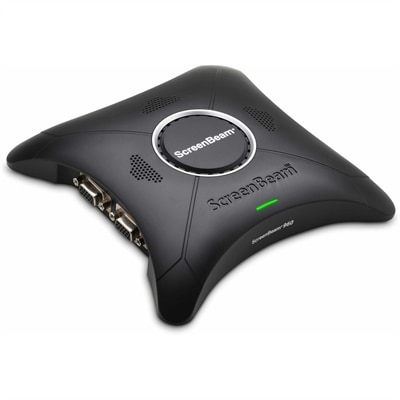
A wireless display receiver enabling app-free presentations, extended desktops, interactive touch, and centralized remote management.
Commercial touchscreens offer dynamic solutions for businesses seeking to enhance productivity and streamline operations. Designed for a range of professional environments, these interactive displays support efficient workflows and create engaging experiences for both employees and customers. Explore commercial touchscreens that combine modern design with advanced technology, making them an ideal choice for offices, retail spaces, educational settings, and more. Find the perfect touchscreen to meet your business needs and elevate your workspace.
A wireless display receiver enabling app-free presentations, extended desktops, interactive touch, and centralized remote management.
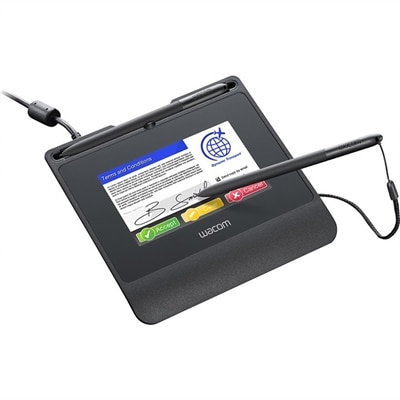
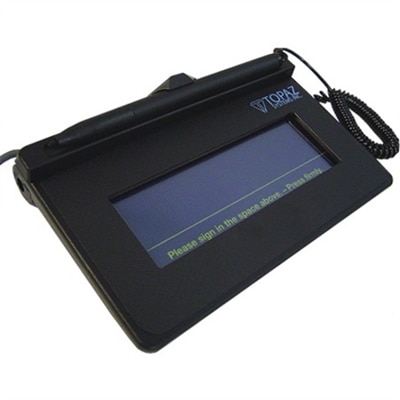
A robust signature pad featuring a high-resolution color display, hardened cover glass, versatile connectivity, and encryption.
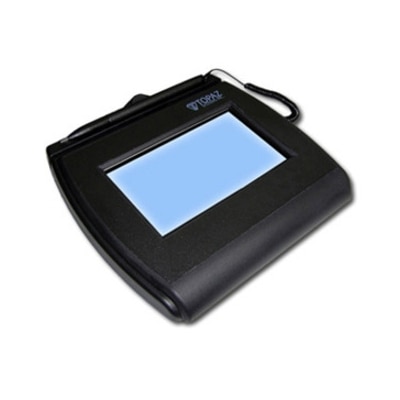
An interactive LCD signature pad with tempered glass, large signing area, and electronic ink visible beneath pen.
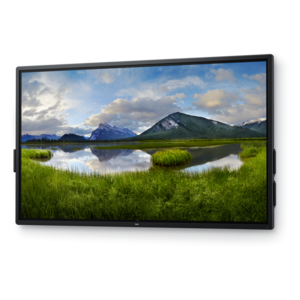
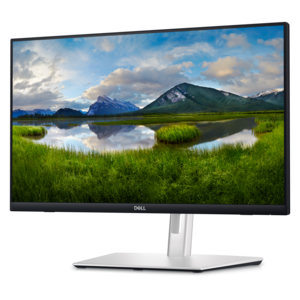
A 4K touchscreen monitor featuring 20-point InGlass Touch, palm rejection, and up to 90W USB-C power.
Commercial touchscreens are interactive displays designed to help people find information, complete tasks and engage with digital content through direct, intuitive control. Unlike a conventional display that simply shows an image, a touchscreen lets a visitor tap, swipe, select, enter information or navigate between screens. That makes these displays useful in many professional settings, including retail stores, restaurants, hotels, schools, healthcare offices, transportation facilities, corporate workplaces and public venues. A customer might use one to browse a catalog, check in for an appointment, look up a product location or place an order. An employee might use one to review schedules, access training materials, monitor a workflow or control an interactive presentation. In a classroom, a touchscreen can make lessons more active by allowing students and instructors to work with maps, diagrams, video and other visual content directly on the display. During the cooler months, when indoor spaces often see more concentrated foot traffic and longer periods of use, a well-placed interactive screen can help direct visitors and reduce pressure on reception desks, service counters and staff members. Browse the broader selection of Touchscreen Devices to compare display formats and features for different environments. When selecting commercial touchscreens, begin with the setting and the people who will use the display. A screen positioned near an entrance may need excellent visibility from different angles, while a counter-mounted unit may benefit from a compact footprint and an adjustable viewing position. A public-facing kiosk should be easy to understand at a glance, with clear on-screen prompts and enough space for comfortable interaction. Displays intended for staff use may place greater emphasis on quick response, compatibility with existing software and convenient access to frequently used controls. Think about whether the screen will be used by one person at a time or by several people gathered around it, and consider the height, reach and accessibility needs of the intended audience. Wall-mounted, countertop and floor-standing designs each suit different layouts, so measuring the available area before purchasing can help prevent installation challenges.
Durability is one of the most important differences between a touchscreen intended for occasional personal use and a commercial touchscreen expected to support repeated interaction. Public displays may be tapped hundreds of times throughout a day, so look for construction that can withstand regular contact, cleaning and movement around the installation area. A sturdy enclosure and a protective glass surface can help a display remain dependable in busy surroundings, while a design that manages heat effectively is valuable for extended operating schedules. In locations with strong overhead lighting or sunlight through windows, brightness and anti-glare treatment can have a noticeable effect on readability. A screen that looks crisp in a dim showroom may be difficult to read beside a bright storefront or in a lobby with polished floors and glass doors. Resolution also matters: high-definition imagery can keep menus, text and diagrams clear, while 4K resolution may be particularly helpful for detailed visual content, product presentations and collaborative work. Touch technology should match the size and purpose of the display. Projected capacitive touch can provide a familiar, responsive experience similar to using a smartphone, making it well suited to menus, directories and interactive applications. Infrared touch technology can support larger displays and multi-user interaction, which may be useful for collaborative presentations, wayfinding and educational activities. Consider whether users will interact with a bare finger, a gloved hand or a stylus, since the right touch method can vary by workplace and season. In a shipping or maintenance setting, for example, workers may prefer a screen that responds consistently when they are wearing gloves. In a school or creative workspace, stylus support can make writing, sketching and annotation feel more natural. Viewing angle, speaker quality, camera support and cable placement can also influence the experience, especially when the screen is part of a presentation station, self-service area or shared workspace.
The software and connectivity behind a commercial touchscreen are just as important as the panel itself. Some displays operate as standalone interactive systems, while others connect to a computer or compatible media source that provides applications, presentations, product information or digital signage content. Check for compatibility with the operating system, applications and peripherals your organization already uses, along with the available ports and wireless capabilities. A display that supports the right connection standards can simplify setup and make it easier to add a keyboard, scanner, camera, audio accessory or other device when needed. For multiple locations, centralized content management can help authorized staff update menus, schedules, directions and announcements without visiting every screen. Remote administration may also make it easier to review device status, schedule content and maintain a consistent experience across a group of offices, stores or campuses. Security deserves attention whenever a touchscreen is connected to an account, payment workflow or internal application. Use strong access controls, keep software updated and limit administrative permissions to the people responsible for managing the display. Placement can contribute to both usability and protection: mount the screen at a comfortable height, leave room for people to approach without blocking a walkway and position cables so they are organized and out of reach where appropriate. For customer-facing installations, clear instructions and a simple interface can shorten lines and make self-service feel welcoming rather than confusing. For employee-facing installations, a fast, responsive screen can reduce repetitive steps during a busy shift. Whether used for wayfinding in a public building, ordering in a dining area, learning in a classroom, collaboration in an office or product discovery in a store, the right commercial touchscreen combines dependable construction, readable visuals, responsive touch performance and practical management features.
Add the products you would like to compare, and quickly determine which is best for your needs.