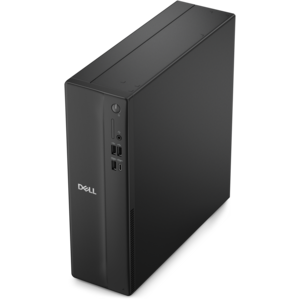
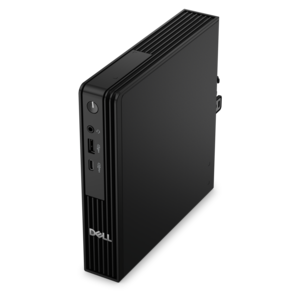
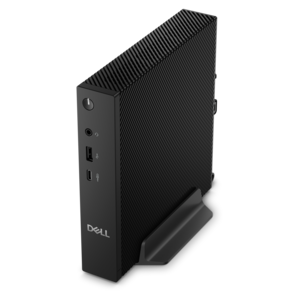
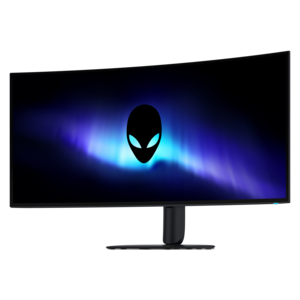
$900.00
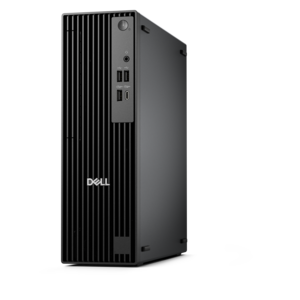
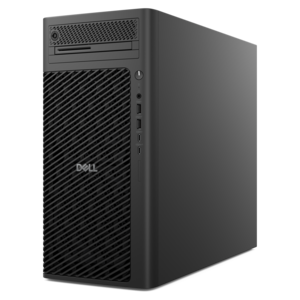
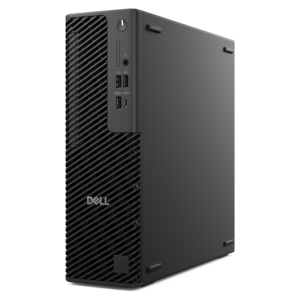
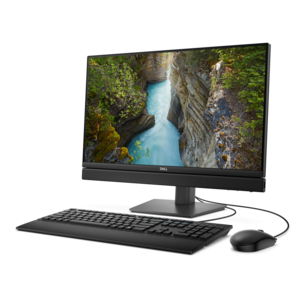
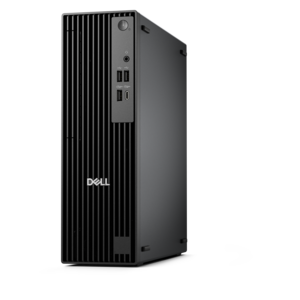
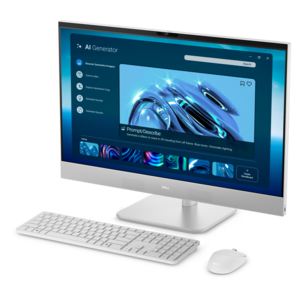
A business-ready tower desktop delivering reliable everyday performance with essential security features for productive workflows.
Unlock your potential and elevate your coding experience with our curated selection of desktops for coding. Designed to meet the demands of developers, these powerful machines offer the reliability and performance needed to tackle complex algorithms, compile large projects, and run multiple applications seamlessly. Whether you're a seasoned programmer or just starting your coding journey, our desktops provide the perfect balance of speed, efficiency, and storage capacity. Explore our range to find the ideal setup that matches your workflow and empowers you to bring your innovative ideas to life.
A business-ready tower desktop delivering reliable everyday performance with essential security features for productive workflows.
A powerful desktop designed to boost everyday productivity in a streamlined setup.
A compact desktop designed for everyday productivity and creative tasks.
A space-saving desktop delivering reliable performance and security for everyday productivity.
A reliable workstation desktop delivering excellent performance with professional graphics for demanding productivity and creative workloads.
A space-saving, business-ready desktop delivering reliable everyday performance with essential security features.
A space-saving desktop designed to boost everyday productivity.
A business-ready tower desktop with Copilot+ PC options, robust security, manageable features, and expandable performance.
A compact, high-performance desktop with AI PC options, robust security, and streamlined manageability for demanding workloads.
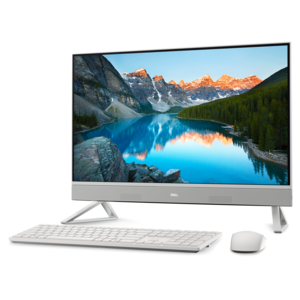
A sleek all-in-one desktop featuring a spacious display for streamlined computing and everyday productivity.
A scalable desktop delivering the world’s fastest single-threaded performance for demanding professional workloads.
A business-ready tower desktop with AI-enhanced productivity, robust security, seamless manageability, and expandable performance.
A slim desktop delivering exceptionally fast CPU and GPU performance for demanding professional workloads.
A space-saving all-in-one desktop with AI options, enhanced productivity, robust security, and simplified manageability.
A high-performance business desktop with Copilot+ PC options, AI-enhanced productivity, robust security, and manageability.
A high-performance AI-ready business desktop with security, seamless manageability, and expandable capabilities for demanding tasks.
An all-in-one desktop offering space-saving design for productivity and entertainment.
A space-saving, AI-ready all-in-one desktop with a 24-inch display and streamlined security and manageability features.
An AI-ready all-in-one desktop with an optional 5MP IR camera and streamlined security and manageability features.
A workstation with Xeon processing, dual 300W graphics, 56TB storage, 2TB memory, and Windows 11 Pro.
A high-performance desktop combining Intel Xeon 6 processors and advanced graphics for demanding professional workloads.
A dense, powerful rack-ready desktop engineered to optimize demanding computing environments.
A scalable tower workstation delivering reliable, outstanding performance for demanding multi-threaded applications.
A high-performance desktop powered by the NVIDIA Grace Blackwell Ultra Desktop Superchip with MaxCool technology.
Desktops for coding provide a steady, comfortable foundation for building software, learning programming, testing applications and managing demanding development workflows. Unlike a basic computer intended mainly for browsing and documents, a coding-focused desktop should have enough processing power to run an integrated development environment, compiler, local database, browser windows and communication tools at the same time without becoming sluggish. A modern multi-core processor is useful for compiling larger projects, running automated tests and working with several applications in parallel, while generous memory helps keep virtual machines, containers, documentation and source code available together. Fast solid-state storage can shorten startup and file-load times, making the repeated cycle of opening a project, editing code, building and testing feel more fluid. Capacity matters as well: development tools, software development kits, project repositories, design assets and local test environments can accumulate quickly. A desktop with room for future memory or storage upgrades may continue to suit changing needs as a beginner becomes a student, a student becomes a professional or a hobby project grows into a larger application. For anyone who spends long stretches at a desk, display support, comfortable peripherals and a quiet operating experience deserve equal attention. A larger monitor or a multi-monitor setup can place source code, a live preview, terminal commands and reference material within view, reducing the need to constantly switch windows. Built-in or available connectivity for displays, external drives, wired networks and accessories also helps create a workspace that can adapt to different coding habits.
The right desktop for coding depends on the type of work being done. Beginners learning HTML, Python or JavaScript may be well served by an efficient system with responsive storage, dependable memory and a clear display, while software engineering students and professional developers may benefit from additional processor cores and memory for compiling projects, running containers, emulating mobile devices or using several development environments. Game development, computer-aided design, machine learning and 3D work can place greater demands on graphics performance, especially when a project needs real-time rendering or model training. Web developers often value a generous screen area for comparing code with a browser preview, whereas data analysts may prioritize memory capacity for handling larger datasets. Operating system compatibility is another important consideration. Check that the desktop supports the preferred development tools, programming languages, package managers, drivers and security requirements before choosing a configuration. Those working in Linux, Windows or a dual-boot arrangement should review hardware support and available software carefully, particularly when using virtualization or specialized peripherals. Local development is only one part of today’s workflow. Some developers use remote workspaces to access centralized environments while relying on a local desktop for the keyboard, display and everyday interface. Coder Desktop, for example, is designed to connect a computer to remote Coder cloud development workspaces so they can feel like part of the local network. Its Coder Connect capability creates a secure WireGuard-based tunnel, automatic port forwarding can expose application ports through simple workspace-based hostnames, and file synchronization helps connect local directories with remote environments. This approach can be useful when a team standardizes its toolchain, when projects require more resources than a local machine provides or when a developer moves between workstations. Even with remote workspaces, a responsive local desktop remains valuable for editing, browser-based testing, terminal access, video calls and managing files.
When comparing desktops for coding, consider the complete setup rather than focusing on one specification in isolation. Processor performance, memory, storage speed and graphics capability should be balanced around the applications and projects that will run together. A system with enough memory for the preferred IDE and development tools may feel more useful than one with a faster processor but limited multitasking headroom. Likewise, a fast drive with sufficient capacity can make daily work more pleasant than a larger but slower option. Look for practical details such as the number and type of display connections, accessible USB ports, wired and wireless connectivity, audio support and the ability to expand storage or memory later. A compact desktop can preserve valuable desk space in a home office, classroom or shared workspace, while a larger chassis may provide more room for upgrades and cooling. Quiet operation can be especially important in a study area or open office, where a constantly audible fan becomes distracting during focused work. These computers can also make thoughtful gifts for a student starting a computer science course, a creative professional developing interactive projects or a family member turning a long-standing interest in programming into a regular hobby. Pairing the desktop with a suitable monitor, comfortable keyboard, precise mouse and reliable backup drive can create a complete environment for learning and building. Developers who record tutorials, demonstrate applications or share project progress may also want to explore Desktops For Streaming for systems suited to presenting code, software and other on-screen work. Whether used for a first programming lesson, a portfolio project, remote collaboration or a professional software pipeline, a well-matched coding desktop keeps tools organized, reduces interruptions and leaves room for skills and projects to grow.
Add the products you would like to compare, and quickly determine which is best for your needs.