Laser Printers For Windows 10
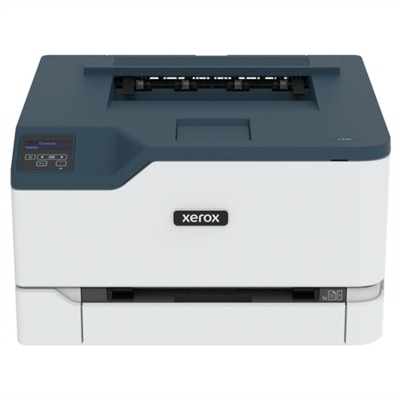
Laser printers for Windows 10 offer a seamless printing experience for home offices, businesses, and students alike. Designed to integrate smoothly with the latest Windows operating system, these printers provide reliable performance and efficient document handling. Whether you need to print reports, assignments, or important forms, finding the right laser printer for Windows 10 ensures compatibility and convenience for all your printing tasks. Explore a wide selection to discover options that fit your workspace and productivity needs.
This product is not available
Check out the following recommendations.
Related Products
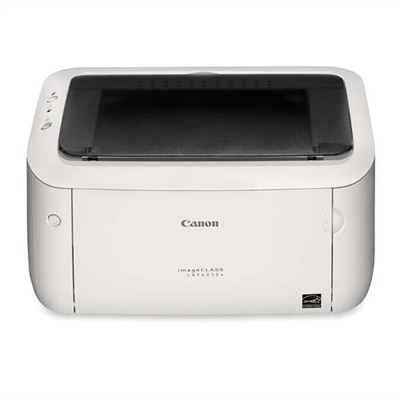
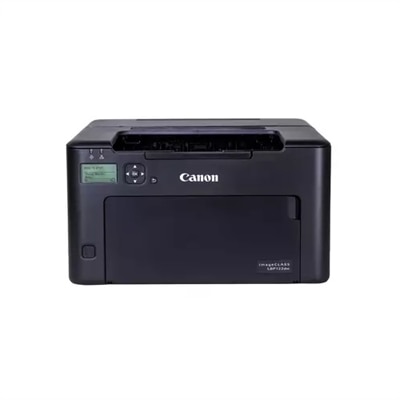
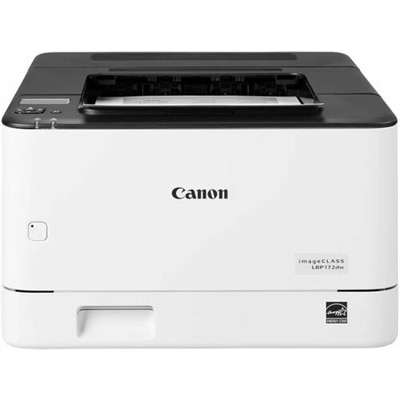
Laser Printers For Windows 10
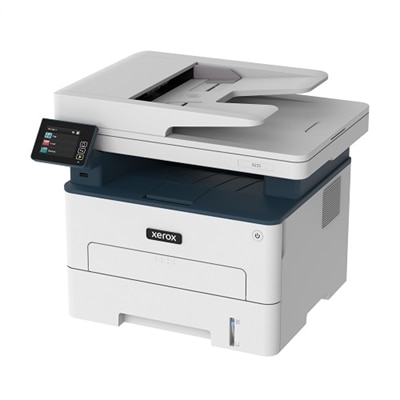
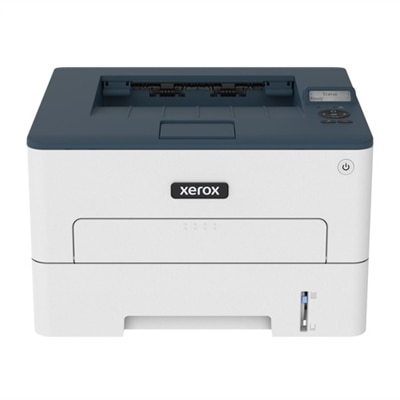
Laser printers for Windows 10 can be a practical choice for home offices, classrooms, small businesses, and shared family workspaces where clear, dependable documents matter. Designed primarily for text and business materials, laser printers use toner rather than liquid ink, helping produce crisp letters, sharp lines, and clean forms with a professional appearance. Monochrome models are well suited to invoices, shipping labels, school assignments, resumes, recipes, meeting notes, and other everyday pages, while color laser printers add flexibility for charts, presentations, flyers, and documents that benefit from visual emphasis. Many models are available in compact print-only designs for a desk, shelf, or apartment workspace, while multifunction options combine printing with copying and scanning. Some also include fax capability for offices that still exchange signed forms or other time-sensitive paperwork. When comparing a laser printer for Windows 10, consider how it will fit into the rhythm of your space. A person who prints a few pages at a time may value a smaller footprint, straightforward controls, and a lower initial toner capacity. A busy household, student, or work-from-home professional may appreciate faster output, a larger paper tray, automatic two-sided printing, and a monthly duty cycle suited to frequent use. Print speed is commonly listed in pages per minute, but real-world convenience also depends on warm-up time, the size of the first print job, and whether the printer can process multiple pages without frequent tray refills. Automatic duplex printing can reduce paper use and create tidy, easy-to-file documents, while an automatic document feeder can make scanning or copying a stack of pages much less tedious than placing each sheet on the glass by hand.
Windows 10 compatibility is generally straightforward across modern laser printers, including systems using either 32-bit or 64-bit editions. A USB connection is often the simplest setup for one nearby computer: connect the cable, turn on the printer, and allow Windows to identify the device and install a compatible driver when available. Wireless models can connect through a home or office Wi-Fi network, allowing a laptop, desktop, or other approved computer to send print jobs without a dedicated cable. Ethernet connectivity is useful for a more permanent office installation, particularly when a printer will be shared among several people or placed near a router. During setup, check that the computer and printer are connected to the same network and that the Windows network profile is set to Private when appropriate, which can help the operating system discover shared devices. Windows Update may provide a basic driver automatically, while the printer manufacturer’s official driver and companion software may unlock additional functions such as scanning, device monitoring, toner-level notifications, custom paper settings, secure printing, and two-sided preferences. For multifunction printers, installing the full software package can be especially helpful because basic printing support alone may not provide the complete scanning interface or document-management tools. It is also wise to confirm the available connection types before placing an order, especially if the printer will serve a desktop computer without Wi-Fi or a workspace where wireless access is restricted. A quick check of operating-system requirements, available ports, network credentials, and the location of the printer can prevent avoidable setup frustration. If a household uses several platforms, including Apple computers alongside Windows 10 PCs, browsing Printers For Mac And Windows can help with broader compatibility planning.
The right laser printer also depends on paper habits, room layout, and the kind of maintenance you are comfortable handling. Measure the intended location with the printer’s doors, paper trays, and access panels open, not only the closed exterior dimensions. Leave room for ventilation and for replacing toner without having to move the machine. A front-loading paper tray can be convenient in a narrow workspace, while a model with a bypass or multipurpose tray may be useful for envelopes, letterhead, labels, or occasional heavier paper. Review the supported paper sizes and media types before printing specialized materials, and follow the manufacturer’s guidance to avoid jams or uneven results. Toner yield is another important comparison point: a standard cartridge may be suitable for occasional use, while a high-yield option can make more sense for a household or office that prints long reports and recurring forms. Look at the total printing workflow rather than focusing only on rated speed. A printer with a generous tray, automatic duplexing, wireless access, and a clear display may save more time over the course of a school term or a busy work season than a faster print-only model that requires constant manual attention. Security features such as user authentication, PIN-protected jobs, and network access controls can be valuable when documents include financial information, medical records, employee details, or client material. Laser printers can also be a thoughtful addition to a new home office, a college study area, or a family workspace, giving the recipient an easy way to turn digital files into organized paper records. During the warmer part of the year and into the cooler months, a dependable printer can support changing routines, from preparing travel documents and household checklists to handling coursework, project packets, and end-of-year paperwork. By matching print volume, color needs, connectivity, paper handling, size, and Windows 10 software support to the way the printer will actually be used, shoppers can choose a capable device that feels natural to operate long after setup is complete.
FAQs:
Most modern laser printers are fully compatible with both 32-bit and 64-bit versions of Windows 10. They typically come with universal drivers or automatic installation features that ensure seamless integration with your Windows 10 PC, making setup quick and hassle-free.
Yes, many laser printers offer wireless connectivity options such as Wi-Fi or Bluetooth, allowing you to print directly from your Windows 10 laptop or other devices on the same network. This provides flexibility and convenience, especially in home or shared office environments.
For home office use, consider features like automatic duplex (double-sided) printing, wireless connectivity, high print speeds, and an easy-to-use interface. All-in-one models that include scanning and copying functions can also add value by streamlining your workflow.
While laser printers are traditionally known for sharp text and graphics, many newer models are capable of producing vibrant color prints suitable for photos. If you plan to print photos regularly, look for a laser printer specifically designed for high-quality image output.
To enable automatic printing from any Windows 10 PC, choose a laser printer with robust driver support and network connectivity. Setting up the printer on your Wi-Fi network and enabling features like universal print drivers or cloud printing services makes it easy for multiple devices to connect and print without manual configuration.