Music Editing Software
Elevate your audio projects with music editing software designed to help you create, refine, and produce professional-quality sound. Whether you're an aspiring musician, a seasoned producer, or a hobbyist looking to enhance your tracks, music editing software offers the tools you need to bring your musical vision to life. Discover intuitive solutions that support creativity and streamline the editing process, making it easier than ever to compose, mix, and master your favorite tunes.
This product is not available
Check out the following recommendations.




Music Editing Software
Music editing software gives a laptop or desktop the tools to capture, arrange, refine and share sound. Depending on the program, it may function as a simple waveform editor for trimming an interview or as a complete digital audio workstation (DAW) for recording instruments, building arrangements, mixing multiple tracks and preparing finished music. Basic editors typically make it easy to cut unwanted sections, join clips, adjust volume, fade audio in or out and export a file in a common format. More advanced software can include multitrack recording, virtual instruments, loops, MIDI sequencing, automation, equalization, compression, reverb, delay, noise reduction and spectral editing. These features serve different kinds of creators: a songwriter may layer a guitar, vocal and keyboard part; a podcaster may remove room noise and tighten pauses; a video creator may clean dialogue and balance background music; and a hobbyist may digitize old recordings or shape short samples for a personal project. The best choice depends on the work ahead rather than the longest feature list. Consider whether the software needs to support one track at a time or many simultaneous tracks, whether it includes the effects and instruments you expect to use, and whether the interface feels approachable when a session becomes busy. An editor with clear waveforms, familiar transport controls and straightforward file management can make a noticeable difference when you are learning. A full DAW may be worthwhile for composing and mixing, while a lightweight editor can be faster for quick cuts, voice cleanup and everyday audio tasks. Check supported file types, export options, plug-in compatibility and licensing terms before purchasing, including whether the program uses a one-time license, a subscription or a free model with limited features. It is also helpful to confirm that the software runs on your preferred operating system and that your computer meets its memory, processor and storage requirements.
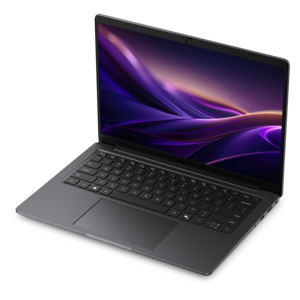
Your computer is part of the editing experience, especially when a project includes many tracks, software instruments or high-resolution recordings. A modern laptop can be a practical choice for musicians who move between a bedroom studio, rehearsal space and classroom, while a desktop may suit a permanent workspace with a larger display and several connected accessories. Look for responsive performance, sufficient memory and fast solid-state storage so projects open promptly and audio files remain easy to organize. A bright, detailed monitor can make long waveforms, mixer panels and automation lanes easier to read, while a second display can keep the arrangement view open beside the mixer. Comfortable headphones or speakers help reveal details such as a faint background hum, a sharp “s” sound or a bass line that disappears beneath the rest of the mix. A reliable microphone, audio interface, MIDI controller and external drive can expand the setup, but it is sensible to add accessories gradually as your workflow develops. If you are comparing computers for more than one creative task, explore Video Editing Software For Laptops for related performance considerations. Before recording, set a clear folder structure for sessions, raw takes, edited clips and final exports. Naming files with the song, date and version can prevent the familiar frustration of opening several files called “final” and not knowing which one contains the latest mix. Headroom is important too: recording with levels that leave space below clipping usually produces cleaner results than trying to rescue distorted audio later. During the cooler months, a quiet corner with a laptop, headphones and a small microphone can become an inviting place to sketch melodies or edit a spoken-word project, even when outdoor plans are limited. Portable equipment also makes music editing a thoughtful gift for a student, aspiring producer, podcaster or family member who has been collecting musical ideas but has not yet shaped them into complete projects.
When choosing music editing software, match the learning curve to the intended user and the kind of support they may appreciate. Beginners often benefit from guided templates, searchable help, visible presets and a clean workspace that makes recording and undoing changes feel safe. Experienced users may prioritize detailed routing, customizable shortcuts, batch processing, surround or immersive audio support, advanced metering and compatibility with a broad selection of plug-ins. Look for non-destructive editing when possible, allowing changes to be adjusted without permanently altering the original recording. Noise reduction can help with steady hum or hiss, but careful listening matters because aggressive processing may make voices sound metallic or remove the character from an instrument. Equalization shapes the balance of low, middle and high frequencies; compression controls dynamic range; limiting helps prevent peaks from exceeding a chosen level; and normalization can bring an exported file to a suitable overall loudness. These tools work best with a light touch and repeated listening on more than one playback device. A mix that sounds warm through headphones may feel too bass-heavy on compact speakers, while a vocal that seems clear in a quiet room may need more presence in a busy environment. Save versions as the project develops, keep an untouched copy of important recordings and export in a format appropriate for the destination, such as a high-quality file for archiving or a compressed file for convenient sharing. With the right software and a capable computer, a rough melody captured late at night, a carefully recorded rehearsal or a family member’s story can become polished, organized audio that is easier to enjoy and share.
FAQs:
When choosing music editing software, consider features such as multitrack editing, plugin support for effects and instruments, spectral analysis tools for precise audio cleanup, and compatibility with your operating system. Look for intuitive interfaces, robust exporting options, and support for popular audio file formats to ensure seamless integration into your workflow.
Music editing software is valuable for a wide range of users, including musicians, podcasters, audio engineers, educators, and content creators. Whether you're producing original music, editing interviews, or enhancing videos with custom soundtracks, these tools provide the flexibility and control needed to achieve professional results.
Yes, Dell laptops are well-suited for music editing software. Many Dell models offer customizable audio software and powerful hardware configurations, making them ideal for running digital audio workstations (DAWs) and other audio editing applications efficiently.
Absolutely. Music editing software makes a thoughtful gift for anyone interested in music production, podcasting, or sound design. It empowers recipients to explore their creativity, develop new skills, and produce high-quality audio projects from the comfort of their own home.
You can expand your creative options by integrating additional plugins or dedicated audio effects tools with your music editing software. For more specialized options, explore the selection of Audio Effects Software to add new dimensions to your sound and achieve the desired results in your projects.