Network Storage With Remote Access
Network storage with remote access offers a convenient and flexible solution for managing and accessing your digital files from virtually anywhere. Whether you’re looking to streamline collaboration, enhance data organization, or support your growing business needs, these storage options provide a reliable way to keep your information secure and accessible. Explore a variety of network storage with remote access solutions designed to fit different environments, making it easy to find the right match for your home or office setup.
This product is not available
Check out the following recommendations.




Network Storage With Remote Access
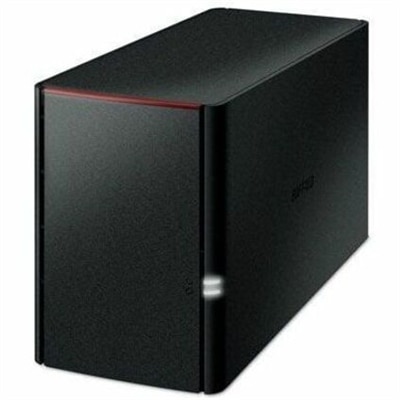
Network storage with remote access gives a household, home office or small team a central place to keep files while making them available beyond a single laptop or desktop. Instead of scattering photographs across memory cards, work documents across several computers and video files across external drives, a network-attached storage system connects to a router and organizes those files in one location. Authorized users can typically reach them through a browser or mobile app while away from home, which is useful for checking a document from a coffee shop, sending a large folder to a colleague or reviewing family photographs while traveling. These systems can also complement the everyday devices people already use, including laptops, desktops, monitors and accessories. A photographer may transfer a full day of images from a laptop to a shared library, while a household can keep school projects, scanned records and entertainment files together without relying on a separate account for every person. Capacity is an important starting point. Consider the size of the files you create now, how quickly that collection is growing and whether you want room for several years of additional photographs, recordings and documents. A compact two-bay enclosure can suit someone beginning a personal archive, while a four-bay configuration may be a better fit for a growing creative library or a shared workspace. Remember that some enclosures are sold without internal drives, so check what is included and budget for compatible drives if needed. Drive type matters as well: hard disk drives can provide substantial capacity at a practical cost, while solid-state drives offer quiet operation, quick response and strong resistance to movement, making them appealing for portable workflows. Compatibility, supported drive sizes, file-sharing options and the quality of the companion software deserve attention before purchase. A simple setup process can make the difference between a system that becomes part of a daily routine and one that sits unused in a closet.
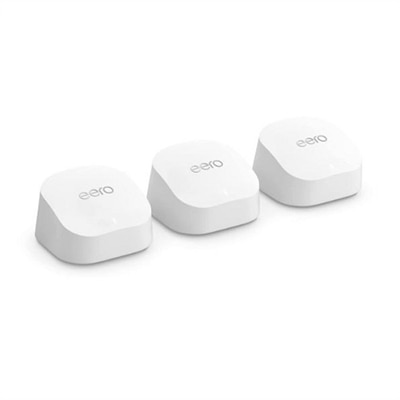
Remote access is most valuable when it is convenient without weakening control over personal information. Look for a system that offers a clear setup process, dependable mobile and browser access, user accounts, permission controls and activity notifications. Some systems provide a manufacturer-supported relay service that creates an accessible connection without requiring advanced router configuration; others support a private VPN for people who prefer to connect directly to their home network. Either approach can work well, but remote access should be enabled deliberately rather than treated as an automatic feature. Create individual accounts instead of sharing one administrator login, use long and unique passwords, enable two-factor authentication wherever available and turn off unused services. Keep the system software, mobile apps and router firmware updated, since security improvements often arrive through routine updates. Separate personal folders from shared folders, give each person only the access they need and review old accounts when a household member, guest or contractor no longer needs access. A local copy is not the same as a complete backup, so protect important files with a second copy stored on another device or in another location. Redundancy options can help a system remain available if one drive fails, but they do not protect against accidental deletion, theft, fire or ransomware; a separate backup remains essential. Network speed also affects the experience. Large media libraries may take time to upload, especially over a slower internet connection, while documents and photographs are usually easier to manage. If the system will serve several users at once, check the processor, memory, number of network ports and supported simultaneous connections. Remote access can be a thoughtful gift for a family member preserving years of memories, a freelancer who moves between a home office and client locations or a small business owner who needs a private file hub without carrying several drives. For broader infrastructure needs, explore Data Center Storage. For most home and small-office buyers, the best choice balances capacity, ease of use, security features, backup flexibility and the confidence that files will remain organized and reachable during busy weeks and quieter evenings alike.
FAQs:
Network storage with remote access allows you to securely store, organize, and share your files from anywhere with an internet connection. This setup is ideal for families, remote workers, and creative professionals who need centralized access to documents, photos, and media across multiple devices without relying on third-party cloud subscriptions.
Anyone with multiple devices or a need for secure, centralized file management can benefit, but these solutions are especially useful for students, remote employees, photographers, and families looking to back up and share large volumes of data efficiently.
A dell nas drive connects directly to your home network, allowing multiple users to access files remotely and simultaneously, whereas a standard external hard drive typically connects to a single computer via USB and does not natively support remote access or multi-user collaboration.
Yes, most modern network storage solutions offer dedicated mobile apps or web interfaces, making it easy to upload, view, and share files from your smartphone or tablet, whether you’re at home or on the go.
Look for features such as strong encryption, two-factor authentication, secure remote access protocols, and regular firmware updates to ensure your data remains private and protected from unauthorized access.