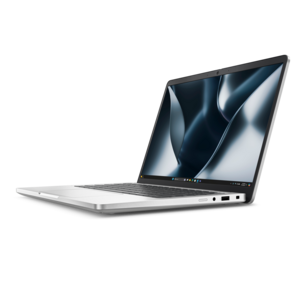
$1975.00
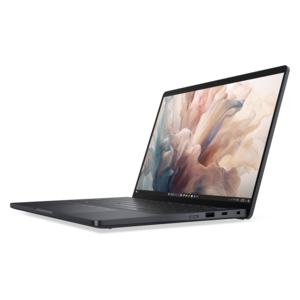
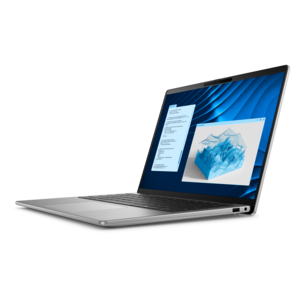
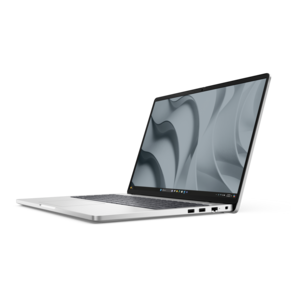
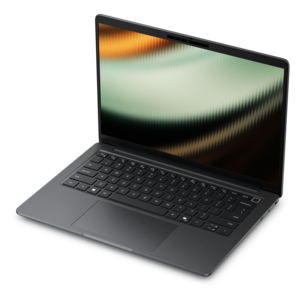
A secure, scalable commercial AI PC in a sleek, durable aluminum body for on-the-go multitasking.
Secure remote access for employees is essential for maintaining productivity and collaboration in today’s dynamic work environments. With the right technology, your team can connect to important resources and tools from virtually anywhere, supporting seamless workflows while prioritizing security. Explore a range of solutions designed to help employees stay connected, efficient, and focused on their tasks no matter where they work. Empower your organization with secure remote access for employees, enabling flexibility without compromising peace of mind.
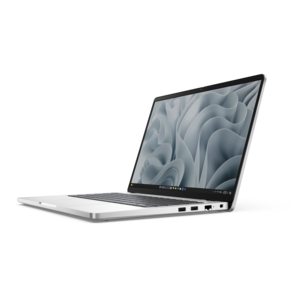
A secure, scalable commercial AI PC in a sleek, durable aluminum body for on-the-go multitasking.
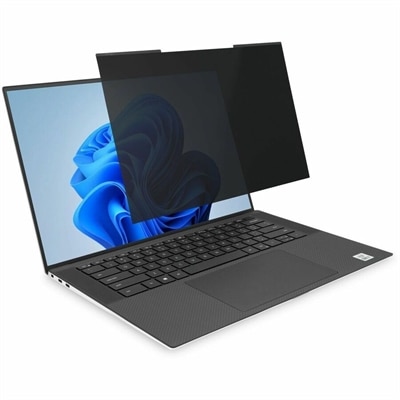
A magnetic privacy filter with ±30° viewing protection, blue-light reduction, low-reflective coating, and reversible matte/glossy surfaces.
Secure remote access for employees means connecting to work applications and files from outside the office while protecting company information and verifying who is requesting access. For employees working at home, traveling between locations, or dividing their week between office and remote settings, laptops, desktops, monitors, and accessories form the everyday workspace that supports those connections. The computer is the starting point: it needs to run approved business applications reliably, support current security updates, and work with the organization’s sign-in and device management requirements. Hardware alone does not make remote access secure, but compatible equipment helps employees follow established protections without unnecessary friction. A laptop used to review confidential documents at a kitchen table has different practical demands than a desktop dedicated to a quiet home office, yet both benefit from a supported operating system, dependable performance, and security features suited to company policies. Depending on the configuration, those features may include hardware-backed protection for credentials, biometric sign-in, and support for device encryption. Encryption helps protect information saved on a computer if the device is lost or stolen, while a fingerprint reader or compatible facial recognition camera can make supported authentication methods more convenient. These capabilities are not interchangeable, and their effectiveness depends on configuration and ongoing management. Employees handling personnel records, financial reports, design files, or customer correspondence may also need equipment that accommodates stricter access requirements. A broader selection of Remote Access Solutions can support different working arrangements, from a compact setup for occasional work at home to a permanent workspace used throughout the week. Across those settings, the most useful equipment brings together everyday usability and compatibility with employer-approved security controls, so opening an authorized application, joining a meeting, and returning to a document feel like connected parts of the workday rather than separate technical obstacles.
The right fit for remote work depends on where the equipment will be used, how often it will move, and what an employee needs to accomplish. For someone carrying a computer between a home desk and an office several times a week, chassis materials, hinge construction, overall weight, and the dimensions of a protective sleeve all affect daily handling. Metal and reinforced polymer housings offer different balances of weight and rigidity, although material alone does not establish how well a computer will withstand travel. A well-fitted padded compartment helps limit movement inside a bag, while keeping chargers and other hard objects separate can help prevent scratches and pressure against the display. Battery life matters when a convenient outlet is not part of the workspace, but actual runtime varies with screen brightness, video meetings, applications, and power settings. For a permanent home office, a desktop may suit employees who prioritize a consistent workstation and do not need to carry their computer elsewhere. Memory and processor capability should match the workload: frequent video calls alongside documents and browser tabs place different demands on a system than complex creative applications or large analytical projects. Monitors also influence how comfortably employees can work with remote applications. Readable text, suitable resolution, and an adjustable stand can make lengthy document reviews less tiring, while sufficient desk depth helps accommodate a comfortable viewing distance. A second display may keep reference material visible beside an active task, although additional screen space also calls for attention to who can see sensitive information. Compatible privacy filters reduce visibility from certain side angles; they do not make a screen unreadable from every position or replace careful placement. Headsets help keep meeting audio out of shared spaces, and microphones designed for clear speech can ease conversations amid household noise. External keyboards, mice, webcams, and docking accessories round out a workspace when their connections and operating system requirements match the computer. Durability also depends on routine care, including unobstructed vents, sensible cable placement, and cleaning methods that follow the manufacturer’s directions rather than harsh chemicals or excessive moisture.
Security requirements give these everyday product considerations a more specific purpose. Multi-factor authentication requires two or more different types of proof, such as something an employee knows and something the employee possesses, before granting access. Compatible computers and authentication accessories can support that process, but the permitted methods are determined by the employer. Single sign-on lets employees access multiple authorized applications through a central sign-in system, reducing repeated credential entry without removing the need for strong authentication. A zero trust approach evaluates access requests using factors such as identity, device condition, and organizational policy rather than assuming that a familiar device should automatically be trusted. Least-privilege access limits employees to the applications and information needed for their responsibilities. These protections are particularly relevant when a contractor needs one project workspace, an employee changes roles, or a team member signs in from a temporary location. For shoppers choosing remote work equipment, compatibility with those policies is more meaningful than a broad security label. A computer may need to support employer-managed updates, automatic screen locking, approved endpoint protection, and restrictions on locally saved files. Remote desktop sessions and virtual workspaces may keep much of the work environment away from the local computer, but the device still needs protection against unauthorized use and malicious software. Clear display quality, responsive input, and reliable support for required applications remain important because they shape the experience of working within that environment. Organizations may also use access logs and session records to investigate unusual activity, with monitoring governed by their policies and applicable requirements. At home, a screen positioned away from a shared doorway and a headset used during a confidential call address practical exposure that sign-in controls cannot prevent. For an employee traveling with a laptop, a protective carrying case and a compatible physical lock may add useful layers of care and deterrence, though neither guarantees protection against theft. Secure remote work ultimately combines suitable equipment, maintained software, controlled access, and thoughtful everyday use. Laptops, desktops, monitors, and accessories selected around those needs can support a workspace that is comfortable for the employee and consistent with the organization’s expectations for handling information.
Add the products you would like to compare, and quickly determine which is best for your needs.