PowerEdge: System hangs during POST with UEFI0136 Unable to execute CSIOR
Summary: Solution for server hanging during POST with error UEFI136 due to inaccessible Lifecycle Controller firmware during CSIOR execution
This article applies to
This article does not apply to
This article is not tied to any specific product.
Not all product versions are identified in this article.
Symptoms
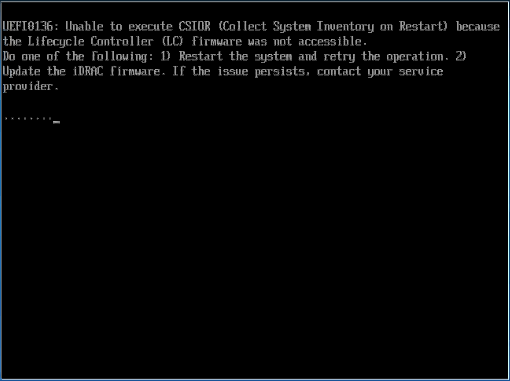
The following error may be observed during POST:
UEFI0136: Unable to execute CSIOR (Collect System Inventory on Restart) because the Lifecycle Controller (LC) firmware was not accessible.
Do one of the following: 1) Restart the system and retry the operation. 2) Update the iDRAC firmware. If the issue persists, contact your service provider
Cause
Lifecycle Controller is not available with CSIOR failure message.
Resolution
- Verify that the LifeCycle Controller (LCC) Controller is enabled in iDRAC settings in System Setup F2.
- Check any USB devices (that is keyboard, mouse, USB hard drives) directly attached to the server. Remove those devices and test the results.
- If the issue is still not resolved, verify if a KVM switch is connected to the server, for troubleshooting purposes, remove the KVM from the server to verify if the issue persists
- Make sure all hardware is up to date, including BIOS, LCC, and IDRAC.
The server can be started without the CSIOR operation, press F1 to continue the boot. It is advised to schedule a maintenance window to investigate and solve the issue.
Affected Products
C Series, HS Series, Modular Infrastructure, Rack Servers, Tower Servers, XE Servers, iDRAC8, iDRAC9, Lifecycle Controllers, OEM Server SolutionsProducts
XR ServersArticle Properties
Article Number: 000143332
Article Type: Solution
Last Modified: 05 May 2026
Version: 6
Find answers to your questions from other Dell users
Support Services
Check if your device is covered by Support Services.