Cyber Recovery: New installation of Cyber Recovery 19.13 or later failed - Failed to set MongoDB credential
Summary: New Install of Cyber Recovery 19.13 or later failed - Failed to set MongoDB credential.
This article applies to
This article does not apply to
This article is not tied to any specific product.
Not all product versions are identified in this article.
Symptoms
The Cyber Recovery Open Virtual Appliance (OVA) package is deployed.
The crsetup.sh --deploy command is run.
On entering the MongoDB password, the following error appears: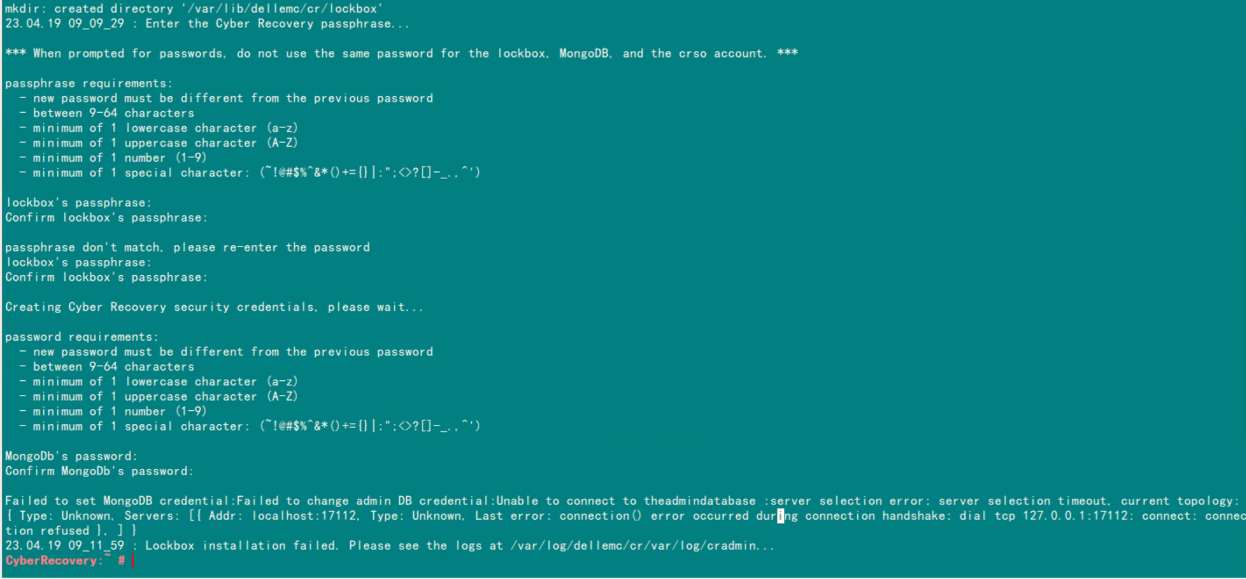
/var/log/dellemc/cr/var/cradmin.log:
[2023-04-19 09:11:59.768] [ERROR] [cradmin] [libcli.go:125 ShowCliError()] : Failed to set MongoDB credential:Failed to change admin DB credential:Unable to connect to theadmindatabase :server selection error: server selection timeout, current topology: { Type: Unknown, Servers: [{ Addr: localhost:17112, Type: Unknown, Last error: connection() error occurred during connection handshake: dial tcp 127.0.0.1:17112: connect: connection refused }, ] }
Output of docker ps -a shows that cr_mongo exited: 
docker logs cr_mongo-auth_1 shows that MongoDB 5.0+ requires a CPU with AVX support: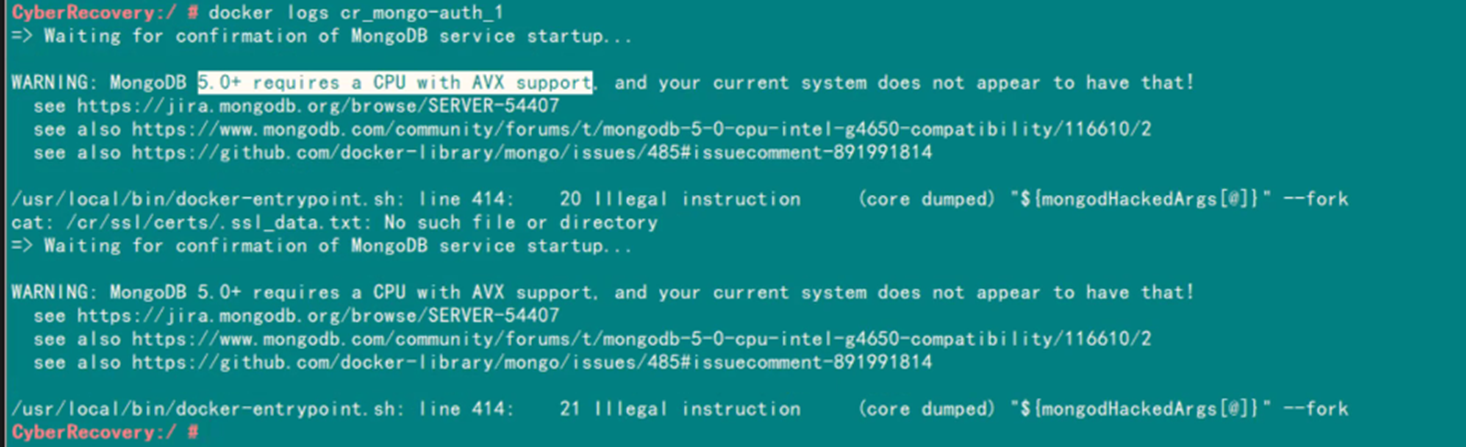
Cause
The product is working as designed.
The MongoDB being used in Cyber Recovery 19.13 and later requires a CPU with AVX support.
The MongoDB being used in Cyber Recovery 19.13 and later requires a CPU with AVX support.
Resolution
Run the following command to check whether the CPU supports AVX.
If it does, avx is listed in the flags section. In this sample output, it is not listed.
cat /proc/cpuinfo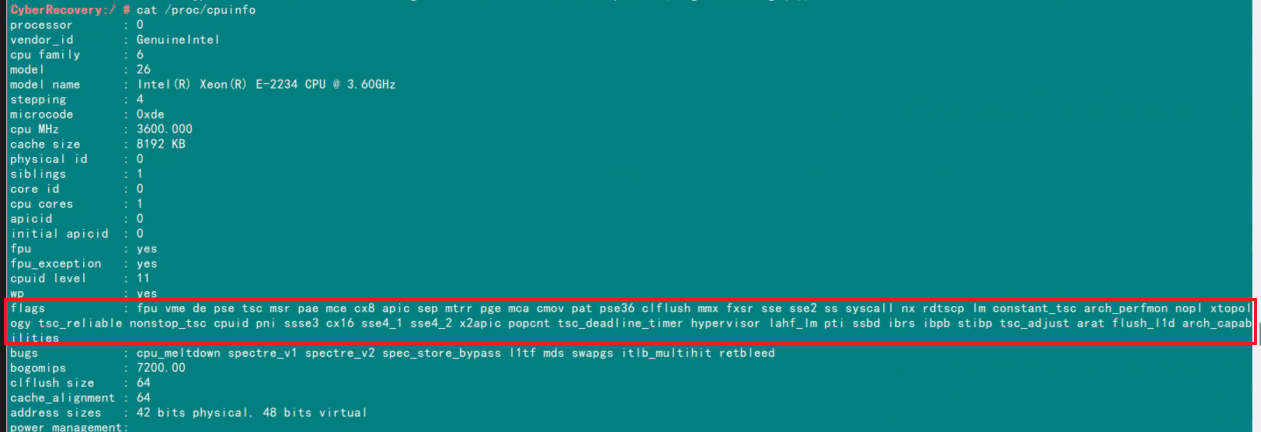
Cyber Recovery 19.12 can be deployed in such a situation.
However, it is recommended to deploy version 19.13 or the latest release in environments where the CPU supports AVX.
Affected Products
PowerProtect Cyber RecoveryArticle Properties
Article Number: 000212531
Article Type: Solution
Last Modified: 16 Sep 2025
Version: 3
Find answers to your questions from other Dell users
Support Services
Check if your device is covered by Support Services.