Dell Support and Protection Setup
Summary: This article discusses Dell Support and Protection setup for systems purchased with McAfee.
This article applies to
This article does not apply to
This article is not tied to any specific product.
Not all product versions are identified in this article.
Symptoms
Privacy information surrounding Support and Protection setup and installation.
Cause
No cause information is available.
Resolution
Configuration
When starting a Dell Windows system for the first time a series of popups appears for Windows initial setup. After entering in the required information for setting up a Microsoft account, a Support and Protection screen appears (Figure 1 [English only]).
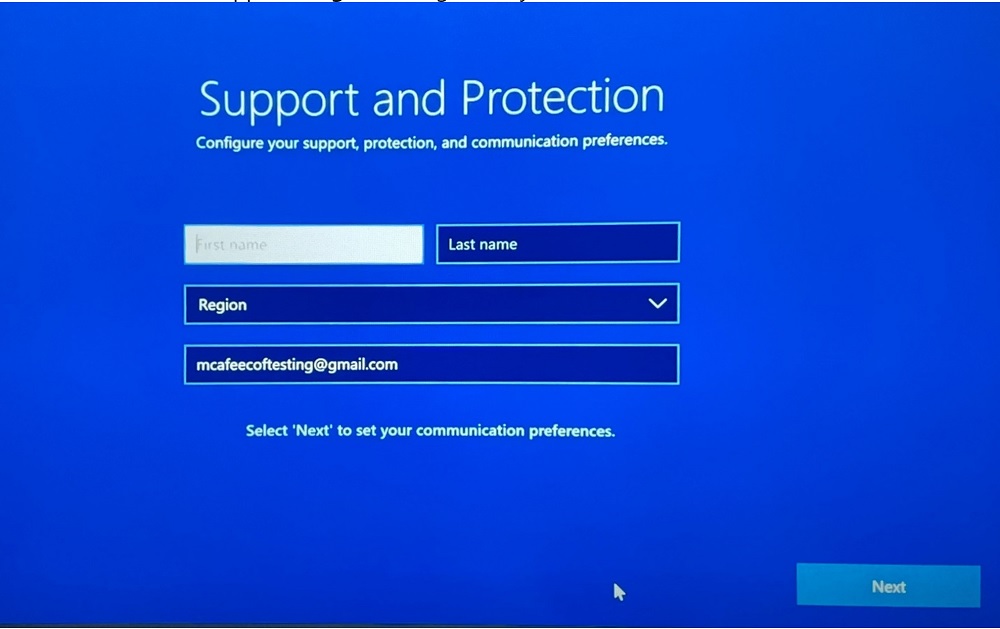
Figure 1: Support and Protect screen
The following information is requested:
- Name
- Email Address
- Country or region
- Phone number (preference only)
Note:
- By providing your name, email address, and phone number, you enable the company to offer personalized support when you contact them for assistance. This data helps support representatives quickly identify your account and provide relevant help based on your specific needs.
- McAfee and Dell both use administrative, organizational, technical, and physical safeguards to protect the personal data they collect and process. Their security controls are designed to maintain data confidentiality, integrity, and an appropriate level of availability. Reference Dell Privacy Statement and McAfee Privacy Policy
for additional information about how data is managed and collected.
After clicking next, there will be a second screen with two checkboxes (Figure 2 [English only]).
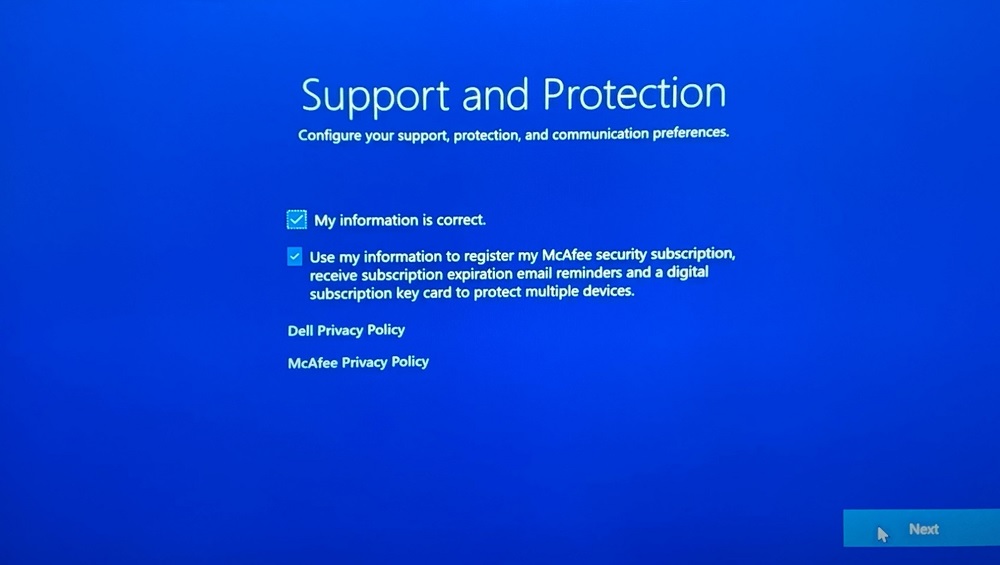
Figure 2: Second Support and Protection screen
- If "Use my information to register my McAfee security subscription, receive subscription expiration email reminders and a digital subscription key card to protect multiple devices" is checked, and then OOBE information is shared in addition to the service tag.
- If not checked, only information entered within the McAfee UI or McAfee website is provided to the vendor (outside of Service Tag).
To change information submitted during the Support and Protection setup below click on either McAfee or Dell.
Note: For issues accessing your McAfee account:
- Validate the email used is tied to a McAfee subscription.
- To protect your privacy, Dell technical support is unable to validate the email used to setup the McAfee subscription. Contact the vendor directly for assistance at https://www.mcafee.com
- Go to https://www.mcafee.com
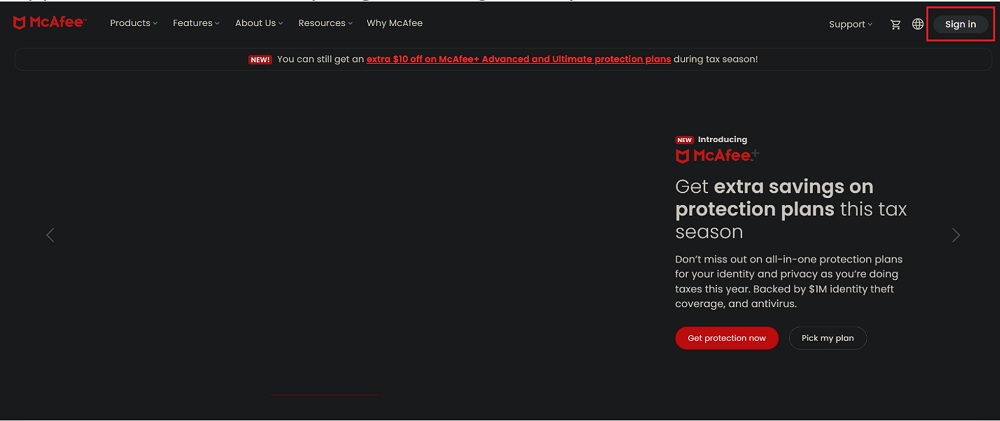
Figure 3: McAfee site - Click my profile located on lower right side (Figure 4 [English only]).
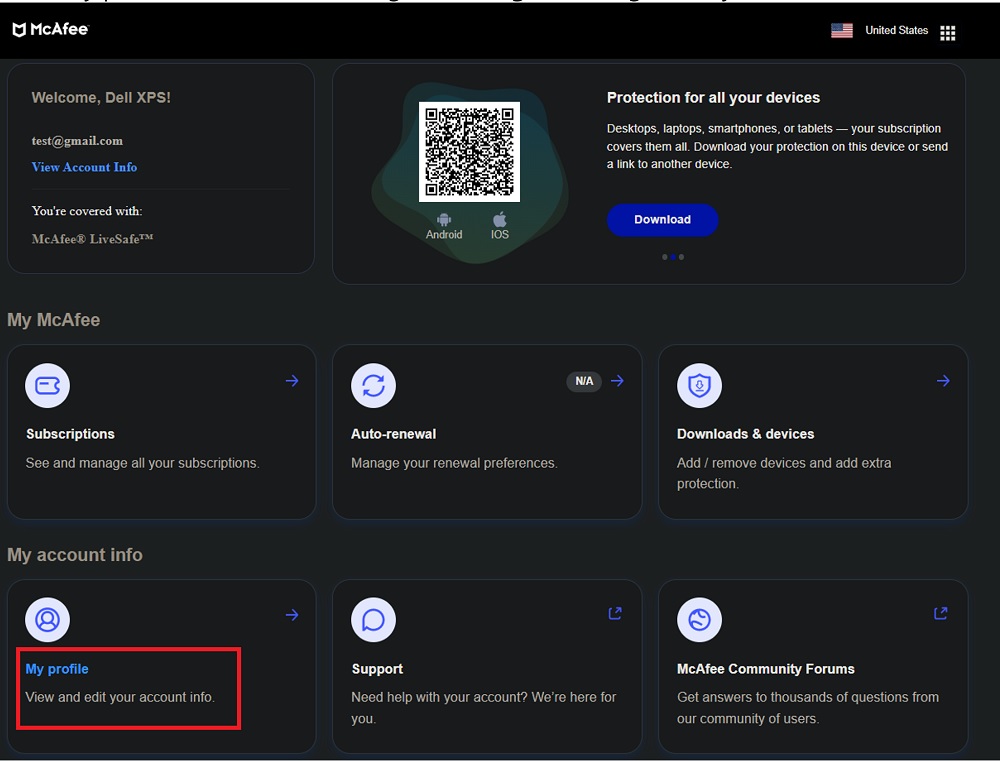
Figure 4: My profile - Click update, here you should find options to update your personal information (Figure 5 [English only]).
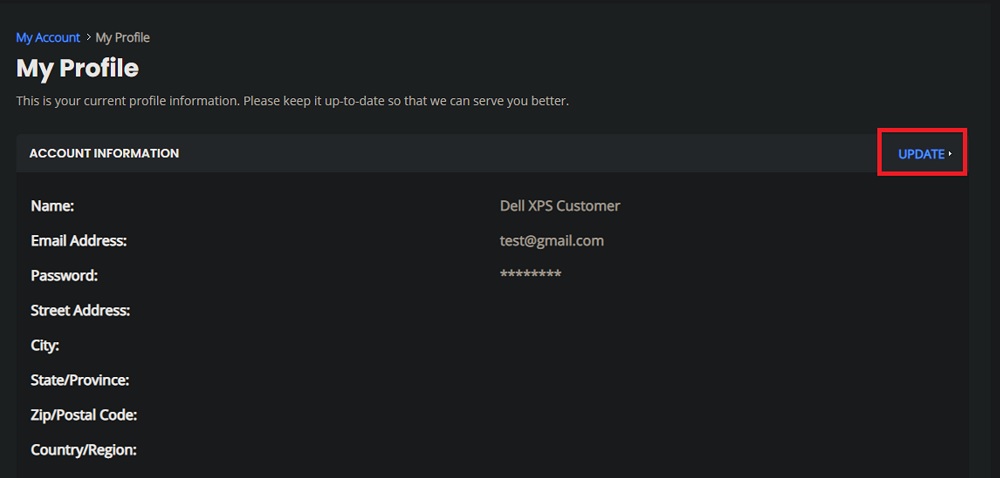
Figure 5: Update my profile - After updating the necessary information, click save. This should update the information associated with your McAfee Support and Protection (Figure 6 [English only]).
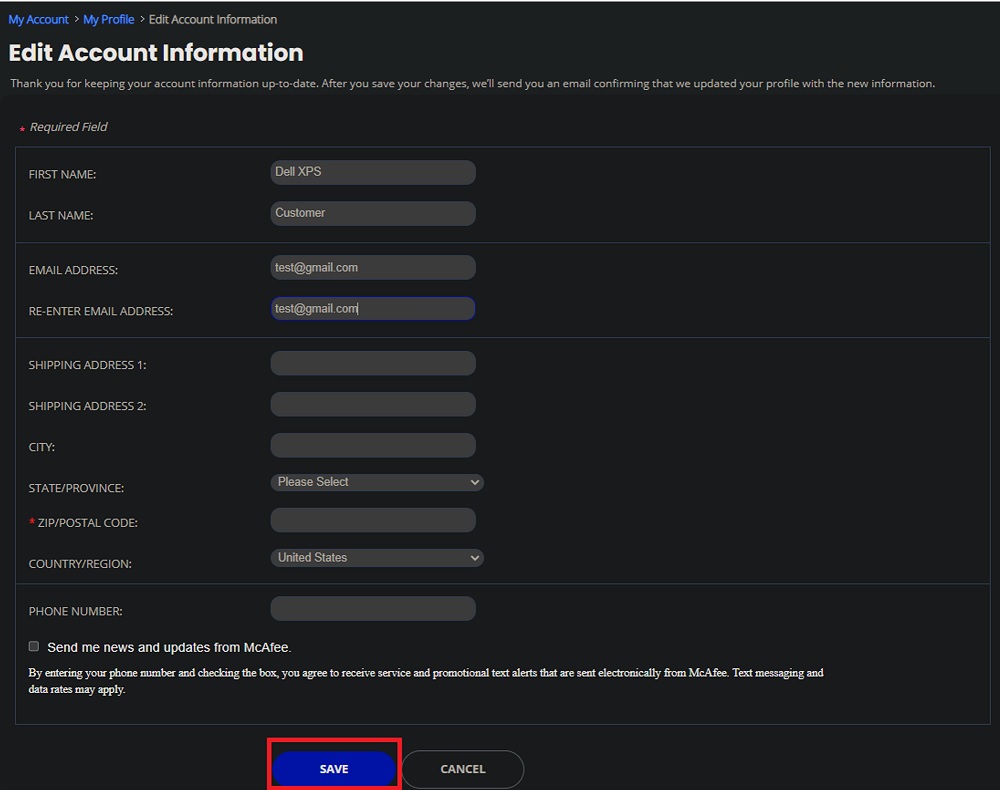
Figure 6: Edit Account Information
- Go to Dell's official website and ensure you are on the correct regional site for your country or region.
- Click sign in located at the upper right corner of the page and sign in using your email address and password associated with your Dell account (Figure 7 [English only]).
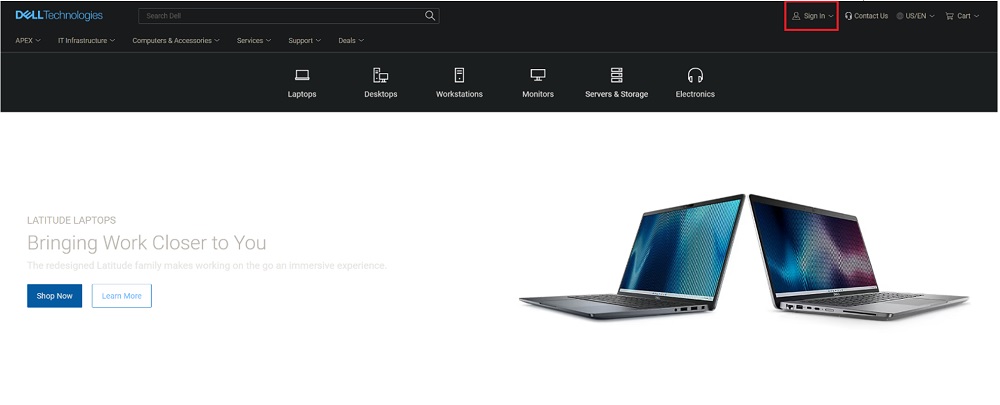
Figure 7: Sign in - Once logged into your account, under the user dropdown menu, click my account (Figure 8 [English only]).
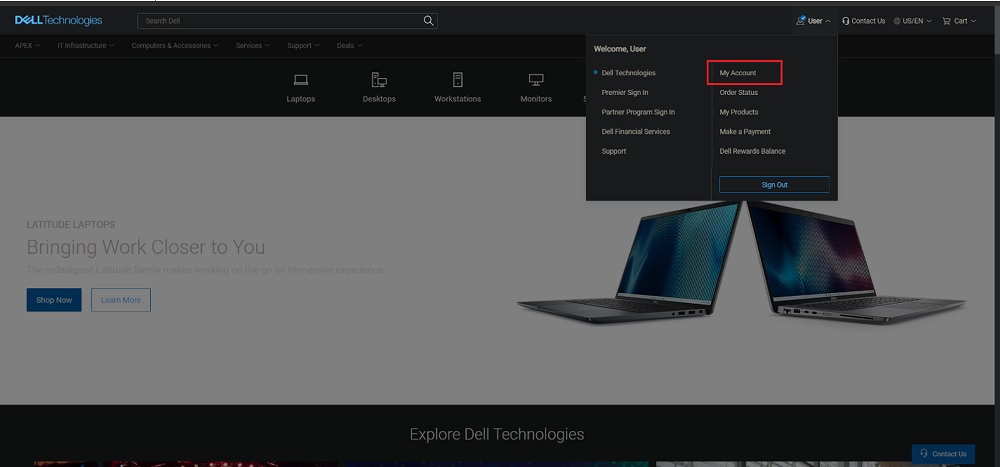
Figure 8: My Account
Here you are shown details associated with your account. To change personal information, navigate to the menu on the left side and click account settings, and then click profile settings. To change personal information associated with Dell account, click edit profile (Figure 9 [English only]).
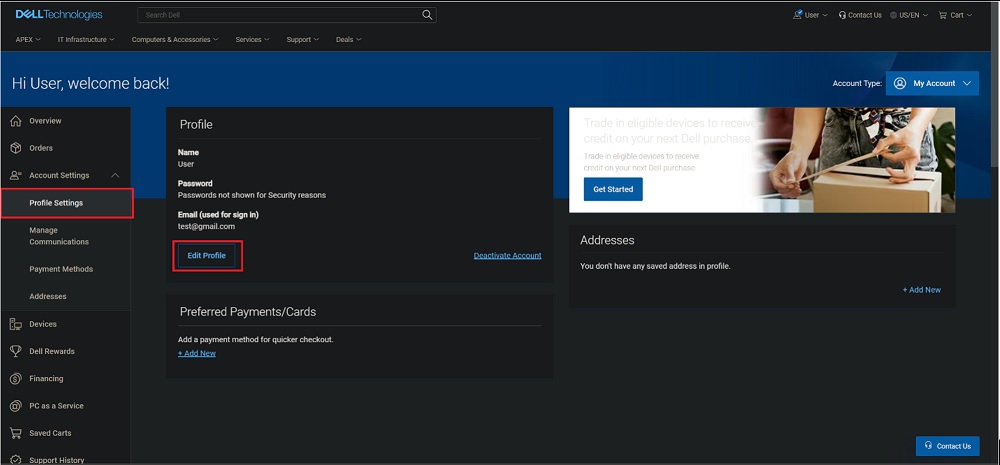
Figure 9: Edit Profile - After updating the necessary information, click save. This should update the information associated with your Dell Support and Protection (Figure 10 [English only]).
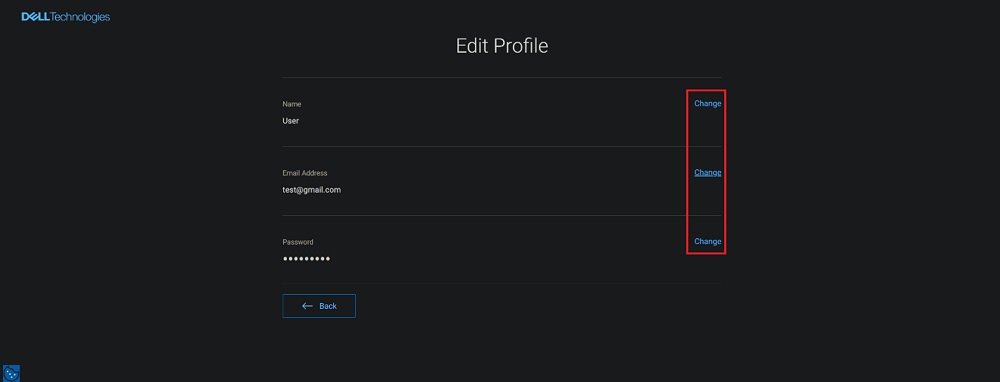
Figure 10: Change and Save
Affected Products
SoftwareArticle Properties
Article Number: 000212614
Article Type: Solution
Last Modified: 17 May 2026
Version: 3
Find answers to your questions from other Dell users
Support Services
Check if your device is covered by Support Services.