Latitude 7x30 Rugged Extreme Tablet Touchscreen Does Not Function Properly
Summary: Learn about the Latitude 7x30 Rugged Extreme tablet touch screen not functioning or working properly.
This article applies to
This article does not apply to
This article is not tied to any specific product.
Not all product versions are identified in this article.
Symptoms
Latitude 7x30 Rugged Extreme Tablet supports multiple touch modes by eGalaxDr.Touch application. When you try to use the touch screen and it does not function, check if the correct mode is selected.
Each mode is tuned to have the best touch performance in specific conditions.
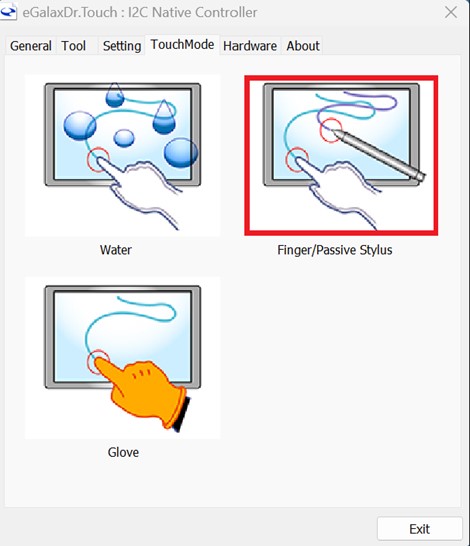
For example, Finger /Passive Stylus mode is the best mode when using your finger or a stylus.
To change or select the correct Touch Mode:
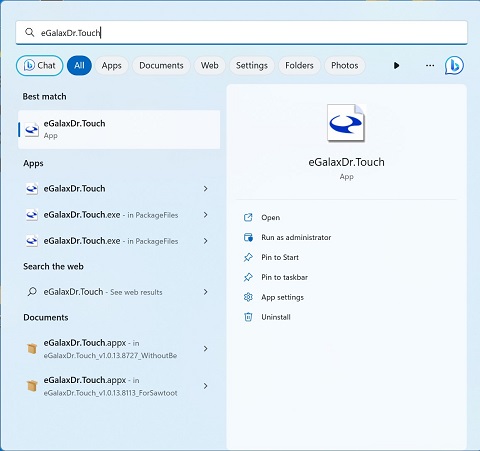
- Use the search function and type touch, find the eGalaxDr.Touch the application and select the touch mode sheet to change the touch mode.
- The default mode is Finger/Passive Stylus mode; finger touch and passive stylus pen should work fine in this mode.
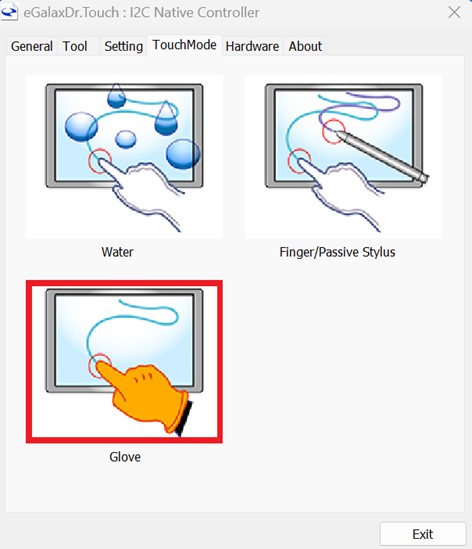
- Glove mode is for wearing gloves. Finger touch or passive pen might not work properly in this mode.
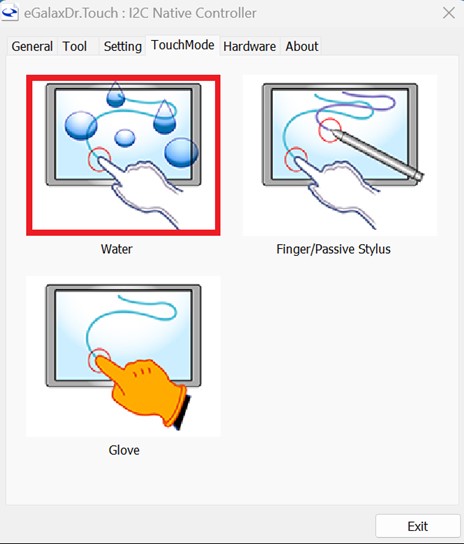
- Water mode is to set the touch screen in a moist environment or in an environment that might have water drops on the touch screen. Finger touch or passive pen might not work properly in this mode.
Affected Platforms:
- Latitude 7230 Rugged Extreme Tablet
- Latitude 7030 Rugged Extreme Tablet
Cause
The incorrect TouchMode has been selected. When the incorrect mode is selected, the touch screen might not work properly.
Resolution
Ensure that the Correct Touch Mode is selected.
Updating to the latest touch screen firmware version 1.0.0.1 or later on the computer resolves the issue. To update the firmware, reference How to Download and Install Dell Drivers.
Affected Products
Latitude 7030 Rugged Extreme Tablet, Latitude 7230 Rugged Extreme TabletArticle Properties
Article Number: 000216091
Article Type: Solution
Last Modified: 18 May 2026
Version: 5
Find answers to your questions from other Dell users
Support Services
Check if your device is covered by Support Services.