$5298.00
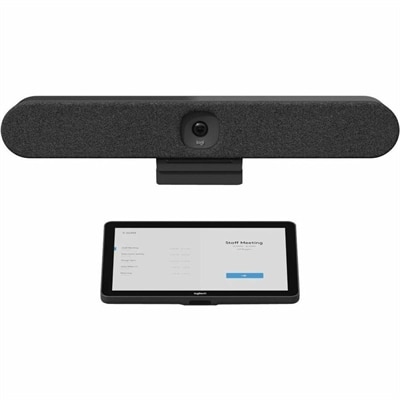
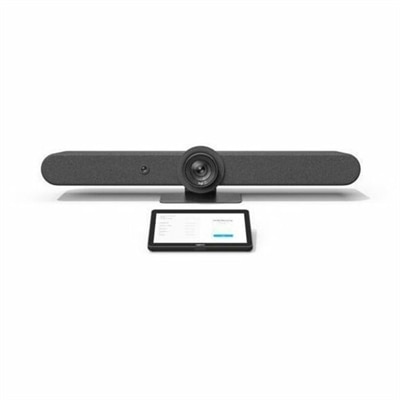
A graphite video conferencing kit featuring motorized PTZ, 15× HD zoom, adaptive beamforming, and touchscreen control.
Elevate your team's productivity with innovative meeting collaboration tools designed to streamline communication and enhance teamwork. As remote work and hybrid meetings become the norm, finding the right technology to bridge the gap between in-office and virtual participants is essential. Explore a diverse selection of tools that cater to various needs, from seamless video conferencing solutions to interactive whiteboards and intuitive software platforms. Transform every meeting into a dynamic, engaging experience that fosters creativity and drives results, ensuring your team stays connected and efficient no matter where they are.
A graphite video conferencing kit featuring motorized PTZ, 15× HD zoom, adaptive beamforming, and touchscreen control.
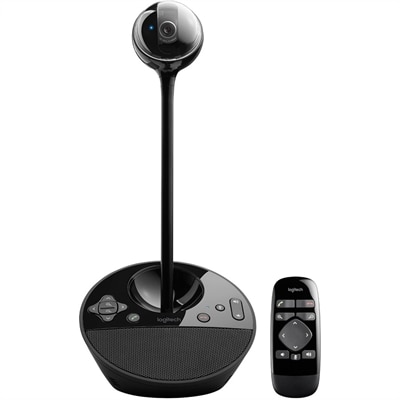
A 1080p conference camera with full-duplex speakerphone audio, autofocus, remote pan-tilt-zoom, and echo cancellation.
Meeting collaboration tools help people communicate clearly, share ideas, and stay aligned whether they are gathered around one table, working from separate rooms, or joining from different locations. A well-planned setup can bring together a computer, display, camera, microphone, speakers, headset, keyboard, mouse, and other accessories to create a more natural meeting experience. The right combination depends on the way a team works. A small group holding quick check-ins may need a compact camera and clear audio, while a department leading presentations or workshops may benefit from a larger monitor, a second screen, and accessories that make it easy to move between video, documents, chat, and shared notes. For additional options designed around presenting and group interaction, explore Presentation Collaboration Tools. These products can support video meetings, voice calls, file sharing, co-editing, digital whiteboarding, task planning, and informal conversations that keep projects moving between scheduled sessions. They are useful in offices, classrooms, home workspaces, conference rooms, creative studios, and shared areas where people need dependable technology without a complicated setup.
When comparing meeting collaboration tools, start with the room and the people who will use them. A laptop with an integrated camera may be practical for one person working at a desk, but a wider meeting space often calls for a camera with a broader field of view and a microphone designed to pick up voices from across the table. Clear sound matters just as much as sharp video: a participant should not have to repeat a thought because a fan, keyboard, or distant speaker overwhelmed the conversation. Headsets can provide a more private experience in a busy home or open office, while external speakers may make a shared room feel more welcoming. Consider display size, screen resolution, adjustability, and the distance between the viewer and the screen, especially when attendees need to read spreadsheets, design details, captions, or small text. A second monitor can keep a meeting visible beside a presentation or working document, reducing the familiar shuffle between windows. Docks and compatible cables can also simplify a desk by connecting a laptop to a monitor, camera, wired network connection, and charging accessories through a more organized setup. Before choosing, check operating system compatibility, available ports, wireless requirements, mounting options, and whether the equipment fits the meeting software and productivity applications already in use. Compatibility with a preferred calendar, chat, file storage, and document-sharing environment can make joining a call nearly as simple as opening an invitation.
Meeting collaboration tools are suited to many kinds of users. A remote professional may use a laptop, monitor, webcam, and headset to create a polished workspace in a spare room, while a hybrid team may rely on a shared display and room-friendly audio so people in the office and at home can participate on more equal terms. Teachers, tutors, and students can use cameras and displays to explain diagrams, review assignments, or work through a problem together. Project managers and creative teams may look for digital whiteboarding, mind mapping, live annotation, shared files, task tracking, and searchable meeting notes that turn a conversation into clear next steps. Features such as breakout spaces can help divide a large session into smaller working groups, while automatic captions, transcripts, and intelligent summaries can make discussions easier to revisit and more accessible. These capabilities are especially helpful when meetings stretch across time zones or when someone cannot attend every session. For a thoughtful gift, a comfortable headset, adjustable monitor, responsive keyboard, or compact webcam can be a practical choice for a student, remote worker, freelancer, or family member building a dedicated workspace; choose based on the recipient’s computer, connection preferences, and daily routine rather than appearance alone. During the cooler months, when more conversations may happen indoors and workspaces often serve several purposes, dependable meeting equipment can help a kitchen table, quiet corner, or home office shift smoothly from individual work to a face-to-face conversation. A strong setup should feel almost invisible: voices remain natural, shared content is easy to see, files are simple to access, and everyone can focus on the ideas instead of the technology.
Add the products you would like to compare, and quickly determine which is best for your needs.