MyDell Notifications Does Not Pop up When Using Fn+T
Summary: Inspiron 14 Plus 7440 and Inspiron 16 Plus 7640 do not display notification when pressing Fn+T.
This article applies to
This article does not apply to
This article is not tied to any specific product.
Not all product versions are identified in this article.
Symptoms
After pressing Fn+T, MyDell a notification does not appear indicating if Ultra Performance is on or off.
The MyDell page only displays two options, Application and Color & Display.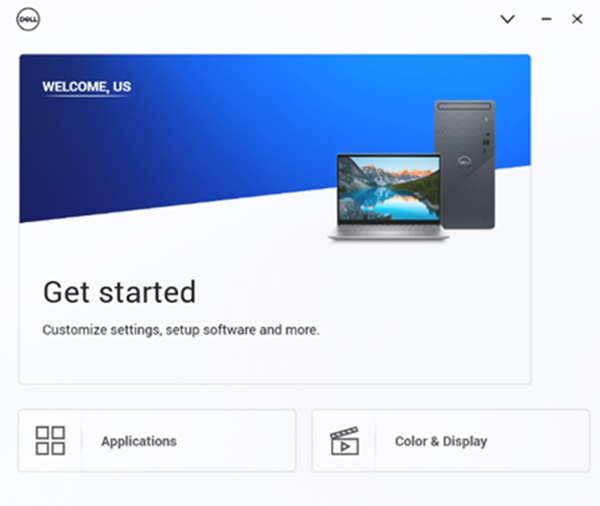
Affected Platforms:
- Inspiron 14 Plus 7440
- Inspiron 16 Plus 7640
Cause
This occurs due to interop issue between MyDell 3.2 and SupportAssist 4.6.5. The installation sequence causes the configuration files to be overwritten incorrectly.
Resolution
Reinstall SupportAssist to ensure that the correct configuration files are used.
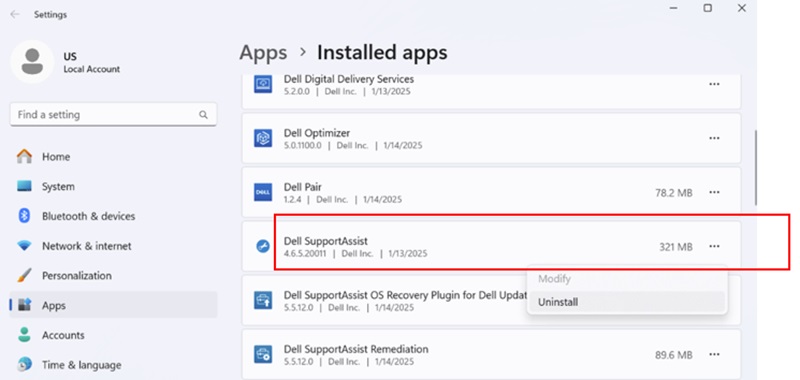
- To uninstall SupportAssist, go to Settings, Apps, and then Installed apps.
- Once SupportAssist is uninstalled, download the SupportAssist installer.

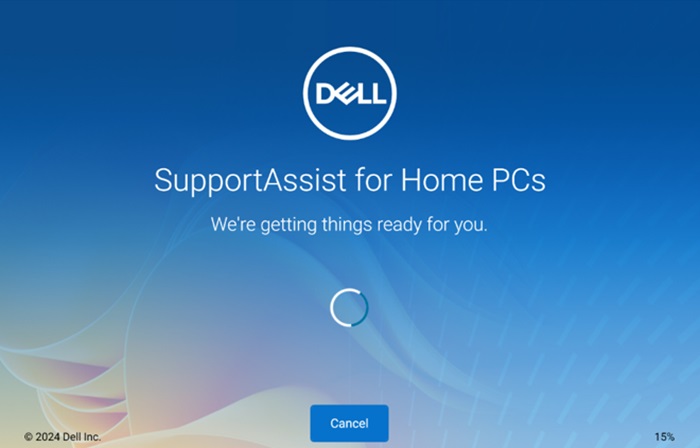
- Connect to the Internet and click SupportAssistinstaller.exe to install. The download and installation progress shows in the lower right corner.
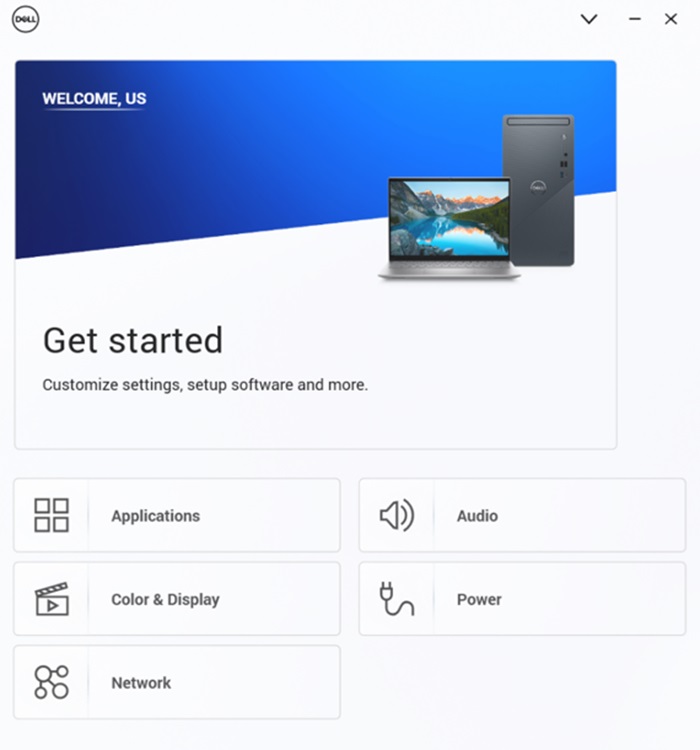
- Once SupportAssist installation is complete, restart the computer. After the restart, open MyDell and the page will display correctly.
- Press Fn+T to see the Ultra Performance on and off notification.
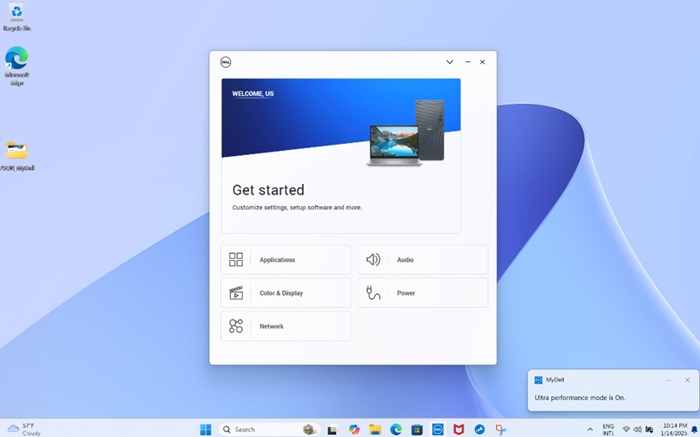
- On the MyDell Power page, you can also see that Thermal management has switched to Ultra Performance.
Note: The MyDell page does not refresh automatically. If you press Fn+T, you must reopen MyDell to confirm the settings.
Affected Products
Inspiron 14 Plus 7440, Inspiron 16 Plus 7640Article Properties
Article Number: 000287626
Article Type: Solution
Last Modified: 16 Apr 2025
Version: 2
Find answers to your questions from other Dell users
Support Services
Check if your device is covered by Support Services.