Dell Unity: The Storage is Unable to Connect to VMware Hypervisor, Error Code: 0x5c00007
Summary: Datastore creation job only completes up to 87%, Datastore is not visible in the ESXi cluster, and we are unable to mount NFS datastore manually.
This article applies to
This article does not apply to
This article is not tied to any specific product.
Not all product versions are identified in this article.
Symptoms
- The datastore is not visible in the ESXi cluster.
- Unable to mount NFS datastore manually.
- NFS Datastore creation job only completes up to 87%.
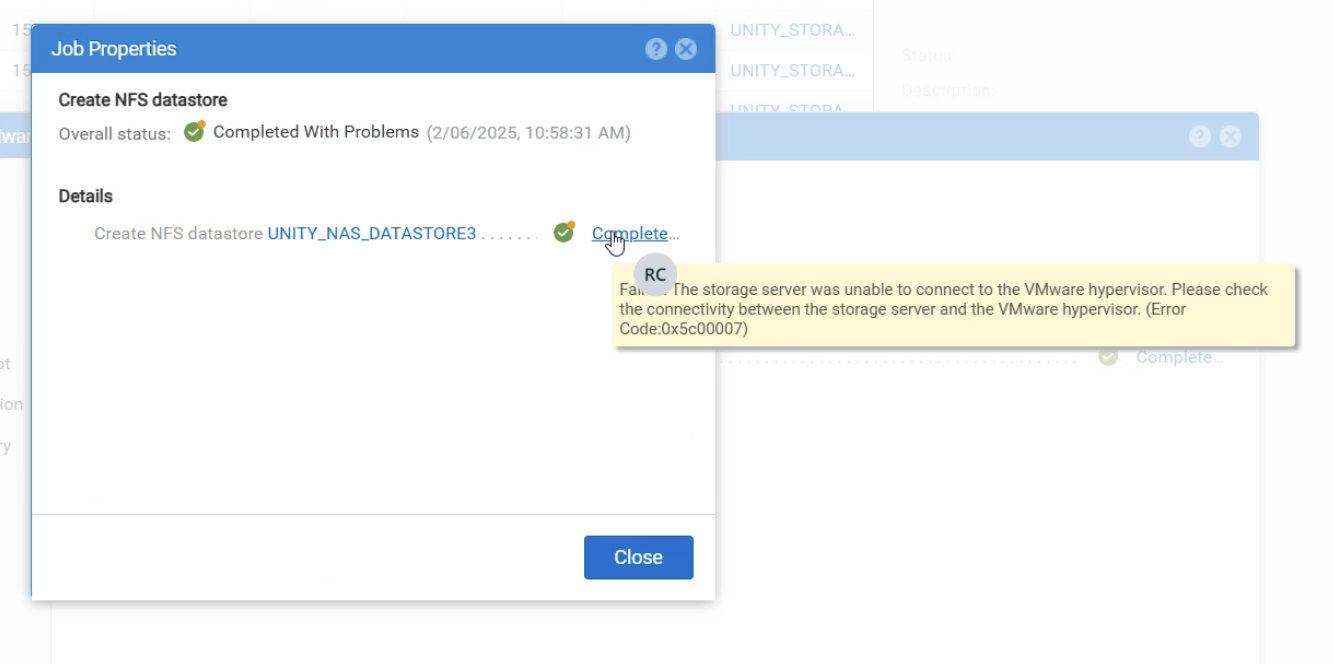
- Updating the vCenter username and password on Unity fails with Error Code 0x5c00007, and the job only completes up to 50%:
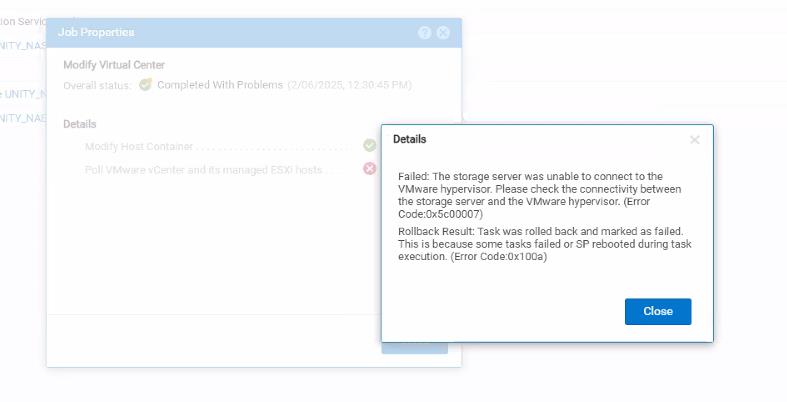
- Below Jobs status shows it completed with an issue:
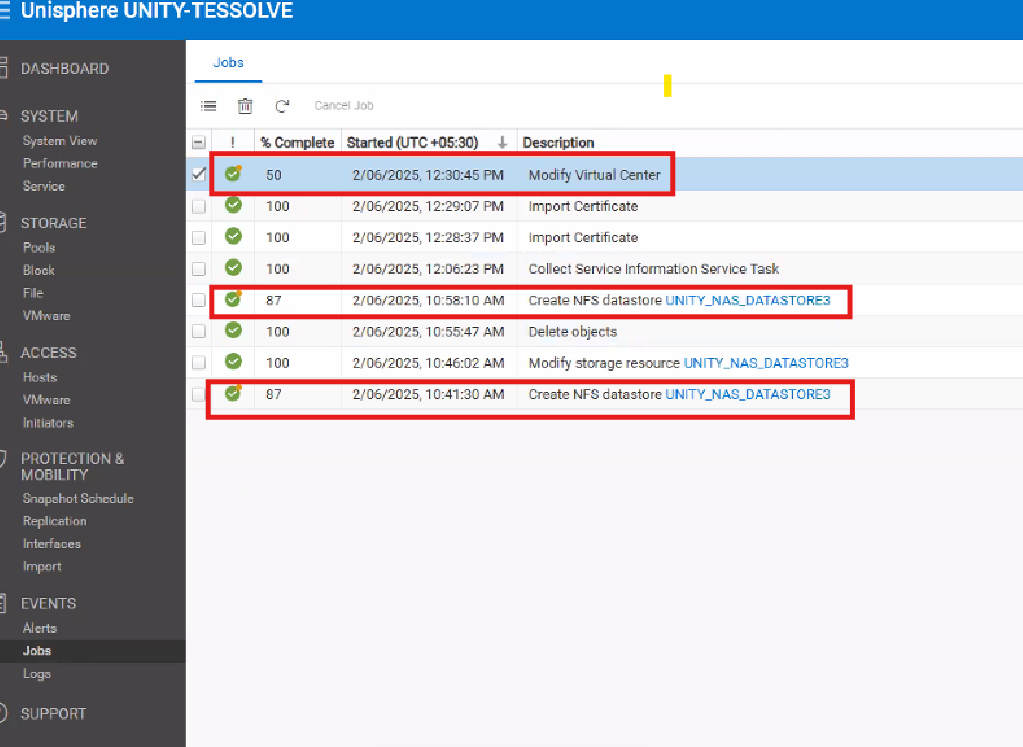
- Below details do not mean it applies to this specific scenario:
Environment details:
       Vcenter version : 7.0.3
       Unity OE version : 5.3.1.0.5.008
       Storage resource: NFS Datastore   <<<<New DS with no data written on this.
Cause
- Verify Network connectivity between Unity and ESXi host and vCenter
- Certificate issue: Due to connectivity, Unity was unable to get the vCenter certificate to validate.
- vCenter credentials are not updated on the Unisphere.
Resolution
- Verify Network connectivity between Unity and ESXi host and vCenter to ensure that host and storage can communicate.
- Certificate issue: Due to connectivity, once the connectivity was fixed, the certificate validated without issue. Unisphere > Access > VMware > Select the vCenter > Modify Action > Verify Certificate
- vCenter credentials to be updated on the Unisphere: Unisphere > Access > VMware > Select the vCenter > Edit > Update the vCenter Credentials
- Retry the datastore creation and mounting of the datastores.
- If it is a new NFS datastore with no data written, delete and re-create it. You should see it complete to 100%.
- If it is an existing datastore with data, contact Dell Technical Support.
Affected Products
Dell Unity Operating Environment (OE)Article Properties
Article Number: 000284876
Article Type: Solution
Last Modified: 22 May 2026
Version: 2
Find answers to your questions from other Dell users
Support Services
Check if your device is covered by Support Services.