Best Tablets of 2026 For Animation

According To Customer Reviews

When it comes to animation, having the right tablet can make all the difference in bringing your creative visions to life. With a wide range of options available, finding the best tablet for animation can be a daunting task. That's why we've curated a list of top-rated tablets based on user reviews, so you can make an informed decision and find the perfect companion for your artistic endeavors. Whether you're a professional animator or just starting, these tablets offer the performance, precision, and features needed to unleash your creativity and take your animations to the next level.

What to Look for in Tablets for Animation

Selecting the right tablet is essential for bringing your animation projects to life with precision and ease.

1. Display Quality and Size

Citrus catapult arrow

A high-resolution screen with accurate color reproduction is crucial for detailed animation work. Consider a larger display size for more workspace, but balance it with portability if you plan to animate on the go.

2. Stylus Support and Pressure Sensitivity

Citrus catapult arrow

Look for tablets that come with a responsive stylus offering high pressure sensitivity and low latency. This ensures smoother lines, better control, and a natural drawing experience.

3. Performance and Storage

Citrus catapult arrow

Animation software can be demanding, so choose a tablet with a powerful processor, ample RAM, and sufficient storage capacity. This will prevent lag and allow you to work seamlessly on complex projects.

4. Software Compatibility

Citrus catapult arrow

Ensure the tablet supports your preferred animation apps or software, whether you use Android, iOS, or Windows-based programs. Some tablets are optimized for specific creative suites, which can enhance your workflow.

  1. 1

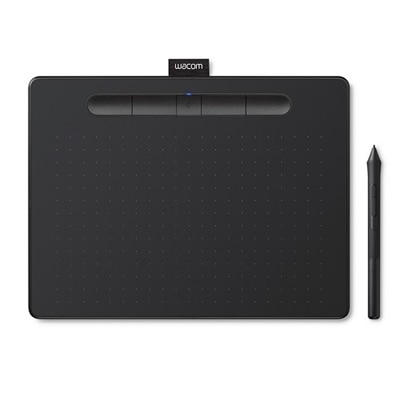
    Wacom Intuos Wireless Graphics Drawing Tablet for Mac, PC, Chromebook & Android (small) with Software Included - Black

    A compact black wireless drawing tablet with Bluetooth, ideal for beginners in digital art.

    $79.95
  2. 2

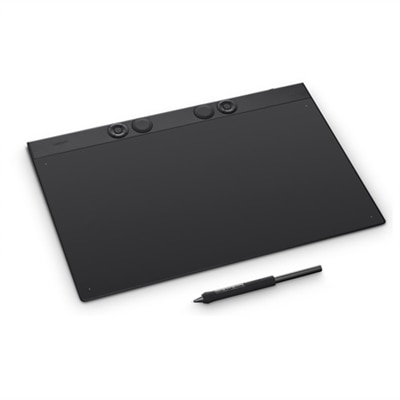
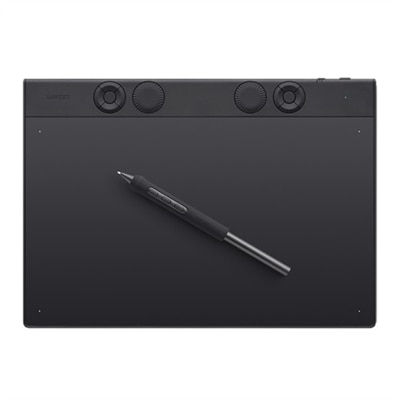
    Wacom Intuos Pro Small

    A professional-grade drawing tablet in durable magnesium with customizable Pro Pen 3, Bluetooth, and ergonomic ExpressKeys.

    $249.95
  3. 3

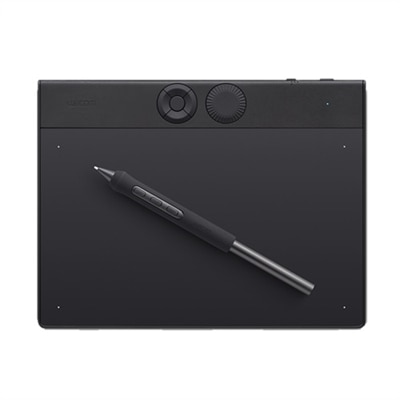
    Wacom One Graphics Tablet

    A black and red graphics tablet with a pressure-sensitive pen for seamless digital learning and creativity.

    $99.95
  4. 4

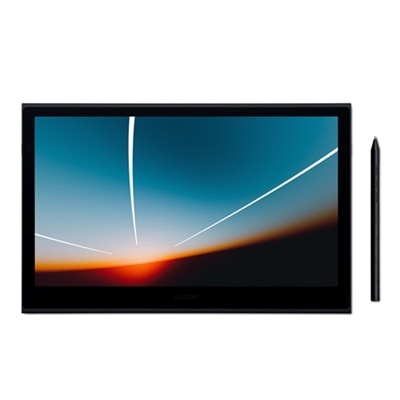
    Wacom Movink 13" OLED Tablet

    A lightweight, ultra-slim OLED pen display offering exceptional color accuracy, fast pen performance, and universal compatibility.

    $749.95
  5. 5

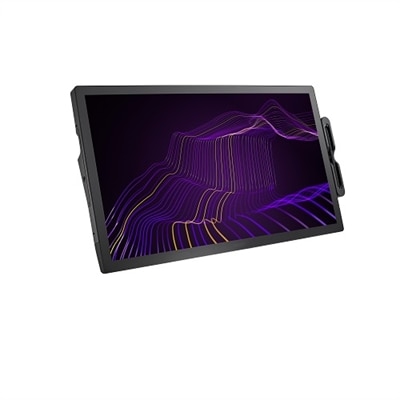
    Wacom Cintiq Pro 27 Interactive Pen Display

    A 27" 4K pen display with 120Hz refresh rate, customizable pen, and 99% Adobe RGB coverage.

    $3499.95
  6. 6

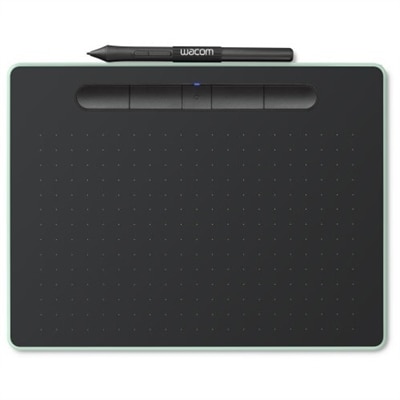
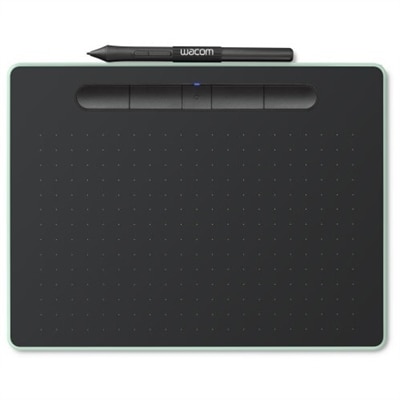
    Wacom Intuos Wireless Graphics Drawing Tablet for Mac, PC, Chromebook & Android (small) with Software Included - Black with Pistachio accent

    A pistachio green wireless drawing tablet perfect for beginners in digital art and photo editing.

    $59.95
  7. 7

    Wacom Cintiq Pro 17

    An interactive 17.3" 4K pen display with 120Hz refresh rate and customizable Pro Pen 3.

    $2499.95
  8. 8

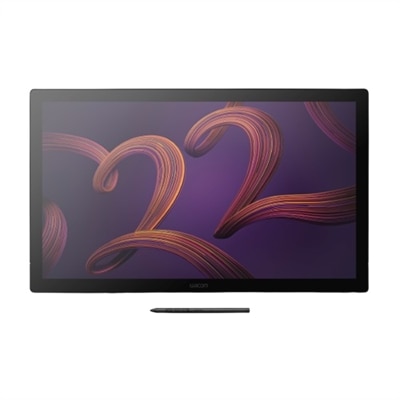
    Wacom DTK2260K0A Cintiq 22 Graphic Tablet

    A 22-inch creative pen display with 8,192 pressure levels, adjustable stand, and anti-glare screen.

    $1299.95

Best Tablets For Animation

FAQs:

When choosing a tablet for animation, look for a high-resolution display, responsive stylus support with pressure sensitivity, a powerful processor, ample RAM, and compatibility with popular animation software. These features ensure smooth drawing experiences and efficient workflow.

Tablets with dedicated graphics cards can offer enhanced performance for complex animations and rendering tasks. However, many modern tablets use integrated graphics that are optimized for creative work and can handle most animation needs efficiently.

Yes, many tablets support professional animation software such as Adobe Animate, Toon Boom Harmony, and Procreate. It's important to check the operating system compatibility of your preferred software before purchasing a tablet.

Stylus pressure sensitivity is crucial for animators as it allows for more natural and precise control over line thickness and opacity. This feature helps create detailed and expressive animations by mimicking traditional drawing techniques.

Animation projects can involve large files, especially when working with high-resolution images or lengthy sequences. Choosing a tablet with sufficient internal storage or expandable memory options ensures you have enough space to save your work without interruptions.

Best Sellers

Wacom Intuos Wireless Graphics Drawing Tablet for Mac, PC, Chromebook & Android (small) with Software Included - Black
Wacom Intuos wireless pen tablet has been designed for those who are getting started drawing, painting or photo editing with their Mac, PC, Chromebook or select Android smartphones/tablets. Enjoy the convenience of wireless creating with built in Bluetooth - or connect the graphics tablet directly to your computer with the included USB cable. Whether it's the pressure-sensitive pen, the stylish design, the included software or online tutorials, Wacom Intuos is all you need to get creative digitally. Wacom Intuos can also be used to easily write, edit or convey ideas to in education or remote work settings. This product works with devices capable of running the latest version of Chrome OS. Google is not responsible for the operation of this product or its compliance with safety requirements. Chromebook is a trademark of Google LLC.
$79.95
Wacom Movink 13" OLED Tablet
Wacom Movink is our lightest, slimmest, and most portable professional-level creative pen display ever. With its innovative OLED display, unprecedented compatibility and connectivity, and enhanced functionality in a truly portable package, Wacom Movink empowers you to bring your studio along no matter where your creative journey takes you. The OLED display means the color accuracy and contrast are top-notch, pen performance is faster and more flexible than ever, and there's no light leakage. It comes with a special version of Pro Pen 3, features Dual Pen technology for expanded pen options, and with a simple USB-C cable and universal OS compatibility, keeping your creative journey moving is practically seamless.Wacom's lightest and thinnest pen display everEnjoy the freedom of working wherever you feel creatively inspired with Wacom Movink, our lightest and thinnest pen display yet. As little as 4mm thick* and weighing just 420g, Wacom Movink is 55% lighter than Wacom One 13 touch and 66% thinner. Connect it to your Mac or PC, and you'll have all the processing power you need for your professional work.
$749.95
Wacom One Graphics Tablet
Learning made easyFrom learning to draw and edit photos to collaborating in online classes or completing academic assignments with natural handwriting, One by Wacom brings an easy to use digital pen to PC, Mac and most Chromebooks. Digital learning and creativity couldn't be easier.The natural pen experienceOne by Wacom's pressure sensitive and battery free pen is the perfect tool for learning. It brings a familiar, pen-on-paper feel to drawing and writing and is simple to set up and use.A versatile choice for students and beginning artistsAvailable in two sizes, One by Wacom can be used with most pen-enabled creative software as well as many online learning applications and platforms on PC, Mac and most Chromebooks. Whatever and wherever you are learning, One by Wacom can help.Take your creativity to a new levelSketch and paint with more precision. Our advanced electro-magnetic pen technology gives you excellent control and accuracy. One by Wacom helps your art projects come out the way you've always wanted, by perfectly matching the movement of your pen. Editing photos? Everything from complicated cut-outs to delicate color adjustments are so much easier. Get ready for a load more 'Likes'.One by Wacom now also works with Chromebook. Bringing the pen tablet into the digital classroomWacom takes digital learning to the next level. The realistic digital pen recreates the classroom experience from anywhere. It gives you the freedom to write, annotate, create, collaborate, study or teach in ways like never before.Great bundled apps for educationGain 3 months complimentary access to great bundled apps specially tailored for education. The apps enable teachers and students to collaborate and share ideas just as easily as in the classroom.So simple to set upWhatever you want to create or learn, it's easy with One by Wacom. The tablet has everything you need, and nothing that you don't, so it is easy to get started on your next creative project, homework or course preparation. Just connect the USB cable to your Mac, PC, or Chromebook*, download and install the driver** and you're ready to go.
$99.95
Wacom Cintiq Pro 27 Interactive Pen Display
The first 120Hz, 4k pen display featuring both 98% DCI-P3 and 99% Adobe RGB with Pantone Validated certification as well as HDR Gamma support. For creatives, game developers, videographers and photographers and everyone looking for a professional pen display. Wacom Cintiq Pro 27 is designed for more comfort through our slimmest bezel ever and individual mounting options. This graphic display comes with the new Wacom Pro Pen 3 - 36 pens in 1 pen. Adjust the pen weight, gravity centre and number of buttons amongst other options to make it truly YOUR pen. Breakthrough performance for inspired creativity High end 4k display with 120HZ and 10ms refresh rate 99% Adobe RGB and 98% DCI-P3 and HDR support Modern design including 8 easy accessable ExpressKeys Multi-touch and pen control incl. pen gestures New customizable Pro Pen 3 experience Near-zero pen & screen latency Low activation force and great drawing experience Best desk integration with small footprint and expandable bezel for even more comfort Wacom Pro Pen 3 | Morphs to the way you make From the inside out, Wacom Pro Pen 3 can be configured to your favorite feel. With customizable weight, grip thickness, pen buttons and center of balance, find the configuration that suits your style. This tailor-made approach to design delivers an unforgettable creative experience. 8,192 levels of pressure sensitivity, 3 side switches State of the Art Pen Technology: 3rd generation Wacom Pen technology Perfect Custom Fit: Customizations for weight balance, different grips or no-side-switch included Tilt recognition: Improved tilt+/-60 degrees Super Responsive: The Pro Pen 3 senses every nuance and every change, so even the lightest of touches will appear on the screen Superior image quality with the best Wacom display ever Studio-quality performance, improved design and better ergonomics Highest performing display Brings harmony between creator and tool The new Wacom Cintiq Pro 27 is a high end graphic display offering superior image quality on a premium class 27" LCD panel. The 4k display with 10bit color shows clear and crisp content with a high color performance and calibration options. The new design with reduced bezel size and smaller dimensions makes the Wacom Cintiq Pro more space efficient on the creator's desk. In combination with the new, improved, next-generation, customizable Wacom Pro Pen 3 every detail of the Wacom Cintiq Pro 27 has been engineered for effortless harmony between creator and tool.
$3499.95
Wacom Graphic Tablet Intuos Pro Medium
The Intuos Pro drawing tablet, Wacom's flagship tablet, combines cutting-edge pen technology with unmatched precision, comfort, and versatility to help creators achieve the perfect harmony between work and flow. Designed with professional needs in mind, it's the only Wacom graphic tablet featuring the customizable Pro Pen 3, which allows you to adjust the grip, weight, and button configuration for a personalized experience with Wacom's most sensitive and accurate pen technology. This art tablet's ergonomic layout includes intuitive dials and ExpressKeys, located at the top of the tablet and easily accessible for both left- and right-handed users. At its thinnest, Intuos Pro is only 4mm, and is built with durable magnesium, it's portable yet rugged, ideal for studio or on-the-go use. With three sizes to suit any style-whether for detailed editing or expressive art forms - Intuos Pro integrates seamlessly with creative software and supports Bluetooth connectivity. It's also compatible with previous generation Wacom Pro Pens and EMR styluses from brands like LAMY and STAEDTLER.Create with unmatched quality and experience a seamless flow with Intuos Pro-the professional's choice in drawing tablets. Harness the power of decades of industry expertise with Intuos Pro-a tool designed to meet your creative needs with exceptional durability, precision, and efficiency, so you can create professional-grade results. Ergonomically crafted for long hours and trusted by top artists worldwide, Intuos Pro's redesigned features minimize interruptions, letting you fully immerse in your workflow. This is more than a drawing tablet; it's the definitive tool for creators who seek the best in quality, consistency, and control.FeaturesPro Pen 3 offers amazing precision, 8192 pressure levels, tilt support & lag-free tracking for smooth, precise strokes; choose slim, straight or flared grip, adjust balance & button layout for precision and comfortSpeed up and stay in the creative flow with 10 customizable tablet ExpressKeys & 2 mechanical dials conveniently located at the top of the tablet and close to your keyboard for efficiencyWith a versatile 16:9 format perfect for multiple monitors and wide displays; medium size has a large active area with a small footprint 11.4 x 8.1" / 291 x 206 mmMeasuring 4mm at its thinnest this professional-grade drawing tablet feels like pen-on-paper on your desk, combined with the robust durability of magnesium making it equally suited for your office or life on the goUse Intuos Pro with USB or pair wirelessly via Bluetooth to multiple computers with a simple switchSystem Requirements: USB-A or USB-C port, Windows 10 or later/Mac OS 13 or later, Bluetooth for wireless connection to computer/s
$379.95
Wacom Intuos Pro Small
The Intuos Pro drawing tablet, Wacom's flagship tablet, combines cutting-edge pen technology with unmatched precision, comfort, and versatility to help creators achieve the perfect harmony between work and flow. Designed with professional needs in mind, it's the only Wacom graphic tablet featuring the customizable Pro Pen 3, which allows you to adjust the grip, weight, and button configuration for a personalized experience with Wacom's most sensitive and accurate pen technology. This art tablet's ergonomic layout includes intuitive dials and ExpressKeys, located at the top of the tablet and easily accessible for both left- and right-handed users. At its thinnest, Intuos Pro is only 4mm, and is built with durable magnesium, it's portable yet rugged, ideal for studio or on-the-go use. With three sizes to suit any style-whether for detailed editing or expressive art forms - Intuos Pro integrates seamlessly with creative software and supports Bluetooth connectivity. It's also compatible with previous generation Wacom Pro Pens and EMR styluses from brands like LAMY and STAEDTLER.Create with unmatched quality and experience a seamless flow with Intuos Pro-the professional's choice in drawing tablets. Harness the power of decades of industry expertise with Intuos Pro-a tool designed to meet your creative needs with exceptional durability, precision, and efficiency, so you can create professional-grade results. Ergonomically crafted for long hours and trusted by top artists worldwide, Intuos Pro's redesigned features minimize interruptions, letting you fully immerse in your workflow. This is more than a drawing tablet; it's the definitive tool for creators who seek the best in quality, consistency, and control.FeaturesPro Pen 3 offers amazing precision, 8192 pressure levels, tilt support & lag-free tracking for smooth, precise strokes; choose slim, straight or flared grip, adjust balance & button layout for precision and comfortSpeed up and stay in the creative flow with 5 customizable tablet ExpressKeys & a mechanical dial conveniently located at the top of the tablet and close to your keyboard for efficiencyWith a versatile 16:9 format perfect for multiple monitors and wide displays; small size has a large active area with a small footprint 8.4" x 6.4" / 215 x 163 mmMeasuring 4mm at its thinnest this professional-grade drawing tablet feels like pen-on-paper on your desk, combined with the robust durability of magnesium making it equally suited for your office or life on the goUse Intuos Pro with USB or pair wirelessly via Bluetooth to multiple computers with a simple switchSystem Requirements: USB-A or USB-C port, Windows 10 or later/Mac OS 13 or later, Bluetooth for wireless connection to computer/s
$249.95
Wacom Cintiq Pro 17
Wacom Cintiq Pro 17 interactive pen display is designed and engineered for professionals to create a harmonious creative process between artists and their work. Featuring a professional quality Ultra HD/4K display, along with Wacom's Pro Pen 3 and multi-touch control which matches performance with customizable comfort, every detail of Wacom Cintiq Pro 17 has been engineered for effortless harmony between creator and tool. In a world where clarity and motion unite seamlessly, our cutting-edge 120Hz screen refresh rate and fast response rate enable a near-zero pen and screen latency. Imagine creating film, game design and visual effects that make you feel like you're in the scene. Witness breathtakingly smooth transitions, crystal-clear details, and a level of realism that transports you to the heart of the action. Amazing color performance: This 17.3", 4K (3840 x 2160 pixels) touchscreen display boasts 1.07 billion colors, including 100% Rec. 709, and 99% DCI-P3 coverage, and easy-to-use built-in hardware presets for Adobe RGB, sRGB, DCI-P3 and Rec709, EBU, Rec2020, PQ and HLG. It also features a refresh rate of 120Hz allowing for near-zero latency. Wacom Pro Pen 3: Featuring 8192 levels of pressure sensitivity, three side switches, and the ability to customize the pen by swapping the included grips or adjusting the weight and center of balance, the Wacom Pro Pen 3 is Wacom's most advanced pen. More screen, less space: With the conveniently placed 8 customizable ExpressKeys, easy-to-adjust on-screen menus, and improved multi-touch and pen gestures, you can tailor your setup to precisely match your preferences. Choice of stand: Includes Wacom Cintiq Pro 17 Easy Stand offering a fixed angle height that's easy to set up and install. A specially designed Cintiq Pro 17 stand with enhanced functionality for a completely integrated experience is also available as an accessory purchase. Bonus Software Pack: Register your Cintiq Pro & receive 3-month trials of Clip Studio Paint EX, Toon Boom Harmony & Storyboard Pro, Shapr3D; and MASV file transfer service; Offer available for customers located in the Americas
$2499.95
Wacom Intuos Pro Large
The Intuos Pro drawing tablet, Wacom's flagship tablet, combines cutting-edge pen technology with unmatched precision, comfort, and versatility to help creators achieve the perfect harmony between work and flow. Designed with professional needs in mind, it's the only Wacom graphic tablet featuring the customizable Pro Pen 3, which allows you to adjust the grip, weight, and button configuration for a personalized experience with Wacom's most sensitive and accurate pen technology. This art tablet's ergonomic layout includes intuitive dials and ExpressKeys, located at the top of the tablet and easily accessible for both left- and right-handed users. At its thinnest, Intuos Pro is only 4mm, and is built with durable magnesium, it's portable yet rugged, ideal for studio or on-the-go use. With three sizes to suit any style-whether for detailed editing or expressive art forms - Intuos Pro integrates seamlessly with creative software and supports Bluetooth connectivity. It's also compatible with previous generation Wacom Pro Pens and EMR styluses from brands like LAMY and STAEDTLER.Create with unmatched quality and experience a seamless flow with Intuos Pro-the professional's choice in drawing tablets. Harness the power of decades of industry expertise with Intuos Pro-a tool designed to meet your creative needs with exceptional durability, precision, and efficiency, so you can create professional-grade results. Ergonomically crafted for long hours and trusted by top artists worldwide, Intuos Pro's redesigned features minimize interruptions, letting you fully immerse in your workflow. This is more than a drawing tablet; it's the definitive tool for creators who seek the best in quality, consistency, and control.FeaturesPro Pen 3 offers amazing precision, 8192 pressure levels, tilt support & lag-free tracking for smooth, precise strokes; choose slim, straight or flared grip, adjust balance & button layout for precision and comfortSpeed up and stay in the creative flow with 10 customizable tablet ExpressKeys & 2 mechanical dials conveniently located at the top of the tablet and close to your keyboard for efficiencyWith a versatile 16:9 format perfect for multiple monitors and wide displays; large size has a large active area with a small footprint 14.8 x 9.9" / 377 x 253 mm Measuring 4mm at its thinnest this professional-grade drawing tablet feels like pen-on-paper on your desk, combined with the robust durability of magnesium making it equally suited for your office or life on the goUse Intuos Pro with USB or pair wirelessly via Bluetooth to multiple computers with a simple switchSystem Requirements: USB-A or USB-C port, Windows 10 or later/Mac OS 13 or later, Bluetooth for wireless connection to computer/s
$499.95

Add the products you would like to compare, and quickly determine which is best for your needs.

Add the products you would like to compare, and quickly determine which is best for your needs.