TPM Firmware Version is Present After Updating the BIOS to 1.2.4 and Above
Summary: This article provides information about seeing a Firmware TPM device after a BIOS update.
This article applies to
This article does not apply to
This article is not tied to any specific product.
Not all product versions are identified in this article.
Symptoms
Affected Products:
- Wyse 5070
TPM Firmware Version Present in the BIOS with Wyse 5070 Systems
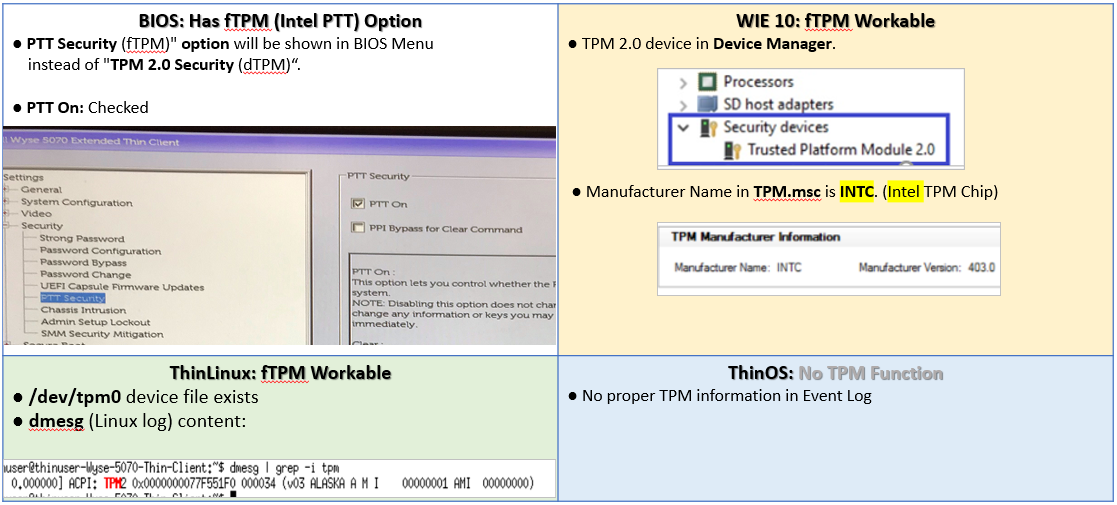
The customer can see a Firmware TPM device under the BIOS setup Menu for ThinLinux, ThinOS, and Windows 10, when updating a Wyse 5070 system BIOS to version 1.2.4 or later, from version 1.1.4 and earlier.
Cause
Microsoft requires all platforms that released after July 2018 to support TPM 2.0 either using dTPM, or fTPM.
Resolution
Steps to disable the Firmware TPM
- Power the computer on.
- Press F2 to enter the BIOS setup menu before entering the operating system.
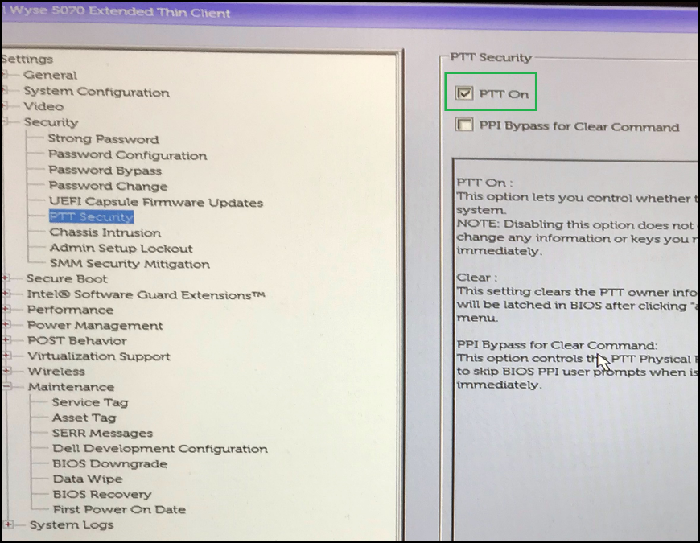
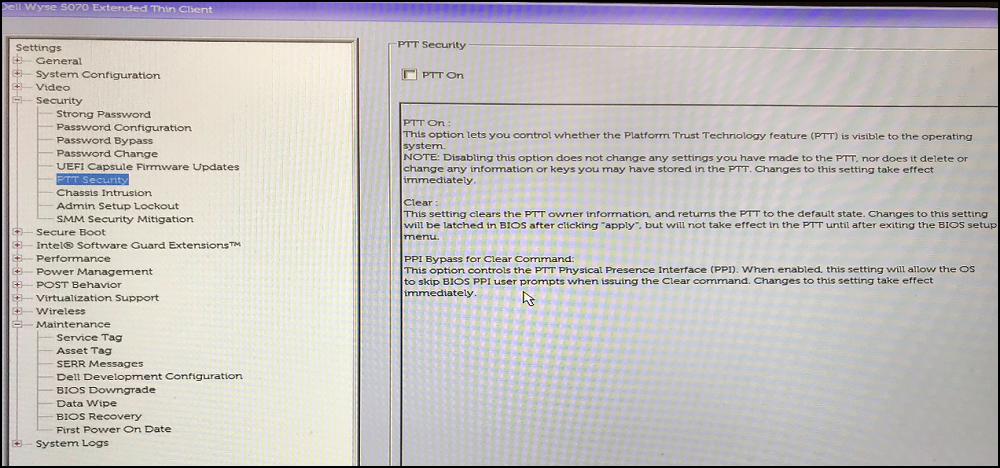
- Go to the Security page and select the PTT security item.
- Move the mouse pointer to PTT on the option shown in the green square.
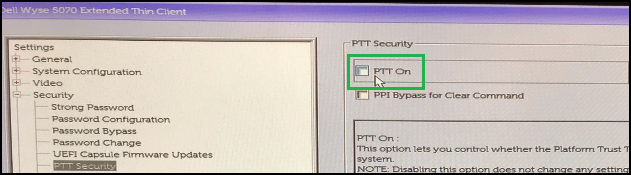
- Clear PTT On
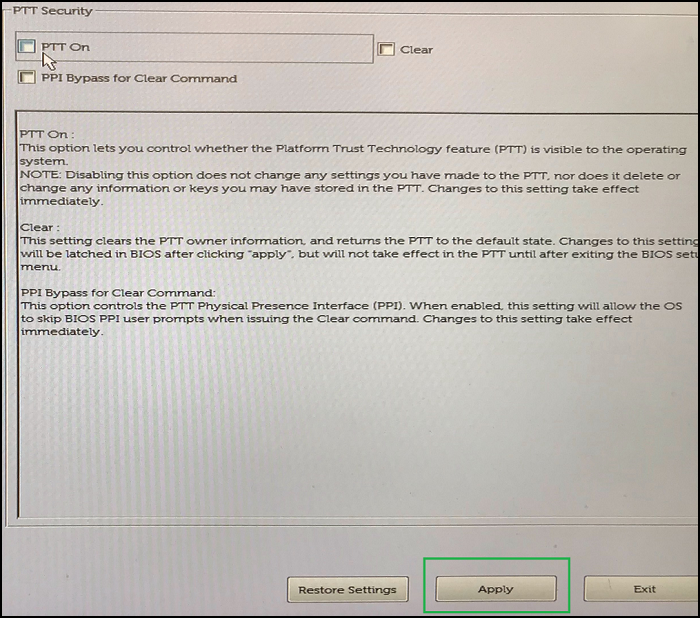
- Click Apply to save the settings.
- Press Ok to confirm.
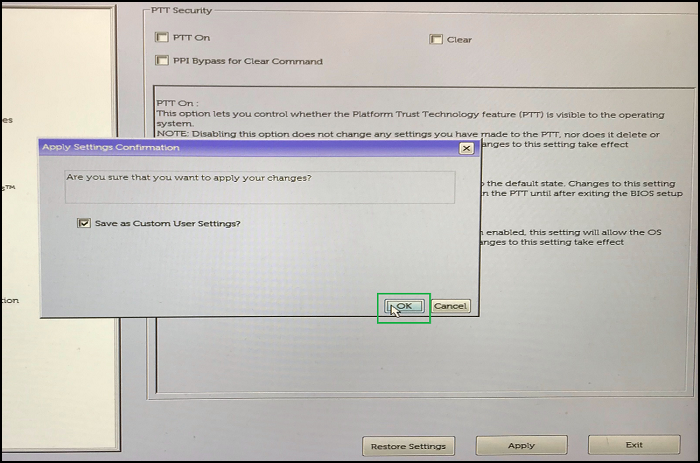
- Exit the BIOS setup menu.
- Enter the BIOS setup menu to check it again. You should see the following if it was successful.
Steps to Present this Scenario:
Windows 10:
- Boot to the operating system.
- Download and double-click the Wyse_5070_1.2.4.exe (or newer).
- The computer reboots and starts the flash BIOS process.
- Follow Figure 1 to observe the fTPM device.
ThinOS/ThinLinux:
- Boot to the boot menu with a USB storage device which includes Wyse_5070_1.2.4.exe (or newer) and by press F12.
- Select the item "BIOS flash update."
- Select Wyse_5070_1.2.4.exe (or newer).
- The computer reboots and starts the flash BIOS process.
- Follow Figure 1 to observe the fTPM device.
Frequently Asked Questions:
What is the scenario that a customer sees?
There is an fTPM device present under the operating system and BIOS setup menu.
What is the customer experience?
A user observes a new device present under the operating system.
How the customer recovers from this scenario when symptoms happen?
Follow the steps to disable the Firmware TPM.
Affected Products
Wyse 5070 Thin ClientArticle Properties
Article Number: 000128307
Article Type: Solution
Last Modified: 02 Oct 2024
Version: 10
Find answers to your questions from other Dell users
Support Services
Check if your device is covered by Support Services.