Live Optics | Collector | How to Create a Support Bundle in Live Optics
Summary: This document describes to a Live Optics user how to create a support bundle.
This article applies to
This article does not apply to
This article is not tied to any specific product.
Not all product versions are identified in this article.
Instructions
Support bundles are ZIP folders containing detailed diagnostic information gathered by the Live Optics collector. They can be generated even if a collection has failed. When shared with the Live Optics support team, they may provide useful information for troubleshooting in the event of an assessment issue. This article outlines the process to produce a Live Optics support bundle.
Note: Support bundles cannot be created for RVTools, as information is not gathered using the Live Optics collector.
Open the Live Optics collector and click Help.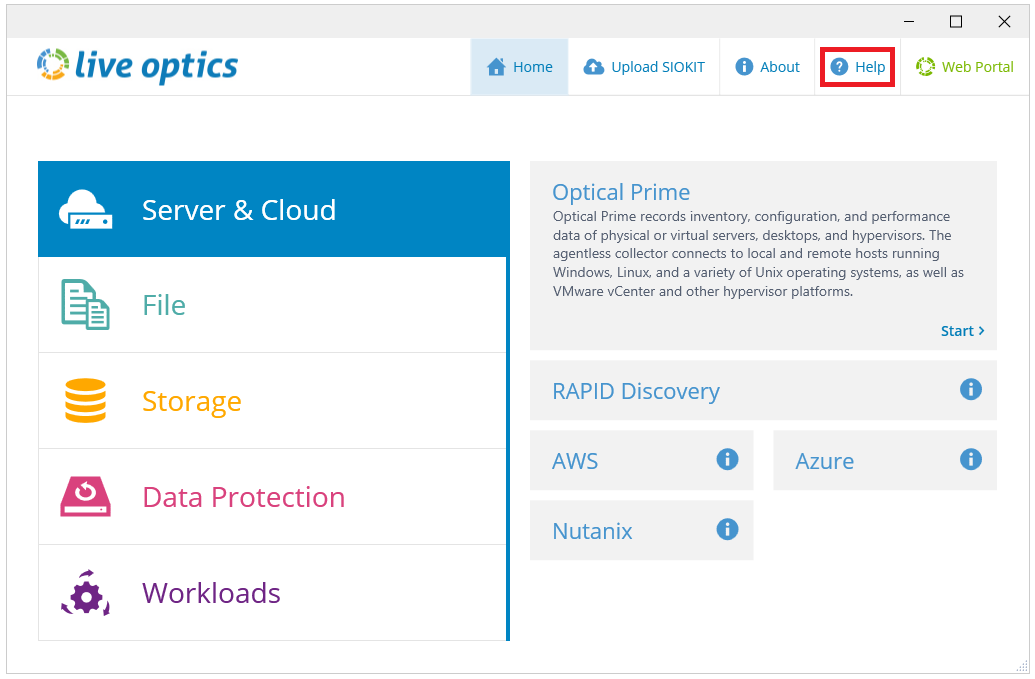
Figure 1: Select Help to begin the process.
On the following screen, click Create Support Bundle.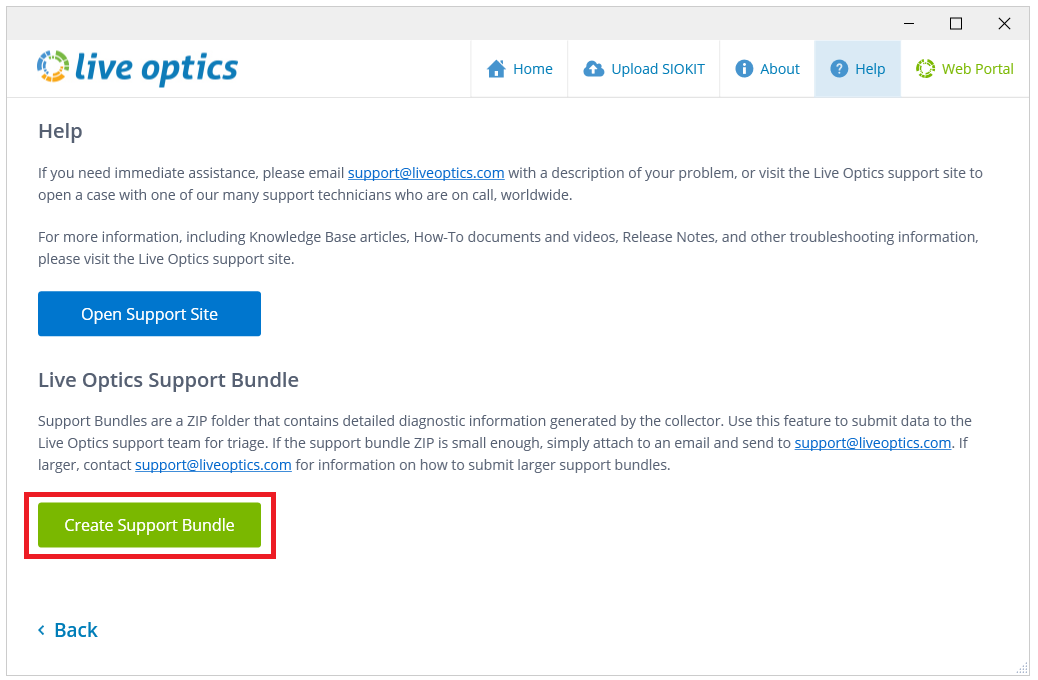
Figure 2: On the Help screen, click Create Support Bundle.
A dialog box appears on the screen. Attach support bundle ZIP to an email to send to support@liveoptics.com is selected by default. Leave this selected and click Create Support Bundle.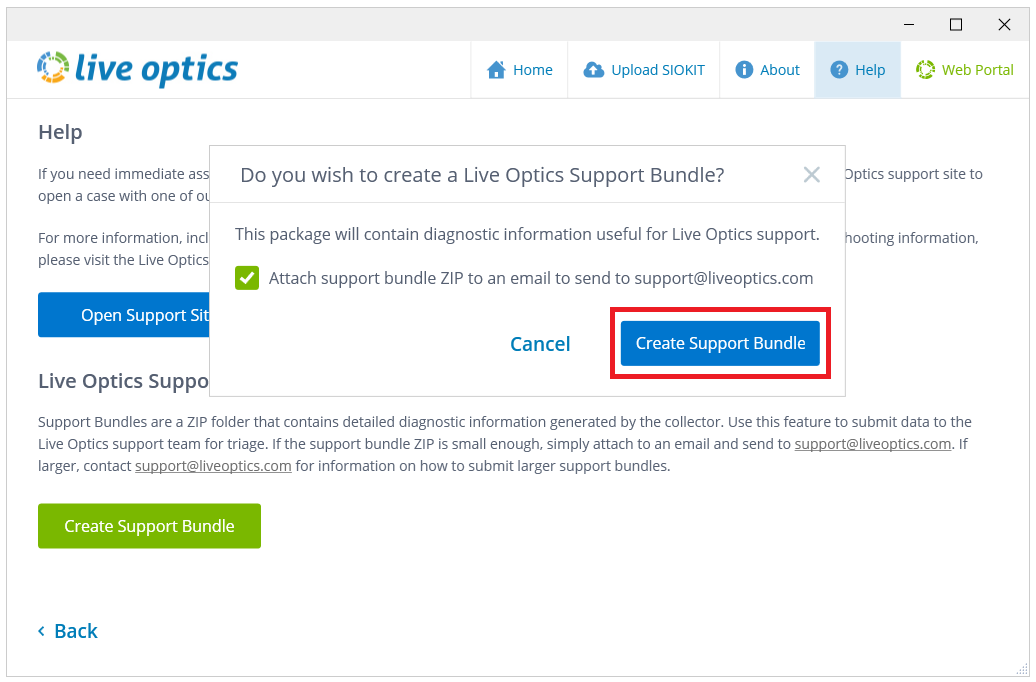
Figure 3: Leave the box checked and click Create Support Bundle.
Choose a location to save the support bundle and click Save.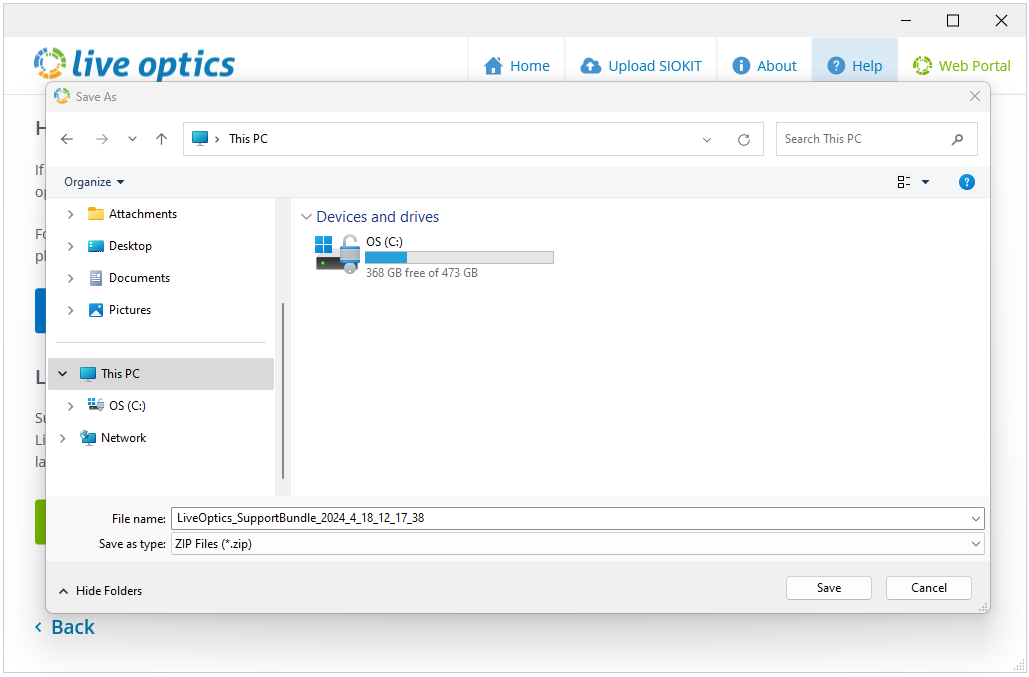
Figure 4: Select a location to save the support bundle.
The support bundle is now created. Email liveoptics.support@dell.com with the support bundle attached. Click Close to close the dialog box.
Additional Information
If you have any questions, please reach out to Live Optics Support at liveoptics.support@dell.com.
Affected Products
LiveOpticsArticle Properties
Article Number: 000227714
Article Type: How To
Last Modified: 30 Apr 2025
Version: 7
Find answers to your questions from other Dell users
Support Services
Check if your device is covered by Support Services.