VNX: Connecting to control station using its credentials getting access denied via ESRS (User Correctable)
概要: Connecting to control station using its credentials getting access denied via ESRS but its working in customer environment.
この記事は次に適用されます:
この記事は次には適用されません:
この記事は、特定の製品に関連付けられていません。
すべての製品パージョンがこの記事に記載されているわけではありません。
現象
Customer can able connect to the Control station using nasadmin credentials in their environment.
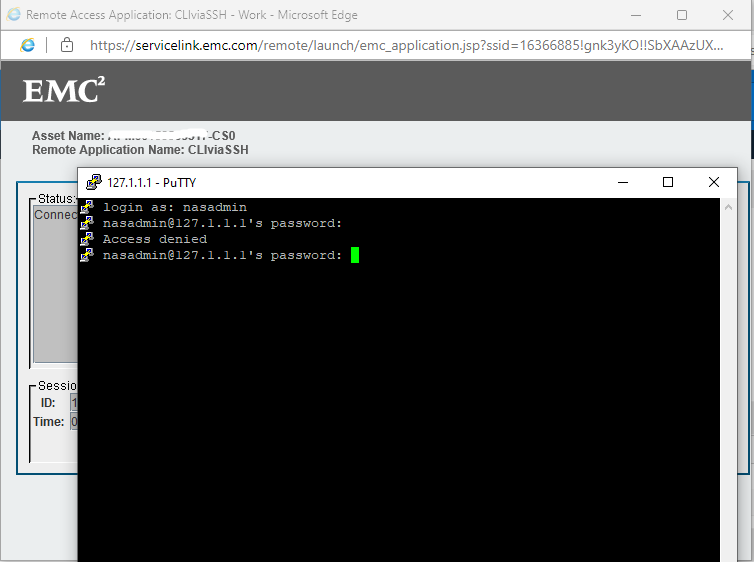
But via ESRS, its getting access denied.
原因
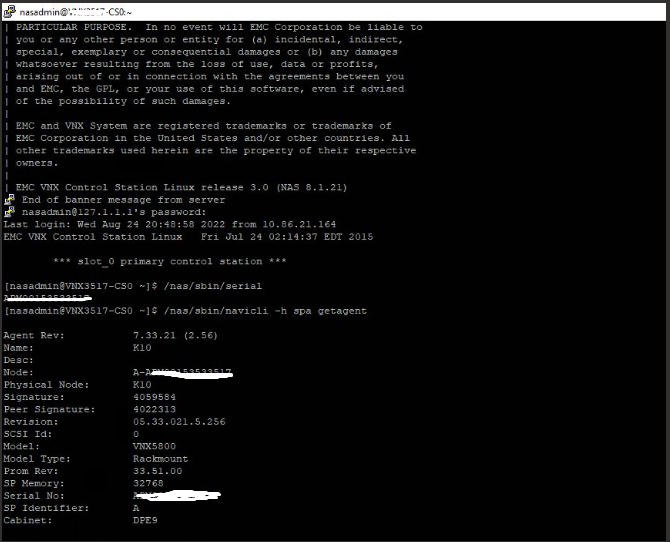
SP B (Storage processor) and CS0 (control station) assigned with same IP address xx.xx.xx.xx in the ESRS gateway. Hence, whenever we try to connect control station through CLIviaSSH, it connects to SPB. It caused the issue, when we tried to login with the nasadmin credentials.
解決方法
1: In the ESRS portal (https://servicelink.emc.com/), search the array serial number and click on CS0 node and in the next page under Asset connectivity, click on the ESRS gateway.
2: On the left side, under Device additional info, click on Managed Devices.
3: Search the array serial number and you can see array serial number nodes and their respective IP address. Make sure they are assigned correct IP addresses properly. In our case, CS0 was assigned same IP as SP B.
4: Click on Edit option and give the correct IP address and save. Then try to connect putty.
2: On the left side, under Device additional info, click on Managed Devices.
3: Search the array serial number and you can see array serial number nodes and their respective IP address. Make sure they are assigned correct IP addresses properly. In our case, CS0 was assigned same IP as SP B.
4: Click on Edit option and give the correct IP address and save. Then try to connect putty.
対象製品
VNX1 Series, VNX2 Series文書のプロパティ
文書番号: 000203107
文書の種類: Solution
最終更新: 07 11月 2025
バージョン: 6
質問に対する他のDellユーザーからの回答を見つける
サポート サービス
お使いのデバイスがサポート サービスの対象かどうかを確認してください。