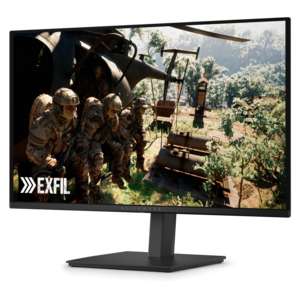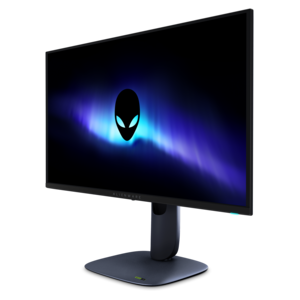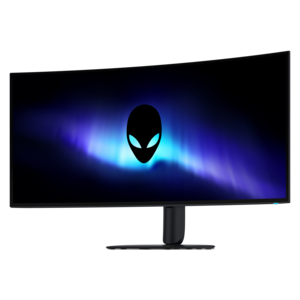
$1099.99
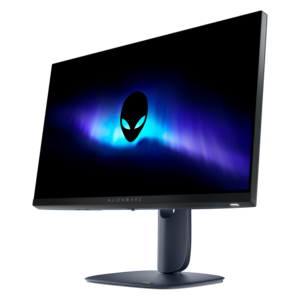
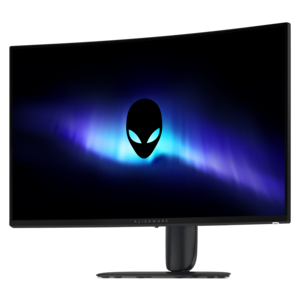
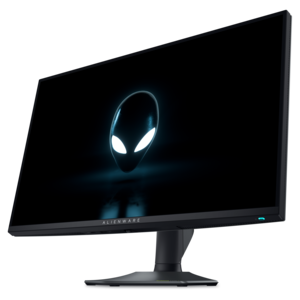
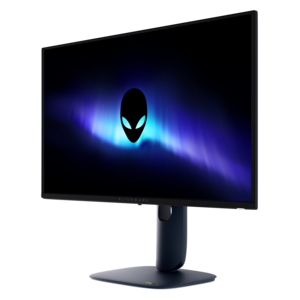
A 5K ultrawide gaming monitor with RGB stripe tandem OLED technology for bright, vibrant visuals.


Alienware monitors for trading offer the advanced display solutions that traders need to stay ahead in fast-paced markets. Designed to support multi-tasking and deliver clarity during critical moments, these monitors help create an efficient workspace for analyzing charts, executing trades, and managing portfolios. Explore a range of Alienware monitors for trading and find the ideal setup to enhance your trading experience and maximize productivity.
Shop By
Sort By






Alienware monitors for trading can bring a more spacious, responsive feel to a desk used for market research, chart review and active order management. Although these displays are designed with gaming performance in mind, the same characteristics can be useful when a trading platform is busy with streaming quotes, moving candlesticks, depth-of-market data and several open windows. A high refresh rate can make scrolling, cursor movement and rapidly changing information appear smoother, while a fast response time helps reduce visible blur during motion. These benefits are most noticeable when reviewing several charts in quick succession or moving between watchlists, news feeds and account tools. A sharp panel also helps small labels, price markers and technical indicators remain easy to distinguish. For anyone building a focused workstation, the choice usually begins with screen size and layout. A wide display can place multiple charts side by side without the bezel separating them, creating one continuous workspace for comparing time frames, sectors or instruments. A standard-size monitor can be easier to position at a comfortable viewing distance and may work especially well in a two- or three-display arrangement. Before choosing, consider the dimensions of the desk, the number of applications used at once and whether the trading platform supports flexible window placement. An ultrawide layout may suit someone who prefers one uninterrupted canvas, while multiple displays can make it easier to dedicate one screen to charts, another to orders and a third to research or communication. Traders who work from a compact home office may appreciate a single high-resolution display, while people with a larger desk may benefit from a carefully aligned array that keeps important information visible without constant minimizing and reopening.
Resolution, panel technology and text scaling deserve close attention when comparing monitors for trading. Higher resolution can produce more detailed charts and cleaner lettering, particularly on larger screens, but the operating system or trading application may need modest scaling adjustments so menus and data do not appear too small. A 4K display can provide generous workspace and fine detail, while a QHD display often offers a practical balance between clarity and comfortable text size. An ultrawide aspect ratio expands horizontal room for side-by-side charts, but it is worth checking that the software used for trading can take advantage of the extra width. OLED and QD-OLED panels are known for deep blacks, strong contrast and vivid separation between bright chart lines and dark backgrounds. Those qualities can make visual elements stand out in a dimly lit room, yet trading dashboards often contain fixed toolbars, watchlists and borders that remain in the same position for long periods. Anyone considering an OLED display for extended daily use should review the manufacturer’s care features, use available pixel-refresh or panel-maintenance functions as directed and configure screen-sleep settings rather than leaving a static interface displayed indefinitely. IPS and VA technologies may be preferable for a workspace that shows the same software layout for many hours each day, depending on the desired contrast, viewing angles and image characteristics. Brightness control, an adjustable color profile and an uncluttered interface can matter just as much as headline specifications. A matte or low-reflection finish may help in a room with windows, while consistent backlighting can be more comfortable when market research extends through the evening. For clearer text, keep the display at a suitable distance, use a readable interface scale and avoid setting brightness far above the surrounding light level.
Ergonomics can shape the experience of a trading desk over the long term. Look for a stand with height, tilt and swivel adjustment so the top of the screen sits near eye level and the viewing angle feels natural. A compatible display that pivots into portrait orientation can be useful for long news feeds, watchlists, code windows or scrolling data, although portrait mode is usually best confirmed against the software’s layout options. In a multi-monitor setup, matching screen heights and keeping the primary display directly in front of the chair can reduce repeated neck movement. Cable routing, accessible ports and support for a monitor arm can also help preserve valuable desk space. These displays may appeal to active traders, financial students, analysts, small-business owners and anyone who spends substantial time comparing information across multiple windows. They can also be a thoughtful gift for a person creating a first dedicated office, provided the giver knows the recipient’s preferred screen size, desk dimensions and computer connections. A monitor is only one part of a dependable setup, so check that the computer can drive the selected resolution and refresh rate, and confirm which video cables or adapters are required. Consider the room’s lighting, the typical number of hours spent at the desk and whether the monitor will also be used for gaming, streaming or creative work after markets close. For additional context on display features, visual immersion and workspace performance, explore Alienware Immersive Gaming Monitors. A well-matched screen should make important information easier to organize, support a comfortable posture and fit naturally into the routines that surround every trading session.
Alienware monitors offer fast refresh rates, ultra-low response times, and high-resolution displays, providing traders with crisp visuals and smooth transitions. Their advanced connectivity options and ergonomic designs also help create an efficient and comfortable trading workstation.
A high refresh rate ensures that price charts and data feeds update smoothly and in real time, allowing traders to make split-second decisions with greater accuracy and less visual lag.
Yes, Alienware monitors are designed with thin bezels and versatile mounting options, making it easy to configure multi-monitor workstations for enhanced productivity and expanded workspace.
Alienware monitors typically include a range of ports such as HDMI, DisplayPort, and USB hubs, enabling seamless connections to multiple devices and peripherals commonly used in trading environments.
Alienware monitors are compatible with a wide variety of trading software and platforms, ensuring reliable performance and clear visualization of charts, graphs, and analytical tools.
Add the products you would like to compare, and quickly determine which is best for your needs.