Avamar: ConnectEMC may stop working or consume 100% CPU after upgrade.
Summary: This knowledge base article shows steps on how to address if the ConnectEMC stops working.
This article applies to
This article does not apply to
This article is not tied to any specific product.
Not all product versions are identified in this article.
Symptoms
On an Avamar system, the ConnectEMC process pegs the CPU at 100% utilization.
Cause
For this scenario, the cause is unknown.
Resolution
Follow the below steps to configure alternative alerting mechanism.
Check the below mentioned connectEMC_config xml file and the connectemc directory exist and are accessible.
Check the below mentioned connectEMC_config xml file and the connectemc directory exist and are accessible.
admin@monarch143:~/>: su -
Password:

root@monarch143:~/#: ls -lrt /opt/connectemc
lrwxrwxrwx 1 root root 18 Jun  1  2022 /opt/connectemc -> /data01/connectemc

root@monarch143:~/#: cd /opt/connectemc

root@monarch143:/opt/connectemc/#: ls -l
total 20764
-rwx------ 1 root root         5 Nov 24 01:28 .ceclock
-rw-rw-r-- 1 root admin     3108 Jun  9  2022 ConnectEMC.ini
-rw-rw-r-- 1 root admin      685 Nov 22 01:23 ConnectEMC_config.xml
drwxrws--- 2 root admin        6 Jun  9  2022 archive
drwxr-xr-x 2 root root        70 Dec 17  2020 bin
-rwxr-xr-x 1 root root       322 Jan  6  2012 callhome.ini
drwxr-xr-x 4 root root       317 Nov 24 01:15 certs
-rwxr-xr-x 1 root root  19193054 Jan  6  2012 connectemc
If you do not want to configure email notifications, then you must manually zero-out the ConnectEMC_config.xml configuration file (empty the configuration file) on the Avamar server using the steps below:
- Connect to Avamar using SSH with admin account.
- Switch to the root user account.
- Rename the current configuration file.
mv /opt/connectemc/ConnectEMC_config.xml /opt/connectemc/ConnectEMC_config.xml.orig - Create the configuration file without any values in it.
touch /opt/connectemc/ConnectEMC_config.xml - Verify that the configuration file is empty.
ls -latr /opt/connectemc/ConnectEMC_config.xml -rw-rw-r-- 1 root admin 0 Feb 7 22:36 ConnectEMC_config.xml - Restart the ConnectEMC service using the following commands:
service connectemc stop
service connectemc start
Alternate way to get altered about the events.
If Connecthome alerts are not forwarded to Dell, it is necessary to configure an email alert and open a Support ticket in case of hardware related error messages.
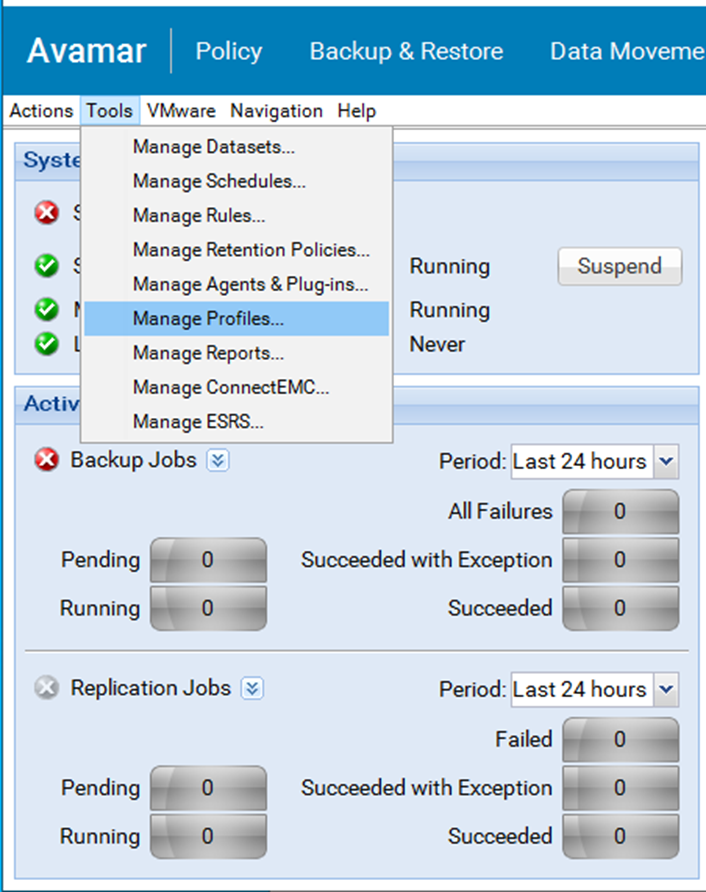
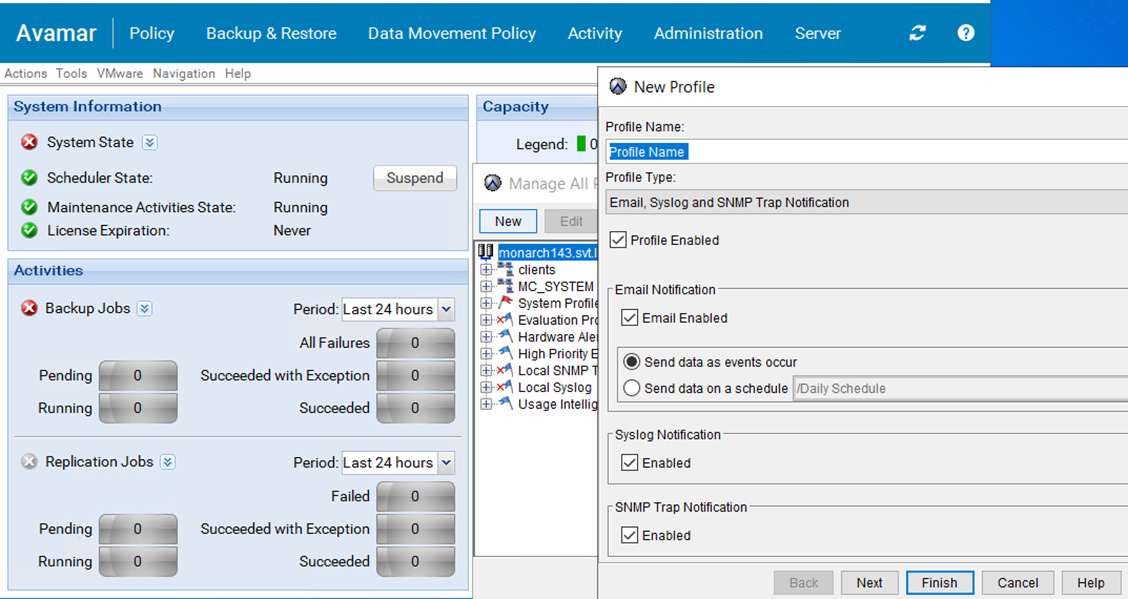
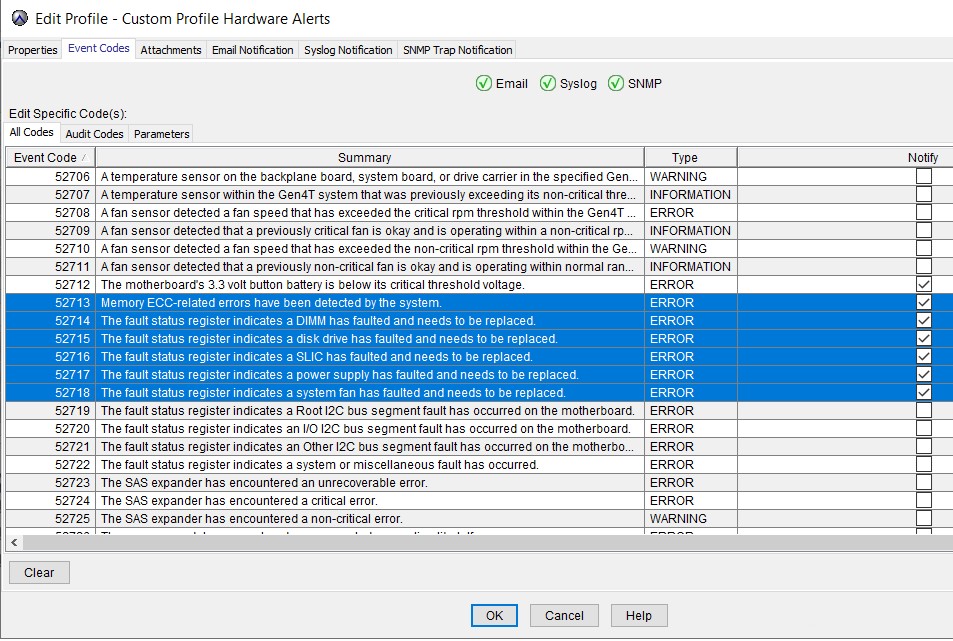
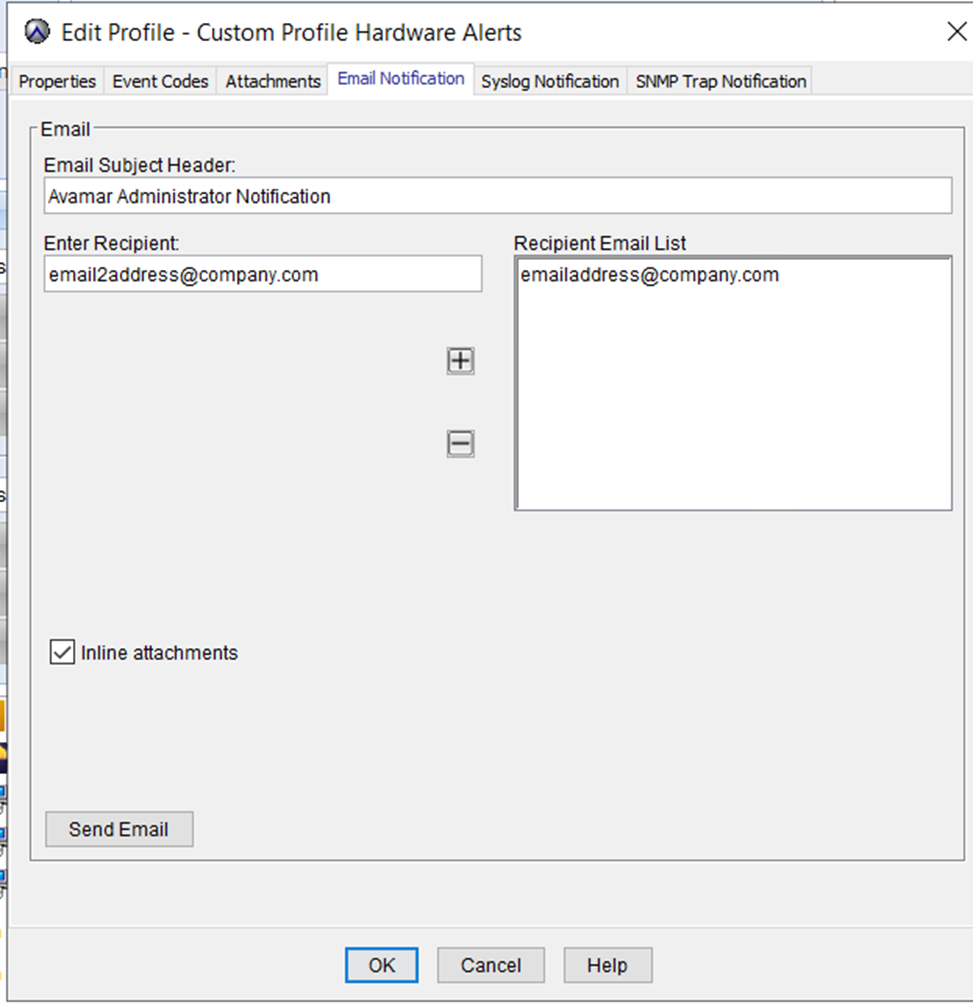
| Important error codes | |||||
| 4004 | 52700 | 22416 | 52701 | 52620 | 52768 |
| 52764 | 4302 | 52750 | 52621 | 52627 | 52722 |
| 52728 | 52607 | 52718 | 52633 | 52769 | 52628 |
| 4202 | 52723 | 52717 | 52618 | 52706 | 22407 |
| 15 | 52630 | 52716 | 52755 | 52759 | 52714 |
| 52622 | 52724 | 52725 | 52617 | 52626 | 22632 |
| 52623 | 52751 | 52719 | 52726 | 52600 | 52632 |
| 52756 | 52712 | ||||
Affected Products
AvamarProducts
Avamar Data Store, Avamar Data Store Gen3, Avamar Data Store Gen4, Avamar Data Store Gen4S, Avamar Data Store Gen4T, Avamar Data Store Gen5A, Avamar Server, Avamar Virtual EditionArticle Properties
Article Number: 000205826
Article Type: Solution
Last Modified: 14 Jul 2023
Version: 2
Find answers to your questions from other Dell users
Support Services
Check if your device is covered by Support Services.