$399.99
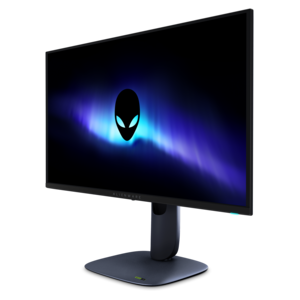
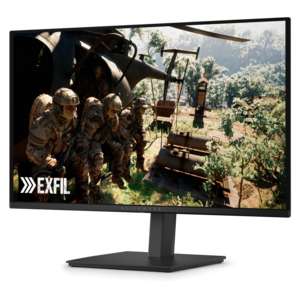
A dual-resolution IPS gaming monitor switching between 4K 180Hz and FHD 360Hz, with G-SYNC compatibility.


Experience smoother, more immersive gameplay with adaptive sync Alienware monitors, designed to elevate your visual performance during every session. These monitors are engineered to reduce screen tearing and provide fluid motion, making them an excellent choice for gaming enthusiasts and professionals alike. Explore a range of sizes and specifications to find the perfect adaptive sync Alienware monitor that fits your setup and enhances your viewing experience.
Shop By
Sort By




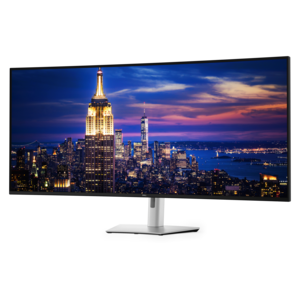
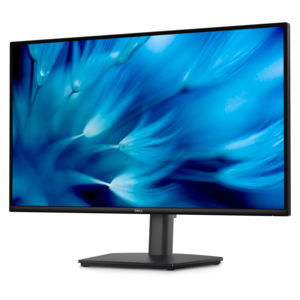
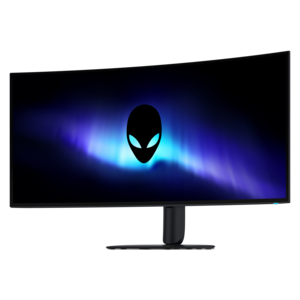
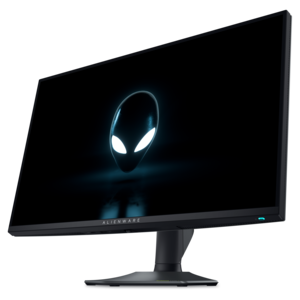
Adaptive Sync Alienware monitors are designed to make fast-moving content look smoother and more consistent by coordinating the monitor’s refresh rate with the frame rate produced by a compatible graphics card. Without this coordination, a display may refresh in the middle of a frame, creating visible tearing across the image, or repeat frames when performance fluctuates, causing stutter. Adaptive Sync technologies help reduce these distractions by allowing the screen to adjust dynamically as frame rates rise and fall. Depending on the configuration, available monitors may support VESA AdaptiveSync, NVIDIA G-SYNC Compatible, or AMD FreeSync technologies, so it is important to check compatibility with the graphics hardware and operating system used with the display. This feature can be especially valuable in racing games, first-person action titles, sports games, and other scenes where a camera pan or quick movement makes uneven motion easy to notice. It can also make everyday desktop movement feel more fluid when scrolling through long pages, moving windows, or reviewing animated content. When choosing an Adaptive Sync display, begin with the kind of experience you want at your desk. A higher refresh rate can make motion appear more immediate, while a compatible variable refresh feature helps maintain smoothness when the computer cannot sustain the maximum rate in every scene. Competitive players may prefer a very high refresh rate paired with a fast response time, while story-driven games and cinematic content may place greater emphasis on resolution, contrast, color, and screen size. QHD resolution offers a useful balance of sharp detail and manageable graphics demands, while 4K resolution can provide a more spacious, finely rendered image for compatible games, creative work, and high-resolution media. Some displays use fast IPS panels for responsive motion and broad viewing angles, while others use curved QD-OLED designs for rich contrast, deep blacks, and vivid color. A curved screen can also create a more enveloping view, particularly on a wider display positioned at a comfortable distance, although a flat panel may better suit a compact desk or a setup shared with other people. Consider the graphics card, connection type, and supported bandwidth before selecting a monitor. DisplayPort and HDMI capabilities can vary by display, and the highest resolution or refresh rate may require a particular input, cable, or graphics output. Checking the stated maximum resolution, refresh rate, response time, and Adaptive Sync range helps set realistic expectations and avoids pairing a high-performance screen with a connection that limits its capabilities.
The right size and shape depend on how the monitor will be used throughout the day. A compact screen can leave room for speakers, notebooks, or a second display, while a larger screen can make game worlds, timelines, spreadsheets, and creative applications easier to view without constant resizing. Ultrawide or curved formats may help keep more of a scene within the field of view, and an adjustable stand can improve comfort by supporting height, tilt, swivel, and, on some designs, pivot adjustments. Look for narrow bezels and practical cable routing when building a multi-monitor arrangement, especially if the desk also holds a webcam, keyboard, controller, or other accessories. A monitor with multiple inputs can simplify switching between a gaming PC, laptop, and console, while built-in USB connectivity may help keep frequently used peripherals within reach. For long sessions, a comfortable viewing position matters as much as headline specifications. Place the top of the screen near eye level, keep the display at a natural arm’s length, and reduce glare from windows or overhead lighting. Features such as low-blue-light modes, flicker reduction, and an on-screen brightness control can support a more comfortable routine, though they do not replace regular breaks or good room lighting. Adaptive Sync Alienware monitors can suit dedicated players who want responsive, fluid motion, students balancing entertainment with schoolwork, creators who need a generous canvas, and home office users who appreciate a sharp, polished display after the workday ends. They can also be a thoughtful gift for someone refreshing a gaming corner, assembling a first desktop setup, or replacing an older screen that struggles with motion. For a more immersive desk arrangement, browse Alienware Curved Gaming Monitors and compare screen curvature, resolution, refresh rate, panel type, and connectivity. During the warmer or cooler parts of the year, a dependable monitor can remain a central part of a home workspace, whether the room is used for evening gaming, remote projects, creative hobbies, or relaxed viewing. Focus on the combination of specifications rather than one number in isolation: a high refresh rate is most useful when the computer can deliver appropriately high frame rates, while sharp resolution benefits from suitable graphics performance and the right viewing distance. Reviewing Adaptive Sync support, ergonomic adjustments, screen finish, warranty information, and available ports alongside visual performance makes it easier to choose a display that feels natural from the first match through many hours of everyday use.
Adaptive sync technology in Alienware monitors dynamically matches the monitor's refresh rate to the frame rate output by your graphics card, reducing screen tearing and stuttering for smoother gameplay.
Adaptive sync helps eliminate visual artifacts like tearing and stuttering during fast-paced gaming, providing a more immersive and responsive experience on Alienware monitors.
Many Alienware monitors support both NVIDIA G-SYNC and AMD FreeSync, allowing users to enjoy adaptive sync benefits regardless of their graphics card brand.
In most cases, adaptive sync needs to be enabled through your monitor's on-screen display settings as well as your graphics card's control panel for optimal performance.
While adaptive sync is primarily designed for gaming, it can also help reduce judder and tearing during video playback, resulting in smoother visuals on Alienware monitors.
Add the products you would like to compare, and quickly determine which is best for your needs.